
























 Feb 14, 2015, 12:53 pm
Last edit by: ExpertFlyer Voice
The purpose of this thread is to post questions, feedback, and report issues with ExpertFlyer. The ExpertFlyer team will respond as soon as possible from the ExpertFlyer Voice account (usually within 24 hours except on weekends).
You can also contact ExpertFlyer support at [email protected]
This is a community-maintained thread— it is not supported by ExpertFlyer.
--------------------
Seat Maps: we're currently not able to show seat maps for flights departing within the next 24 hours for several airlines: DL, BA, QR , ANA, B6, & JL
Searches currently not working:
To search AA upgrades:
You can also contact ExpertFlyer support at [email protected]
This is a community-maintained thread— it is not supported by ExpertFlyer.
--------------------
Seat Maps: we're currently not able to show seat maps for flights departing within the next 24 hours for several airlines: DL, BA, QR , ANA, B6, & JL
Searches currently not working:
- Upgrades - AY, BA, EK, EY, IB, QR, VS
- Awards - AY, BA, IB, EY, QR, VS
To search AA upgrades:
- Use the Award & Upgrade tool
- Only search for individual segments (set the "Connection Preference" drop-down to "Direct/Non-Stop only"). Flight results that are part of a connection won't show the upgrade version of C or A inventory because AA only files upgrade inventory as individual, not married, segments. (Married segments show revenue inventory instead of upgrade inventory.)
- To avoid confusion, check the "Exclude Codeshares" box, as AA awards and upgrades are not valid on codeshares.
- 2 minute video explanation: https://www.youtube.com/watch?v=YGRNFYIbHp4

ExpertFlyer Help Desk, Information and Updates Thread
Oct 13, 2025 | 7:54 am
#4081


Join Date: Mar 2008
Location: USA, France
Programs: LH HON*****, AF/KL Gold; HHilton Diamond; Marriott Gold; IHG Platinium; Avis PresClub
Posts: 1,273
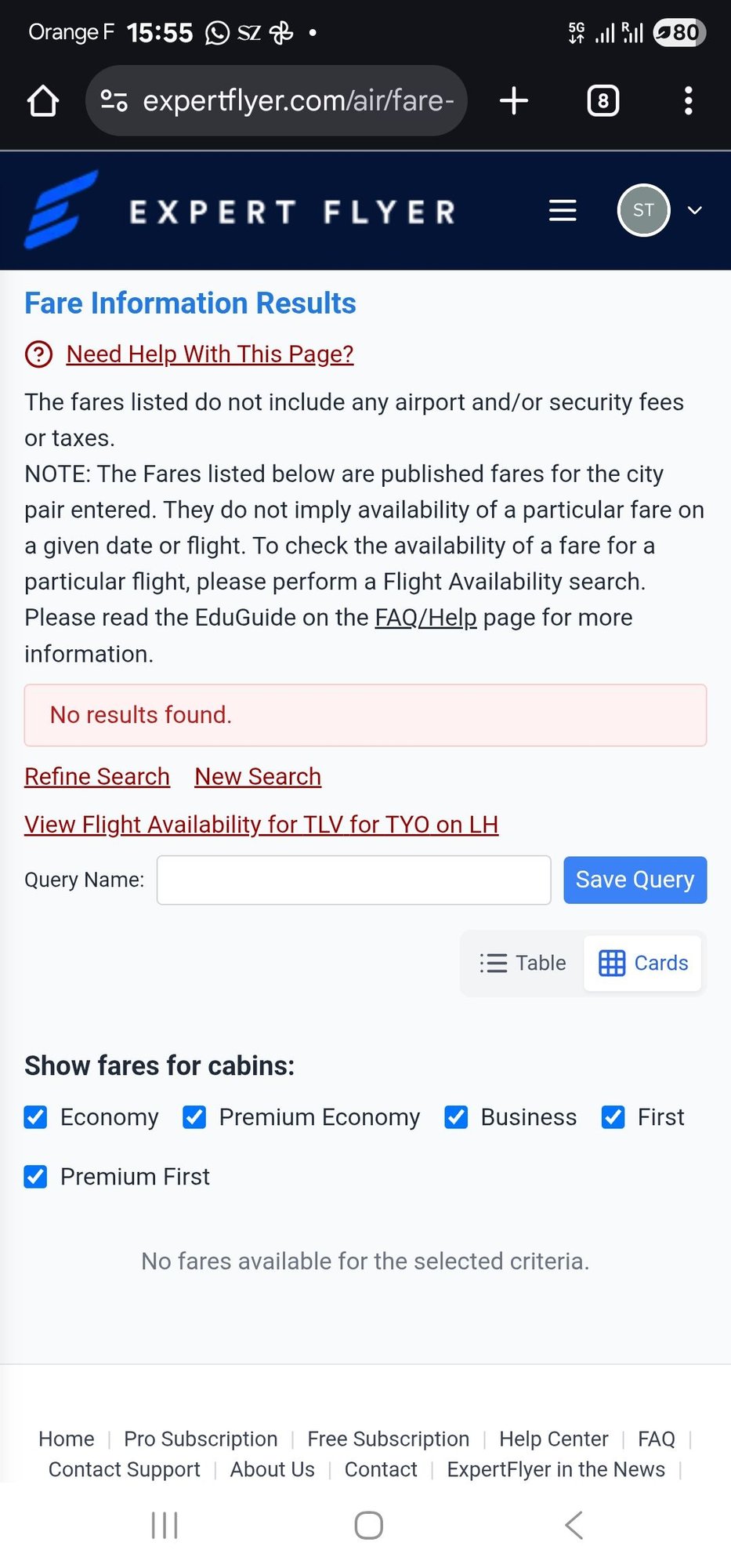
I have the same problem. Fare Rules don't show up. Tried LH on intra-european (MRS-HAM), intercontinental (TLV-TYO, MUC-IAH). None works.
 Oct 13, 2025 | 8:04 am
#4082
Company Representative - ExpertFlyer


Join Date: Jan 2005
Posts: 2,928
I keep getting this erroneous notification. There's no change to the aircraft configuration that should be triggering it, and it always says the original aircraft type is "Airbus A330-300 (333)" and new type is "333"
I've seen something sort of like this a couple of times when creating alerts for WestJet 787 flights, where upon setup it initially detects "789". It then very quickly issues an alert that it has changed to "M89", as though it's pulling the data from two different sources where WestJet has used different codes, such that the alert is triggered even though there's no change. But in that case, it seems to settle down and stay as "M89" and not issue any more alerts.
So whether that's related, I don't know.
I've seen something sort of like this a couple of times when creating alerts for WestJet 787 flights, where upon setup it initially detects "789". It then very quickly issues an alert that it has changed to "M89", as though it's pulling the data from two different sources where WestJet has used different codes, such that the alert is triggered even though there's no change. But in that case, it seems to settle down and stay as "M89" and not issue any more alerts.
So whether that's related, I don't know.
Last edited by TWA884; Oct 13, 2025 at 8:44 am Reason: Merge consecutive posts by the same member; please use the multi-quote function. Thank you.
Oct 13, 2025 | 11:50 am
#4083


Join Date: Nov 2016
Posts: 224
When I use the quick alert form with a date in 2026 the alerts created have dates in 2025 and immediately expire.
When an aircraft change alert is triggered, resubmitting that alert keeps the outdated aircraft config and triggers the same alert the next day. I have to create a new alert instead of resubmitting.
I'm getting schedule change alerts where an hour has dropped from the flight duration when according to the airline and according to expert flyer's own flight details search nothing has changed.
When an aircraft change alert is triggered, resubmitting that alert keeps the outdated aircraft config and triggers the same alert the next day. I have to create a new alert instead of resubmitting.
I'm getting schedule change alerts where an hour has dropped from the flight duration when according to the airline and according to expert flyer's own flight details search nothing has changed.
Oct 13, 2025 | 1:05 pm
#4084
Company Representative - ExpertFlyer
Join Date: Jan 2005
Posts: 2,928
When I use the quick alert form with a date in 2026 the alerts created have dates in 2025 and immediately expire.
When an aircraft change alert is triggered, resubmitting that alert keeps the outdated aircraft config and triggers the same alert the next day. I have to create a new alert instead of resubmitting.
I'm getting schedule change alerts where an hour has dropped from the flight duration when according to the airline and according to expert flyer's own flight details search nothing has changed.
When an aircraft change alert is triggered, resubmitting that alert keeps the outdated aircraft config and triggers the same alert the next day. I have to create a new alert instead of resubmitting.
I'm getting schedule change alerts where an hour has dropped from the flight duration when according to the airline and according to expert flyer's own flight details search nothing has changed.
- Do you mind trying the 2025 vs 2026 alert again? It should be working now.
- We will look into it, but we agree. If an aircraft or schedule changed, and you resubmit we should be using the updated info not the original.
- Can you please forward us an example of the hour being dropped via PM?
Oct 14, 2025 | 1:14 am
#4088
Ambassador: The British Airways Club, easyJet and Ryanair

Join Date: Sep 2011
Location: UK/Las Vegas
Programs: BA Gold (GGL/CCR)
Posts: 17,044
Oct 14, 2025 | 7:40 am
#4089
Company Representative - ExpertFlyer
Join Date: Jan 2005
Posts: 2,928
Thank you!
Oct 14, 2025 | 8:32 am
#4090
Ambassador: The British Airways Club, easyJet and Ryanair
Join Date: Sep 2011
Location: UK/Las Vegas
Programs: BA Gold (GGL/CCR)
Posts: 17,044
”An error occurred in the Server Components render. The specific message is omitted in production builds to avoid leaking sensitive details. A digest property is included on this error instance which may provide additional details about the nature of the error.”
UPDATE: It appears to be a sporadic issue — I tried again about an hour later, and both the outbound and inbound sectors populated as expected.
Last edited by Tobias-UK; Oct 14, 2025 at 9:26 am
Oct 14, 2025 | 10:05 am
#4091

Join Date: Sep 2009
Location: 30 miles from London
Programs: BA Gold, MUCCI, KL Gold, Fans of M.O. Pearl, Accor Silver
Posts: 1,764

 Oct 14, 2025 | 1:16 pm
#4092
Moderator, Air Canada; FlyerTalk Evangelist
Join Date: Feb 2015
Location: YYC
Programs: AC SE MM, FB Plat, WS Plat, BA Silver, Marriott Plat, Hilton Gold, Accor Gold
Posts: 18,980
I believe the WS ones were all created before the quick alerts feature was introduced. The AC 333 one was, I think, a quick alert. But I think I had the same issue with one or two others that were created the legacy way.
Oct 15, 2025 | 8:03 am
#4093

Join Date: Sep 2009
Programs: AA Executive Platinum, Marriott Lifetime Titanium, IHG Platinum
Posts: 2,425
I have an AA ticket, but no seat assigned, on a flight that is sold out. Through the AA website, I cannot select a seat, and EF is showing all seats taken. Yesterday morning I set a seat alert for any seat. I randomly checked around 10pm last night, and there was a seat available, so I grabbed it.
The alert is still set in EF. It never fired, and I was never notified.

While I have strongly defended EF, even in light of its slow progress with fixing issue after issue, not reliably notifying for something as simple as a seat alert is pretty poor.
The alert is still set in EF. It never fired, and I was never notified.
While I have strongly defended EF, even in light of its slow progress with fixing issue after issue, not reliably notifying for something as simple as a seat alert is pretty poor.
Last edited by WannaTheater; Oct 15, 2025 at 10:29 am

 Oct 15, 2025 | 9:21 am
#4095
Join Date: Feb 2002
Location: London. Or a plane.
Programs: "Only" 650,000 nTPs until BA GGLfL
Posts: 2,888
I can't see *any* fare rules ... I get zero results for London to New York.
Update: ExpertFlyer reached out and said removing the sale city solves this, which indeed it does.

Update: ExpertFlyer reached out and said removing the sale city solves this, which indeed it does.
Last edited by alexwuk; Oct 16, 2025 at 8:37 am