
























 Feb 14, 2015, 12:53 pm
Last edit by: ExpertFlyer Voice
The purpose of this thread is to post questions, feedback, and report issues with ExpertFlyer. The ExpertFlyer team will respond as soon as possible from the ExpertFlyer Voice account (usually within 24 hours except on weekends).
You can also contact ExpertFlyer support at [email protected]
This is a community-maintained thread— it is not supported by ExpertFlyer.
--------------------
Seat Maps: we're currently not able to show seat maps for flights departing within the next 24 hours for several airlines: DL, BA, QR , ANA, B6, & JL
Searches currently not working:
To search AA upgrades:
You can also contact ExpertFlyer support at [email protected]
This is a community-maintained thread— it is not supported by ExpertFlyer.
--------------------
Seat Maps: we're currently not able to show seat maps for flights departing within the next 24 hours for several airlines: DL, BA, QR , ANA, B6, & JL
Searches currently not working:
- Upgrades - AY, BA, EK, EY, IB, QR, VS
- Awards - AY, BA, IB, EY, QR, VS
To search AA upgrades:
- Use the Award & Upgrade tool
- Only search for individual segments (set the "Connection Preference" drop-down to "Direct/Non-Stop only"). Flight results that are part of a connection won't show the upgrade version of C or A inventory because AA only files upgrade inventory as individual, not married, segments. (Married segments show revenue inventory instead of upgrade inventory.)
- To avoid confusion, check the "Exclude Codeshares" box, as AA awards and upgrades are not valid on codeshares.
- 2 minute video explanation: https://www.youtube.com/watch?v=YGRNFYIbHp4

ExpertFlyer Help Desk, Information and Updates Thread
Oct 9, 2025 | 12:35 pm
#4066
Moderator, OneWorld


Join Date: Feb 2002
Location: SEA
Programs: RAA RIP; AA ExEXP
Posts: 12,550
Starting a few days ago I was receiving this error message every time I tried to pull up RTW fares until today; now the site only returns "No results found." Is this a permanent thing or a temporary glitch?

 Oct 9, 2025 | 1:23 pm
#4067
Company Representative - ExpertFlyer
Join Date: Jan 2005
Posts: 2,929
Hi Gardyloo - Sending you a PM for specifics. We have been seeing isolated reports of this but has been really hard to replicate on our end.
Oct 10, 2025 | 3:10 am
#4068

Join Date: Apr 2014
Programs: BAC Gold. Hilton Gold (downgraded, sob!)
Posts: 755
 Oct 10, 2025 | 8:32 am
#4070

Join Date: Jun 2024
Location: London
Programs: BAC Gold, A3 Gold, SK Gold
Posts: 644
Hi,
I have the following:
BA105, 27/2/26
Expertflyer showing 9 J & 9 I. When calling BA, they are telling me that there's no availability so technically i can't set an alert cause i immediately getting notified from Expertflyer that there's award availability while BA claims the contrary
I have the following:
BA105, 27/2/26
Expertflyer showing 9 J & 9 I. When calling BA, they are telling me that there's no availability so technically i can't set an alert cause i immediately getting notified from Expertflyer that there's award availability while BA claims the contrary
Oct 10, 2025 | 9:06 am
#4071
FlyerTalk Posting Legend and Ambassador: The British Airways Club


Join Date: Apr 2012
Location: Leeds, UK
Programs: BA GGL/CCR, HH Diamond
Posts: 48,545
Hi,
I have the following:
BA105, 27/2/26
Expertflyer showing 9 J & 9 I. When calling BA, they are telling me that there's no availability so technically i can't set an alert cause i immediately getting notified from Expertflyer that there's award availability while BA claims the contrary
I have the following:
BA105, 27/2/26
Expertflyer showing 9 J & 9 I. When calling BA, they are telling me that there's no availability so technically i can't set an alert cause i immediately getting notified from Expertflyer that there's award availability while BA claims the contrary
 Oct 10, 2025 | 10:42 am
#4072

Join Date: Mar 2011
Location: MFR
Programs: UA 1K 2MM
Posts: 3,339
Seat Alerts does not seem to be working at all for UA.
I just did a few “quick checks”, and even though the seats are now open, I get a pop-up saying: Queued successfully - we will notify you of any changes.
Some of them are from days ago. I left them to test the system to see if I’m notified. I wasn’t.
What’s going on?
I just did a few “quick checks”, and even though the seats are now open, I get a pop-up saying: Queued successfully - we will notify you of any changes.
Some of them are from days ago. I left them to test the system to see if I’m notified. I wasn’t.
What’s going on?
Oct 10, 2025 | 1:56 pm
#4073
Join Date: Dec 2023
Location: 🛫🌷🛬
Posts: 1,030
Seat Alerts does not seem to be working at all for UA.
I just did a few “quick checks”, and even though the seats are now open, I get a pop-up saying: Queued successfully - we will notify you of any changes.
Some of them are from days ago. I left them to test the system to see if I’m notified. I wasn’t.
What’s going on?
I just did a few “quick checks”, and even though the seats are now open, I get a pop-up saying: Queued successfully - we will notify you of any changes.
Some of them are from days ago. I left them to test the system to see if I’m notified. I wasn’t.
What’s going on?
Seat map disappeared from Flight Status web page
Oct 10, 2025 | 3:58 pm
#4074
Join Date: Nov 2003
Posts: 237
Oct 10, 2025 | 4:01 pm
#4075
Moderator, Air Canada; FlyerTalk Evangelist
Join Date: Feb 2015
Location: YYC
Programs: AC SE MM, FB Plat, WS Plat, BA Silver, Marriott Plat, Hilton Gold, Accor Gold
Posts: 18,990
I keep getting this erroneous notification. There's no change to the aircraft configuration that should be triggering it, and it always says the original aircraft type is "Airbus A330-300 (333)" and new type is "333".
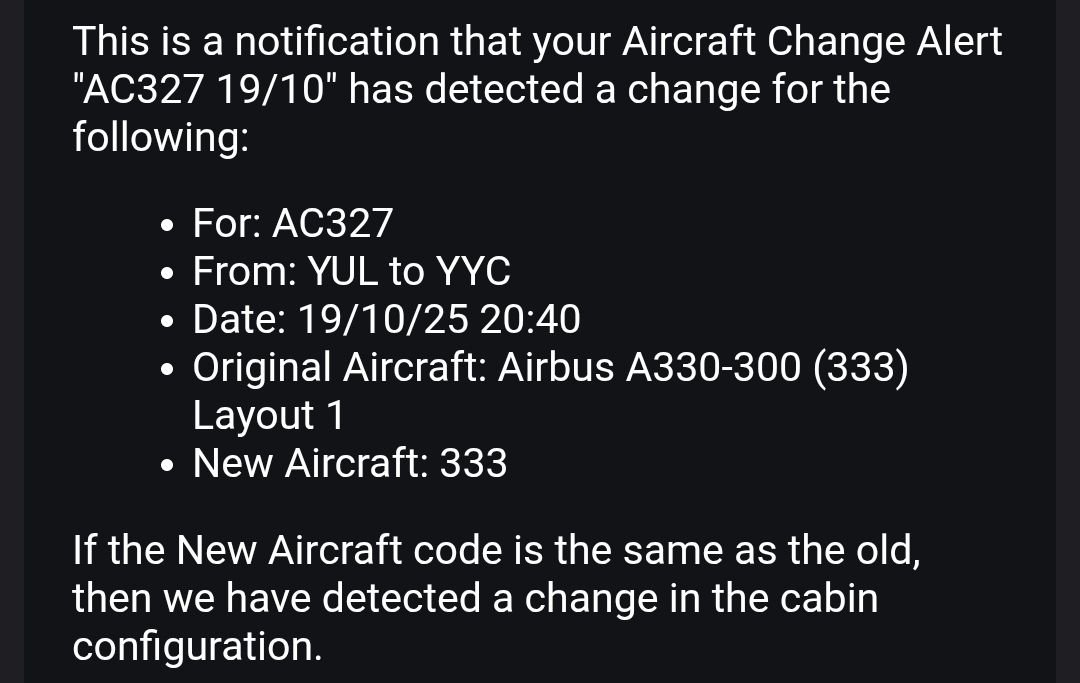
I've seen something sort of like this a couple of times when creating alerts for WestJet 787 flights, where upon setup it initially detects "789". It then very quickly issues an alert that it has changed to "M89", as though it's pulling the data from two different sources where WestJet has used different codes, such that the alert is triggered even though there's no change. But in that case, it seems to settle down and stay as "M89" and not issue any more alerts.
So whether that's related, I don't know.
I've seen something sort of like this a couple of times when creating alerts for WestJet 787 flights, where upon setup it initially detects "789". It then very quickly issues an alert that it has changed to "M89", as though it's pulling the data from two different sources where WestJet has used different codes, such that the alert is triggered even though there's no change. But in that case, it seems to settle down and stay as "M89" and not issue any more alerts.
So whether that's related, I don't know.
Oct 10, 2025 | 6:25 pm
#4076
Join Date: Mar 2011
Location: MFR
Programs: UA 1K 2MM
Posts: 3,339
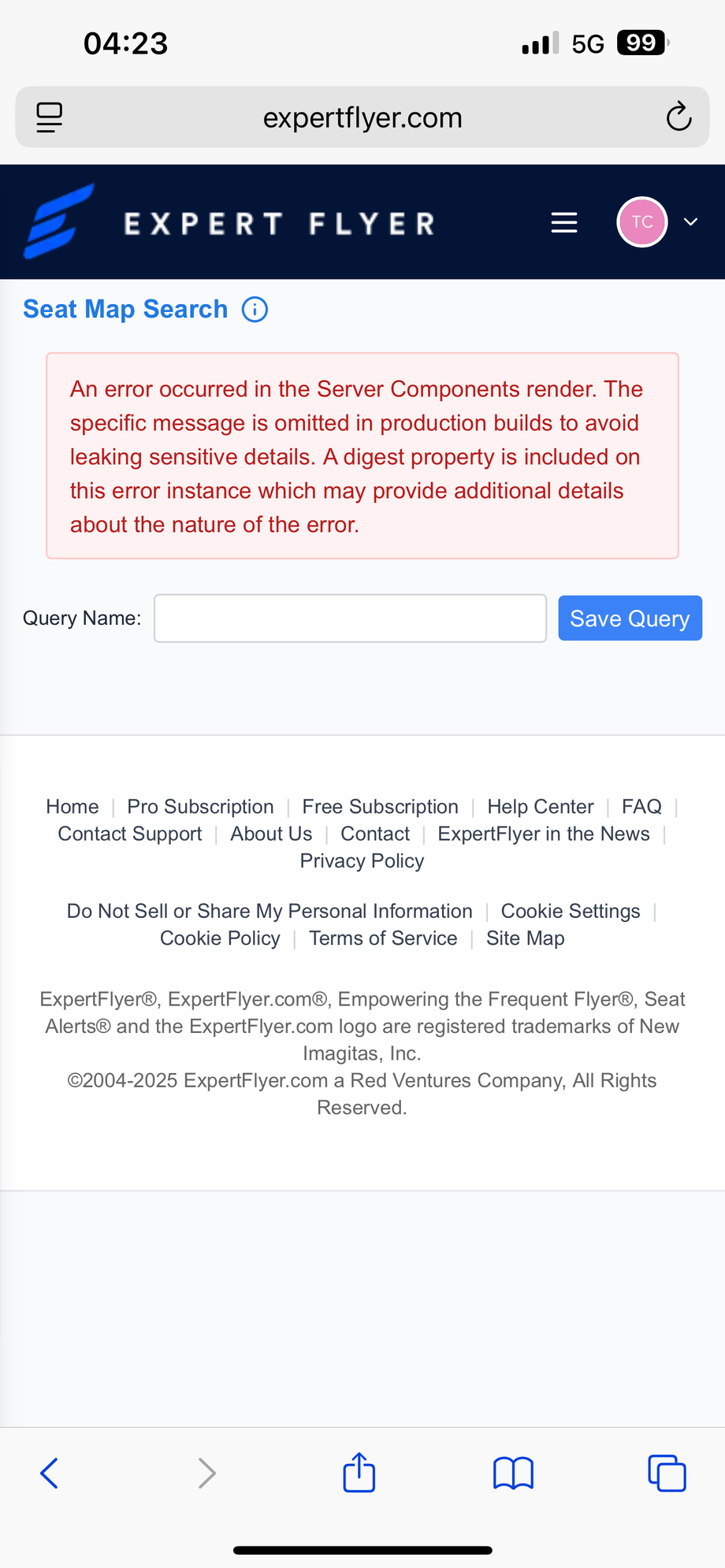
Is it related to this?
Seat map disappeared from Flight Status web page
Seat map disappeared from Flight Status web page
Seat maps work fine for me
 Oct 11, 2025 | 3:11 am
#4078
Join Date: Jun 2012
Location: Hong Kong SAR
Posts: 309
Cathay Pacific (CX) Seat Maps also inaccurate
CX seat maps both >24 hours and <24 hours haven't been reliable for months now either.
Experflyer both shows unblocked/available seats (w/out status) that are occupied/blocked on CX.com and also occupied seats that are available/empty and easy selectable without status on CX.com. Basically renders the seat maps quite useless.
Also no BLOCKED seats are marked they seem to just show as OCCUPIED.
Experflyer both shows unblocked/available seats (w/out status) that are occupied/blocked on CX.com and also occupied seats that are available/empty and easy selectable without status on CX.com. Basically renders the seat maps quite useless.
Also no BLOCKED seats are marked they seem to just show as OCCUPIED.

 Oct 13, 2025 | 7:42 am
#4080
Company Representative - ExpertFlyer
Join Date: Jan 2005
Posts: 2,929
Seat Alerts does not seem to be working at all for UA.
I just did a few “quick checks”, and even though the seats are now open, I get a pop-up saying: Queued successfully - we will notify you of any changes.
Some of them are from days ago. I left them to test the system to see if I’m notified. I wasn’t.
What’s going on?
I just did a few “quick checks”, and even though the seats are now open, I get a pop-up saying: Queued successfully - we will notify you of any changes.
Some of them are from days ago. I left them to test the system to see if I’m notified. I wasn’t.
What’s going on?
Last edited by ExpertFlyer Voice; Oct 13, 2025 at 3:03 pm