
























 Nov 30, 2017, 8:41 am
Last edit by: JDiver
Some ways to reverse new features
1) Disabling infinite scroll:
2) Restore previous post editing options:
NOTE: For ease of both members posting and Technical Support, this thread has been split into two threads for 2018; one exclusively for MOBILE devices, the other for DESKTOP devices. You can find them here:
2018 FT Nov 2017 Upgrade for DESKTOP Devices BUG REPORTS (link), and
2018 FT Nov 2017 Upgrade for MOBILE Devices BUG REPORTS
1) Disabling infinite scroll:
- Go to My FlyerTalk Control Panel
- Edit options
- Disable Infinite Scroll
- Edit options
2) Restore previous post editing options:
- Go to My FlyerTalk Control Panel
- Settings and Options
- Miscellaneous Options
- Message Editor Interface and select “Standard Editor -- extra formatting controls” (you may see odd behavior in this unsupported editor)
- Miscellaneous Options
- Settings and Options
NOTE: For ease of both members posting and Technical Support, this thread has been split into two threads for 2018; one exclusively for MOBILE devices, the other for DESKTOP devices. You can find them here:
2018 FT Nov 2017 Upgrade for DESKTOP Devices BUG REPORTS (link), and
2018 FT Nov 2017 Upgrade for MOBILE Devices BUG REPORTS

ARCHIVE: FT 15 Nov 2017 Upgrade Tech Thread - 2017 BUG REPORTS
Nov 15, 2017 | 12:22 pm
#91
FlyerTalk Evangelist


Join Date: May 2006
Location: SEA or BGR, Lower Earth Orbit
Programs: UA 1K
Posts: 17,295
The secret Santa avatars are also dead.
 Nov 15, 2017 | 12:24 pm
#92


Join Date: Jan 2003
Posts: 3,893
Removed Infinite Scroll and everything is so much better and faster. Not only were the top and bottom floating bars horrible, the way that it kept loading the pages when you scroll up and down were messing up Quick Reply. You could type 2 sentences and scroll up to look up something in the thread.... page load... scroll back down and your Quick Reply is blank again. 
Nov 15, 2017 | 12:24 pm
#93
Moderator, Emirates


Join Date: Oct 2012
Location: Where My Heart Is
Programs: BAEC Silver, FB Platinum, KQ Asante Gold, Shebamiles Blue, Emirates Blue
Posts: 3,429
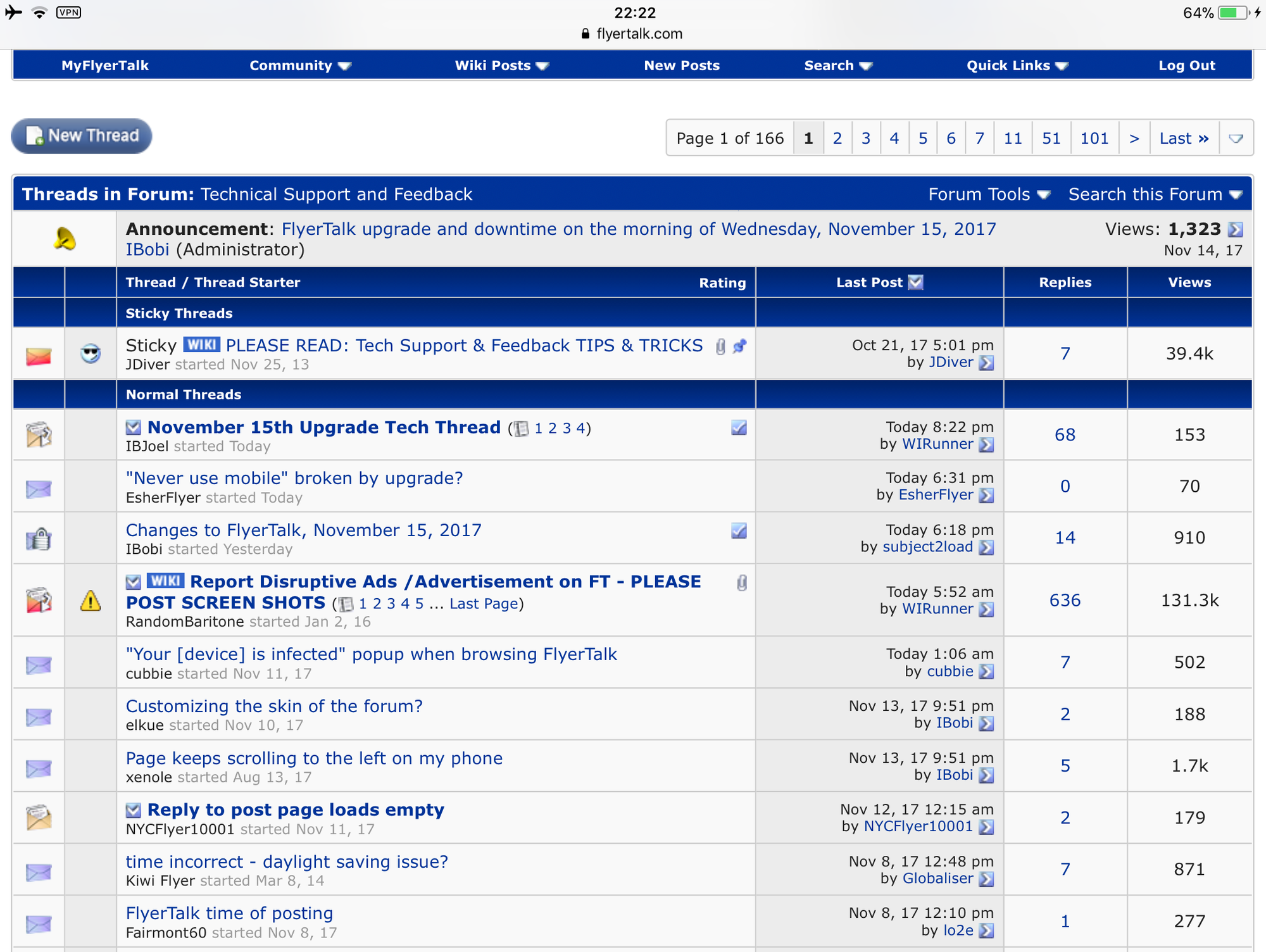
On iPad, the ‘Last Post’ column appears to be taking up more space than the previous version.
S
S
Nov 15, 2017 | 12:26 pm
#94


Join Date: Mar 2009
Location: DPS
Programs: AS Titanium, LH Senator
Posts: 1,908
It's getting slightly better; no more underlined links. But it still feels very "grey" and the column width isn't tight, creating a dated look.

Nov 15, 2017 | 12:28 pm
#95
A FlyerTalk Posting Legend
Join Date: Aug 2006
Location: Argentina
Posts: 40,881
I think it looks okay to be honest.
Nov 15, 2017 | 12:29 pm
#96
Join Date: Nov 2007
Location: SW London
Programs: BAEC Silver; Hilton Diamond;a miscellany of other hotel non-statuses
Posts: 3,710
As mentioned in separate thread, the "Never use mobile" option seems to be broken. I've started getting that on my phone even though I have the option set.
Nov 15, 2017 | 12:30 pm
#97
Join Date: Nov 2007
Location: SW London
Programs: BAEC Silver; Hilton Diamond;a miscellany of other hotel non-statuses
Posts: 3,710
The Quick Links -> My Threads option has disappeared. Is there an equivalent somewhere that I missed?
Nov 15, 2017 | 12:31 pm
#98
Moderator, Finnair

Join Date: May 2011
Location: MMX (CPH)
Programs: EB Diamond, AY+ Gold, A3*G, Strawberry Lifetime Platinum, GHA Discovery Titanium, SJ Prio Black
Posts: 15,199
Nov 15, 2017 | 12:32 pm
#99
Join Date: Nov 2007
Location: SW London
Programs: BAEC Silver; Hilton Diamond;a miscellany of other hotel non-statuses
Posts: 3,710
I keep getting a message in IE on Win10 about "a long running script". If I wait a while and click Stop then a few moments later I'm told the page is unresponsive, it dies, and reloads.
Nov 15, 2017 | 12:33 pm
#100
Administrator

Join Date: Sep 2015
Location: Los Angeles
Programs: Internet Brands
Posts: 4,440
Nov 15, 2017 | 12:33 pm
#101
Join Date: Nov 2007
Location: SW London
Programs: BAEC Silver; Hilton Diamond;a miscellany of other hotel non-statuses
Posts: 3,710
If I post a Quick Reply then the old text stays in the box, so I didn't just retype the following for instance...
I keep getting a message in IE on Win10 about "a long running script". If I wait a while and click Stop then a few moments later I'm told the page is unresponsive, it dies, and reloads.
I keep getting a message in IE on Win10 about "a long running script". If I wait a while and click Stop then a few moments later I'm told the page is unresponsive, it dies, and reloads.
Nov 15, 2017 | 12:35 pm
#102

Join Date: Dec 2012
Location: YVR, HNL
Programs: AS MVPG, UA peon, BA Bronze, Marriott Plat, HH Diamond, Fairmont Plat (RIP)
Posts: 8,443
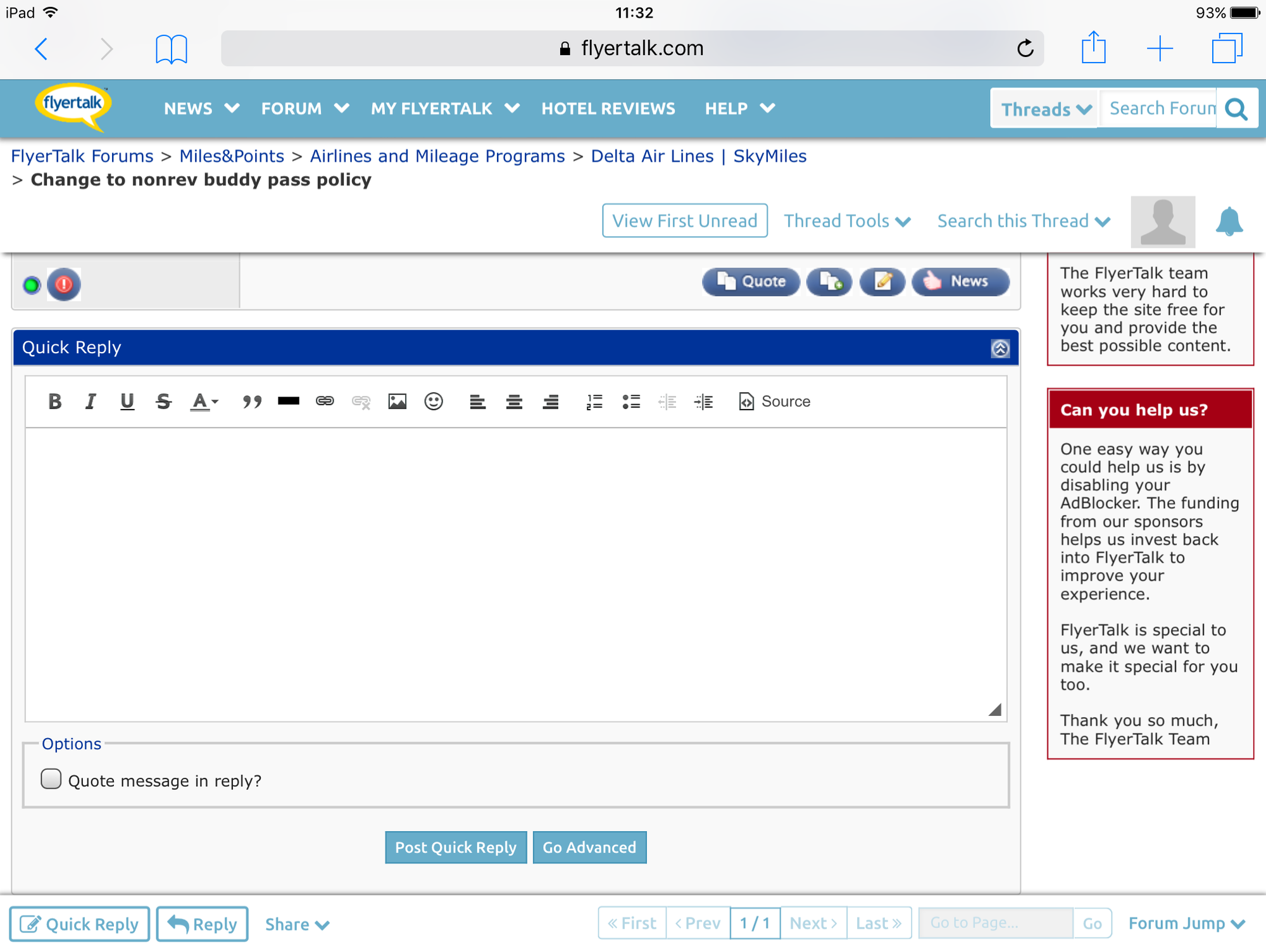
When I click on 'view first unread' or the little blue arrow, it toally cuts off the first unread post. If the reply is short, as in this example, I don't see anything at all. This is what I get:
Nov 15, 2017 | 12:40 pm
#103
FlyerTalk Evangelist

Join Date: Feb 1999
Location: Seat 1A, Juice pretty much everywhere, Mucci des Coins Exotiques
Posts: 34,337
I see a rather significant feature loss with this upgrade. Previously under My Flyertalk you could click on a link and see all the threads you have posted to. That appears to have disappeared. Unless I am missing it somewhere else? Now there is a link for all the threads you've subscribed to, rather than posted to. Can we get that feature back?
Nov 15, 2017 | 12:42 pm
#104
Join Date: Aug 2009
Location: NYC
Programs: UA, BA Avios, AMEX Plat
Posts: 529
I see a rather significant feature loss with this upgrade. Previously under My Flyertalk you could click on a link and see all the threads you have posted to. That appears to have disappeared. Unless I am missing it somewhere else? Now there is a link for all the threads you've subscribed to, rather than posted to. Can we get that feature back?
Nov 15, 2017 | 12:48 pm
#105
FlyerTalk Evangelist
Join Date: Feb 1999
Location: Seat 1A, Juice pretty much everywhere, Mucci des Coins Exotiques
Posts: 34,337