Website/app IT issues
 Jun 26, 2015 | 11:28 am
#1
Original Poster
FlyerTalk Evangelist


Join Date: Mar 2004
Location: SGF
Programs: AS, AA, UA, AGR S+, Choice Platinum
Posts: 23,319
Website/app IT issues
Just wanted to report on a couple of glitches I seem to be having:
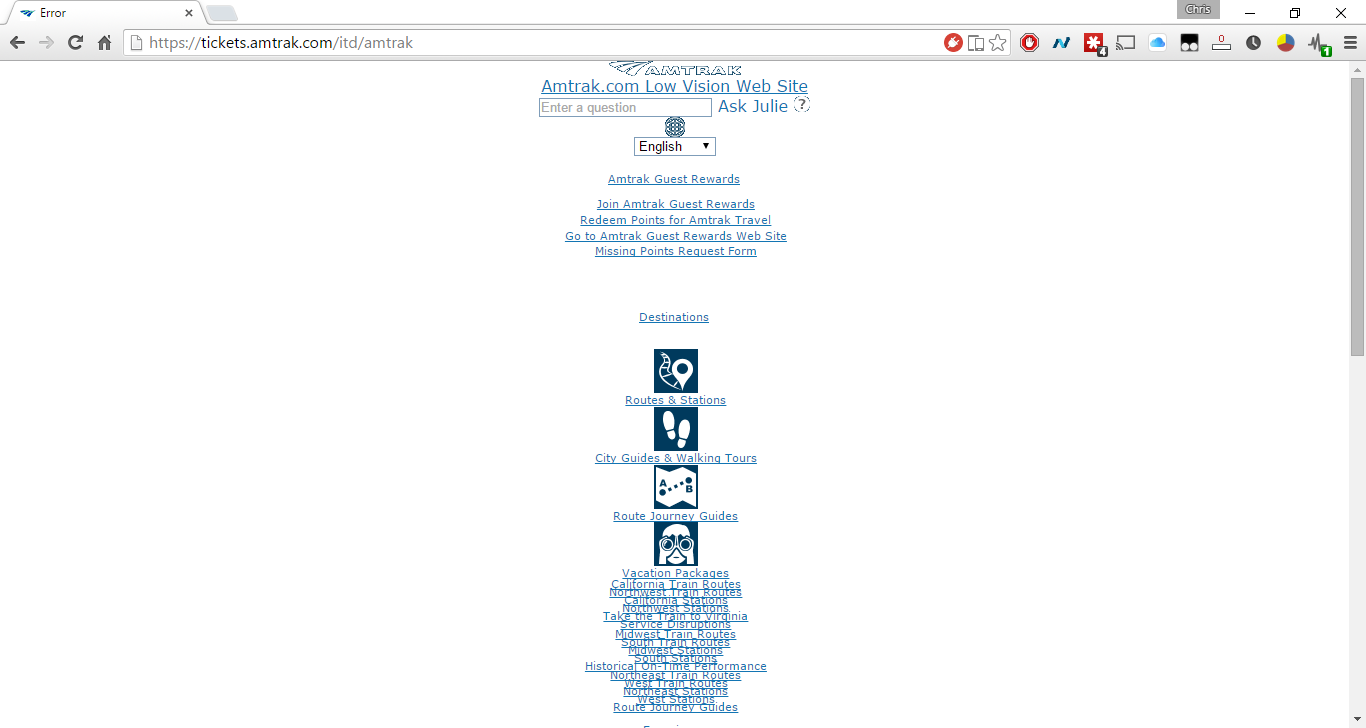
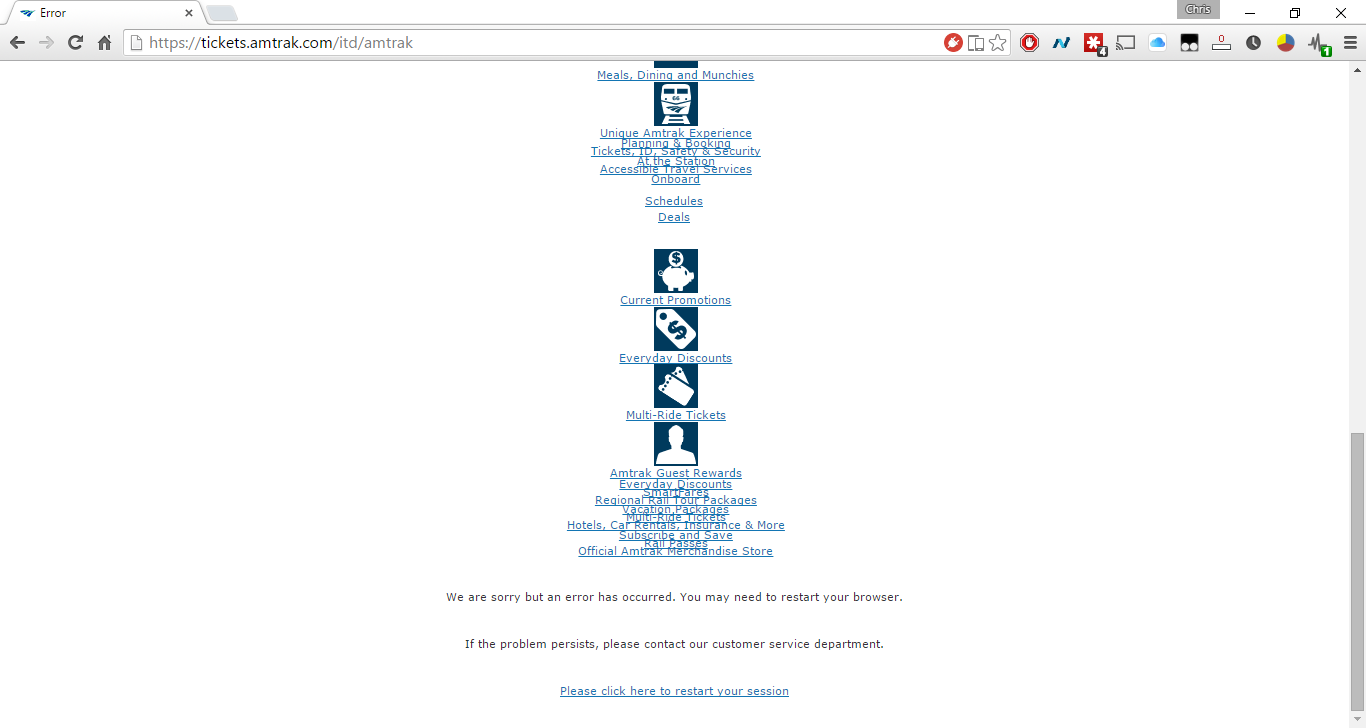
1) When trying to book a ticket on Amtrak.com in Chrome v44 on Win8.1, I get to the payment page, enter my card number, click submit, acknowledge the new popup to review the itinerary...and am then taken to a page on Amtrak's low-vision site (??) saying that there was an error. IE works fine, so it seems limited to Chrome. I did not try Firefox.
2) The iPhone app seems to randomly log me out. Sometimes it'll appear to keep me logged in for weeks, but then I might be in the app looking at an upcoming trip, switch to another app for a moment, and come back to find that it has logged me out. Mildly frustrating.
3) On a recent trip, the conductor at SBP (crew change point) scanned my e-ticket in the app about 20 minutes before the train's (delayed) arrival. When I went to board, the SCA asked to see my ticket. I tried to pull it up in the app and it had disappeared, telling me I had to obtain a paper ticket.
4) I just booked a multi-city trip SKN-OKJ-SJC. The trip and corresponding ticket is not showing up in the iOS app. AFAIK, there has never been any delay or anything before trips show up in the app. Hopefully it will show up eventually, though.
5) I had booked an SJC-PRB trip for next week several days ago. I am able to view it in the app. However, it is not showing up on Amtrak.com in my list of upcoming trips. (Only the trip I booked above in #4 is showing up on Amtrak.com).
Just wanted to report these issues to see if anyone else has noticed anything similar and also in the event AGR Insider is able to pass them along.
1) When trying to book a ticket on Amtrak.com in Chrome v44 on Win8.1, I get to the payment page, enter my card number, click submit, acknowledge the new popup to review the itinerary...and am then taken to a page on Amtrak's low-vision site (??) saying that there was an error. IE works fine, so it seems limited to Chrome. I did not try Firefox.
2) The iPhone app seems to randomly log me out. Sometimes it'll appear to keep me logged in for weeks, but then I might be in the app looking at an upcoming trip, switch to another app for a moment, and come back to find that it has logged me out. Mildly frustrating.
3) On a recent trip, the conductor at SBP (crew change point) scanned my e-ticket in the app about 20 minutes before the train's (delayed) arrival. When I went to board, the SCA asked to see my ticket. I tried to pull it up in the app and it had disappeared, telling me I had to obtain a paper ticket.
4) I just booked a multi-city trip SKN-OKJ-SJC. The trip and corresponding ticket is not showing up in the iOS app. AFAIK, there has never been any delay or anything before trips show up in the app. Hopefully it will show up eventually, though.
5) I had booked an SJC-PRB trip for next week several days ago. I am able to view it in the app. However, it is not showing up on Amtrak.com in my list of upcoming trips. (Only the trip I booked above in #4 is showing up on Amtrak.com).
Just wanted to report these issues to see if anyone else has noticed anything similar and also in the event AGR Insider is able to pass them along.
 Jun 26, 2015 | 1:32 pm
#2

Join Date: Jul 2011
Location: PHL
Programs: AA Executive Platinum, Marriott LTT + Ambassador
Posts: 80
2. iPhone app does log me out on occasion too - agree, mildly frustrating
4. I find that this happens when the email address and phone number utilized on the specific booking do not match you account records. It seems that your phone #, email address, and Amtrak Guest Rewards # all need to match on the specific booking otherwise it will not show up in the app. You can instead take the Reservation Number and utilize the Lookup function (Trips then Lookup in upper right corner) in the iPhone app to find your trip and import a ticket into Passbook - even if you info all matches you might want to try the Lookup function to validate you can see the ticket and import into Passbook if you so desire
4. I find that this happens when the email address and phone number utilized on the specific booking do not match you account records. It seems that your phone #, email address, and Amtrak Guest Rewards # all need to match on the specific booking otherwise it will not show up in the app. You can instead take the Reservation Number and utilize the Lookup function (Trips then Lookup in upper right corner) in the iPhone app to find your trip and import a ticket into Passbook - even if you info all matches you might want to try the Lookup function to validate you can see the ticket and import into Passbook if you so desire
Jun 26, 2015 | 1:56 pm
#3
FlyerTalk Evangelist

Join Date: Jun 2002
Location: n.y.c.
Posts: 14,059
4) I just booked a multi-city trip SKN-OKJ-SJC. The trip and corresponding ticket is not showing up in the iOS app. AFAIK, there has never been any delay or anything before trips show up in the app. Hopefully it will show up eventually, though.
5) I had booked an SJC-PRB trip for next week several days ago. I am able to view it in the app. However, it is not showing up on Amtrak.com in my list of upcoming trips. (Only the trip I booked above in #4 is showing up on Amtrak.com).
I do remember that a trip booked via an Android/iOS app is not viewable on Amtrak.com (or was not viewable the last time I tried to use the website to cancel a ticket).
There is a post in here somewhere from AlanB that explains why this happens.
Jun 26, 2015 | 1:57 pm
#4
Original Poster
FlyerTalk Evangelist
Join Date: Mar 2004
Location: SGF
Programs: AS, AA, UA, AGR S+, Choice Platinum
Posts: 23,319
4. I find that this happens when the email address and phone number utilized on the specific booking do not match you account records. It seems that your phone #, email address, and Amtrak Guest Rewards # all need to match on the specific booking otherwise it will not show up in the app. You can instead take the Reservation Number and utilize the Lookup function (Trips then Lookup in upper right corner) in the iPhone app to find your trip and import a ticket into Passbook - even if you info all matches you might want to try the Lookup function to validate you can see the ticket and import into Passbook if you so desire
Still, if it's confusing for me, it's something Amtrak should address, because regular people have no hope of understanding it.
 Jun 26, 2015 | 2:09 pm
#5
FlyerTalk Evangelist
Join Date: Jun 2002
Location: n.y.c.
Posts: 14,059
Good point. I recently changed my billing address, and that probably is the cause.
Interesting. I think I did book that CS trip via the app after I got annoyed with Chrome not working. That would explain that.
Still, if it's confusing for me, it's something Amtrak should address, because regular people have no hope of understanding it.
Interesting. I think I did book that CS trip via the app after I got annoyed with Chrome not working. That would explain that.
Still, if it's confusing for me, it's something Amtrak should address, because regular people have no hope of understanding it.
http://www.flyertalk.com/forum/amtra...app-quirk.html
It sounds like the 3 front-ends (the website, the Android/iOS apps, and the one the CSRs use) feed into ARROW, the backend system that creates/contains the reservation, but the information is not uniformly populated back to the other front-ends.
Jun 28, 2015 | 9:52 pm
#7


Join Date: Jun 2012
Location: New England
Programs: DL, UA, AA, B6, 2V, Marriott, Hilton, Hyatt
Posts: 6,130
Amtrak appears to have changed their website. It now (in my opinion) looks like an Amtrak-ized version of the Southwest website.
I hate the Amtrak app. It logs me out as soon as I either switch apps or hit the home button.
I hate the Amtrak app. It logs me out as soon as I either switch apps or hit the home button.
Jun 29, 2015 | 10:02 am
#8
Original Poster
FlyerTalk Evangelist
Join Date: Mar 2004
Location: SGF
Programs: AS, AA, UA, AGR S+, Choice Platinum
Posts: 23,319
 I had to use Google to find a blog post to find a link to the live train location/status map, and when I opened it, it wouldn't load in Chrome...
It's on this page now (and not, AFAICT, on the homepage): http://www.amtrak.com/find-train-bus...s-train-routes (click "Track your train / Check train status")
Anyone else find it not working for them in Chrome? Works in FF.
Jun 30, 2015 | 12:25 pm
#10
Original Poster
FlyerTalk Evangelist
Join Date: Mar 2004
Location: SGF
Programs: AS, AA, UA, AGR S+, Choice Platinum
Posts: 23,319
Yikes!
Amtrak gave me a heart attack this morning. I woke up at 8am (in time for my 10:02-delayed-to-10:22 southbound Coast Starlight) and the Passbook notification on my homescreen said "Departs at 7:02am."
Wait, what?? I missed my train?
Somehow the Amtrak Passbook pass's time zone settings are screwed up or something. So, another report of something to look into. This is probably the first time I've used Passbook on the west coast--the times have always looked fine when using it on the east coast, so I'm guessing it's a time zone issue.
Forgot to take a screen shot.
Yeah, it does today, too. Maybe a temporary glitch with my browser yesterday.
Amtrak gave me a heart attack this morning. I woke up at 8am (in time for my 10:02-delayed-to-10:22 southbound Coast Starlight) and the Passbook notification on my homescreen said "Departs at 7:02am."
Wait, what?? I missed my train?
Somehow the Amtrak Passbook pass's time zone settings are screwed up or something. So, another report of something to look into. This is probably the first time I've used Passbook on the west coast--the times have always looked fine when using it on the east coast, so I'm guessing it's a time zone issue.
Forgot to take a screen shot.
Yeah, it does today, too. Maybe a temporary glitch with my browser yesterday.
Jun 30, 2015 | 12:42 pm
#11
FlyerTalk Evangelist
Join Date: Jun 2002
Location: n.y.c.
Posts: 14,059
Yikes!
Amtrak gave me a heart attack this morning. I woke up at 8am (in time for my 10:02-delayed-to-10:22 southbound Coast Starlight) and the Passbook notification on my homescreen said "Departs at 7:02am."
Wait, what?? I missed my train?
Somehow the Amtrak Passbook pass's time zone settings are screwed up or something. So, another report of something to look into. This is probably the first time I've used Passbook on the west coast--the times have always looked fine when using it on the east coast, so I'm guessing it's a time zone issue.
Forgot to take a screen shot.
Amtrak gave me a heart attack this morning. I woke up at 8am (in time for my 10:02-delayed-to-10:22 southbound Coast Starlight) and the Passbook notification on my homescreen said "Departs at 7:02am."
Wait, what?? I missed my train?
Somehow the Amtrak Passbook pass's time zone settings are screwed up or something. So, another report of something to look into. This is probably the first time I've used Passbook on the west coast--the times have always looked fine when using it on the east coast, so I'm guessing it's a time zone issue.
Forgot to take a screen shot.
Were you on the east coast when you booked the trip? Somehow the trip got recorded as 10:02am ET.
Jun 30, 2015 | 1:03 pm
#12
FlyerTalk Evangelist
Join Date: Jun 2002
Location: n.y.c.
Posts: 14,059
On an Android phone, there is an "Add to calendar" button for the reservation.
I just booked a ticket departing Chicago Union station next week at 5:15pm, and, after adding it to the calendar, it appears in my Google calendar as 5:15pm ET.
So, there is your bug.
Maybe AGR Insider can point us to the team at Amtrak Technology that rewards users for finding simple bugs that should have been captured during beta testing.
I just booked a ticket departing Chicago Union station next week at 5:15pm, and, after adding it to the calendar, it appears in my Google calendar as 5:15pm ET.
So, there is your bug.
Maybe AGR Insider can point us to the team at Amtrak Technology that rewards users for finding simple bugs that should have been captured during beta testing.
Jun 30, 2015 | 8:17 pm
#13
Original Poster
FlyerTalk Evangelist
Join Date: Mar 2004
Location: SGF
Programs: AS, AA, UA, AGR S+, Choice Platinum
Posts: 23,319
On an Android phone, there is an "Add to calendar" button for the reservation.
I just booked a ticket departing Chicago Union station next week at 5:15pm, and, after adding it to the calendar, it appears in my Google calendar as 5:15pm ET.
So, there is your bug.
Maybe AGR Insider can point us to the team at Amtrak Technology that rewards users for finding simple bugs that should have been captured during beta testing.
I just booked a ticket departing Chicago Union station next week at 5:15pm, and, after adding it to the calendar, it appears in my Google calendar as 5:15pm ET.
So, there is your bug.
Maybe AGR Insider can point us to the team at Amtrak Technology that rewards users for finding simple bugs that should have been captured during beta testing.
Jun 30, 2015 | 8:52 pm
#14
FlyerTalk Evangelist
Join Date: Jun 2002
Location: n.y.c.
Posts: 14,059
Perhaps related but could very well be separate. Google Calendar has its own time zone quirks, and I'd suspect they're dealt with separately from how one deals with Apple's Passbook. That said, it does seem that Amtrak believes the world is centered on the East Coast (a view shared by many East Coasters, IME...).
I don't know what quirks Google Calendar has, but it books the trip in the time zone of your phone, which is how you'd expect it to behave if it doesn't otherwise get any time zone information.
Oct 9, 2015 | 12:06 am
#15
Original Poster
FlyerTalk Evangelist
Join Date: Mar 2004
Location: SGF
Programs: AS, AA, UA, AGR S+, Choice Platinum
Posts: 23,319
Been awhile since I booked an Amtrak ticket, but I just tried now and am still getting the redirect to the Amtrak low-vision site with an error at the bottom saying "We are sorry but an error has occurred."
This comes immediately after submitting payment.
I tried it twice. No go.
I ended up buying my ticket through the iOS app, but this is quite annoying.
This comes immediately after submitting payment.
I tried it twice. No go.
I ended up buying my ticket through the iOS app, but this is quite annoying.