
























"Random techie stuff I've been doing during the lockdown" thread
 Sep 23, 2020 | 3:52 pm
#121


Join Date: Aug 2008
Location: Somewhere in Florida
Posts: 2,889
To keep everyone updated on my journey...
First flight today.

The past couple months' of studying paid off. The instructor seemed relieved that I had done so much prep work beforehand and it showed. Pre-flight, checklists, weather, radio calls, airspace, etc., no problem. Not perfect, but functional, and I've noted what I need to review. It quickly turned into the instructor asking me about all of the various checklists, parts, and steps rather than him having to teach me.
Take-off to landing was all mine. Only 35 miles, but that was me on the controls. Smooth landing, not even a tire chirp. However, I learned that I suck at taxiing. More than once I chirped, "Your controls." Then again, with this being my first flight, pretty damn happy with the results. Nowhere near ready for solo flight, BUT, in much better shape than I thought I'd be after 1 hr. So far it's looking like the PPL (Private Pilot License) section will be very quick. Solo in October. Definitely PPL by year-end, possibly November, which would be great -- I'd love to be able to fly up north to spend Thanksgiving with family. I definitely want to pursue IFR and Commercial ratings immediately thereafter, especially the IFR.
So how did it feel? Surreal and awesome all at the same time. It strangely felt like I was operating Google Earth. Even after I left and drove past the runway I just landed on, I couldn't believe this actually happened. It still feels like a dream. There have been so many barriers in my life to this happening. I never even considered being a pilot of any type because of them...yet..it's happening and happening quickly at that. The CFI seems to be exactly all I could have ever asked for. I can't wait to get back up in the sky next week.
Actually...it did. As fate would have it, the Cessna 172 was already booked this week. The Diamond DA40 just came back in last week after being outfitted with all new avionics over the past two months, including the G1000. I made sure I went through some G1000 tutorials online before getting in the aircraft and felt pretty much at home with it. I was able to find everything I needed without any fuss.
Despite the DA40 being a "complex" type aircraft, the CFI had no issue with me flying it as a student, and to be honest, I don't see the big deal about the adjustable pitch prop. So I watch manifold pressure instead of RPM -- no big deal. I just made the gear calls even with the fixed gear to drill it into my head. I was fearing the lack of aircon + that big dome on the aircraft would have made for a very uncomfortable time, but it wasn't bad at all. Plenty of cooling from the prop and air. It also helps that the plane is hangared. Pre-flighting in a hangar instead of hot Florida asphalt? Priceless.
I'll be in the C172 next week as the DA40 is booked, but I don't mind. The more aircraft types, the merrier. Both are the same rental rate for me, so it'll eventually come down to personal preference and availability. I have a sneaky feeling the DA40 will be my desired plane.
First flight today.
The past couple months' of studying paid off. The instructor seemed relieved that I had done so much prep work beforehand and it showed. Pre-flight, checklists, weather, radio calls, airspace, etc., no problem. Not perfect, but functional, and I've noted what I need to review. It quickly turned into the instructor asking me about all of the various checklists, parts, and steps rather than him having to teach me.
Take-off to landing was all mine. Only 35 miles, but that was me on the controls. Smooth landing, not even a tire chirp. However, I learned that I suck at taxiing. More than once I chirped, "Your controls." Then again, with this being my first flight, pretty damn happy with the results. Nowhere near ready for solo flight, BUT, in much better shape than I thought I'd be after 1 hr. So far it's looking like the PPL (Private Pilot License) section will be very quick. Solo in October. Definitely PPL by year-end, possibly November, which would be great -- I'd love to be able to fly up north to spend Thanksgiving with family. I definitely want to pursue IFR and Commercial ratings immediately thereafter, especially the IFR.
So how did it feel? Surreal and awesome all at the same time. It strangely felt like I was operating Google Earth. Even after I left and drove past the runway I just landed on, I couldn't believe this actually happened. It still feels like a dream. There have been so many barriers in my life to this happening. I never even considered being a pilot of any type because of them...yet..it's happening and happening quickly at that. The CFI seems to be exactly all I could have ever asked for. I can't wait to get back up in the sky next week.
Actually...it did. As fate would have it, the Cessna 172 was already booked this week. The Diamond DA40 just came back in last week after being outfitted with all new avionics over the past two months, including the G1000. I made sure I went through some G1000 tutorials online before getting in the aircraft and felt pretty much at home with it. I was able to find everything I needed without any fuss.
Despite the DA40 being a "complex" type aircraft, the CFI had no issue with me flying it as a student, and to be honest, I don't see the big deal about the adjustable pitch prop. So I watch manifold pressure instead of RPM -- no big deal. I just made the gear calls even with the fixed gear to drill it into my head. I was fearing the lack of aircon + that big dome on the aircraft would have made for a very uncomfortable time, but it wasn't bad at all. Plenty of cooling from the prop and air. It also helps that the plane is hangared. Pre-flighting in a hangar instead of hot Florida asphalt? Priceless.
I'll be in the C172 next week as the DA40 is booked, but I don't mind. The more aircraft types, the merrier. Both are the same rental rate for me, so it'll eventually come down to personal preference and availability. I have a sneaky feeling the DA40 will be my desired plane.
 Sep 24, 2020 | 2:29 am
#122
Suspended
Join Date: Mar 2002
Location: Canada, USA, Europe
Programs: UA 1K
Posts: 31,439
If you can put up with the terrible journalism, you may find this interesting!
https://www.marconews.com/story/news...rt/5761698002/
https://www.marconews.com/story/news...rt/5761698002/
Sep 24, 2020 | 2:45 am
#123
Join Date: Oct 2017
Location: France
Programs: too many
Posts: 686
Wanted to update the home setup during the lockdown, but the fact that we moved out of our home and ended up in someone else's house meant that this went on hold.
The only tech stuff I could do was:
->Replace my wife's laptop's hard drive (old 2014 Hp laptop)
->Clean an old laptop used for homeschooling during lockdown: Thinkpad X1 from 2011, upgraded to Win10
->Bought a couple of cheap 27" screens for work (cheap in France means less than 100€ per screen)
Now that we're in our new home, I need to:
->Buy a 2TB HDD and connect it to the ISP router to use it as a server
->Set up automated backups across all devices (currently I'm rotating on a couple of external hard drives, but not backing up all devices)
->Probably get a new laptop once the finances are sane again
The only tech stuff I could do was:
->Replace my wife's laptop's hard drive (old 2014 Hp laptop)
->Clean an old laptop used for homeschooling during lockdown: Thinkpad X1 from 2011, upgraded to Win10
->Bought a couple of cheap 27" screens for work (cheap in France means less than 100€ per screen)
Now that we're in our new home, I need to:
->Buy a 2TB HDD and connect it to the ISP router to use it as a server
->Set up automated backups across all devices (currently I'm rotating on a couple of external hard drives, but not backing up all devices)
->Probably get a new laptop once the finances are sane again
Sep 24, 2020 | 3:39 am
#124

Join Date: Jul 2008
Location: K+K
Programs: *G
Posts: 5,081
My X1 Carbon gen 6 got hit with the dreaded Sleep mode Power Suck issue. Drawing anything from 500mW to 3W during sleep. Diagnoses shows NoDrips and various FX controllers and all sorts of esoteric stuff refusing to hibernate, different everyday.
The computer gets regular updates directly from Microsoft and the manufacturer. No funny software on it, at all. Rifled through BIOS settings, disabled all telemetry and other devious background processes, still same problem.
This issue plagues pretty much every Windows machine I've had. Even the corporate laptop which is ultra-locked down, battery will fully drain over 2 or 3 nights of sleep. When plugged in sometimes the fans will go full tilt for days on end, with seemingly nothing being run and regardless of whether its awake or asleep.
All of which is to say ill be jumping back into the warmth embrace of an Apple laptop this holiday. Just too bad the ARM machines wont have been released by then.
The computer gets regular updates directly from Microsoft and the manufacturer. No funny software on it, at all. Rifled through BIOS settings, disabled all telemetry and other devious background processes, still same problem.
This issue plagues pretty much every Windows machine I've had. Even the corporate laptop which is ultra-locked down, battery will fully drain over 2 or 3 nights of sleep. When plugged in sometimes the fans will go full tilt for days on end, with seemingly nothing being run and regardless of whether its awake or asleep.
All of which is to say ill be jumping back into the warmth embrace of an Apple laptop this holiday. Just too bad the ARM machines wont have been released by then.
Sep 24, 2020 | 7:00 am
#125
Join Date: Oct 2017
Location: France
Programs: too many
Posts: 686
My X1 Carbon gen 6 got hit with the dreaded Sleep mode Power Suck issue. Drawing anything from 500mW to 3W during sleep. Diagnoses shows NoDrips and various FX controllers and all sorts of esoteric stuff refusing to hibernate, different everyday.
The computer gets regular updates directly from Microsoft and the manufacturer. No funny software on it, at all. Rifled through BIOS settings, disabled all telemetry and other devious background processes, still same problem.
This issue plagues pretty much every Windows machine I've had. Even the corporate laptop which is ultra-locked down, battery will fully drain over 2 or 3 nights of sleep. When plugged in sometimes the fans will go full tilt for days on end, with seemingly nothing being run and regardless of whether its awake or asleep.
All of which is to say ill be jumping back into the warmth embrace of an Apple laptop this holiday. Just too bad the ARM machines wont have been released by then.
The computer gets regular updates directly from Microsoft and the manufacturer. No funny software on it, at all. Rifled through BIOS settings, disabled all telemetry and other devious background processes, still same problem.
This issue plagues pretty much every Windows machine I've had. Even the corporate laptop which is ultra-locked down, battery will fully drain over 2 or 3 nights of sleep. When plugged in sometimes the fans will go full tilt for days on end, with seemingly nothing being run and regardless of whether its awake or asleep.
All of which is to say ill be jumping back into the warmth embrace of an Apple laptop this holiday. Just too bad the ARM machines wont have been released by then.
Sep 24, 2020 | 5:09 pm
#127
Join Date: Aug 2008
Location: Somewhere in Florida
Posts: 2,889
If you can put up with the terrible journalism, you may find this interesting! https://www.marconews.com/story/news/local/communities/marco-eagle/2020/09/21/collier-teen-gets-pilot-license-record-time-marco-island-airport/5761698002/
FTA: "Career Flight Training and Aircraft Rental (CFTAR) students usually take about eight months or 240 days to acquire the license at the Marco Island Executive Airport, said Alan Davis, president of the company."
For just the PPL like she earned, 2-3 months is pretty common, but some schools offer 14 & 30 day courses. I don't know that I'd trust someone who got it in 14 days though -- you might be able to pass a check-ride, but at that point they're teaching the test and not aviation. There's only so much a person can learn in a day, and cramming like that doesn't produce good long-term memories. Most students go on their first solo flight in ~8-15 flight hours, get their PPL within 40-65 flight hours. ATP Flight Schools will take you from zero to hero (absolutely no experience to Airline Transport Pilot) in 9* months. This guy picked up all of the advanced ratings in 5 weeks: https://www.reddit.com/r/flying/comm...write_up_from/
I'll be done with my PPL by year-end, possibly before Thanksgiving, and that's a rather leisurely pace to me. If I dedicated my life 100% to it, I could see getting it in a month or just a little over. I'm still working 50-60 hours a week outside of my flying pursuits and traveling for work. For now I have all of my flights scheduled in the mornings, with "night" flights w being performed at zero-dark-thirty, so I'll be fresh & alert. There's no reason the "ground" lessons can't happen over breakfast at a fly-in restaurant.
*You'll have the training needed for your ATP at that point, but due to the Colgan Air crash the FAA changed the number of flight hours required for ATP from 250 to 1500. Both pilots in the Colgan Air crash had well over 1500 hrs, so not sure what the FAA was trying to accomplish here. The AF447 captain had 11,000 hrs, FO had 6,000, and they still failed to recognize a stall.
Last edited by KRSW; Sep 24, 2020 at 6:27 pm
Sep 24, 2020 | 5:16 pm
#128
Join Date: Aug 2008
Location: Somewhere in Florida
Posts: 2,889
All of which is to say ill be jumping back into the warmth embrace of an Apple laptop this holiday. Just too bad the ARM machines wont have been released by then.
Sep 25, 2020 | 2:12 am
#129
Join Date: Jul 2008
Location: K+K
Programs: *G
Posts: 5,081
It's not any better on the fruit side of things either. This MacBook Pro was very temperamental about going to sleep or shutting down. Absolutely frustrating. Apple was of no help. I've mostly got it solved now, but every now and then it gets stuck and refuses to do anything.
always just lid-open lid-close with miniscule drain, instant resume, and basically perpetual runtime.
main gripe is that ms office suite were 2nd-citizen variants, and the ports selection kept getting more and more meagre
Sep 25, 2020 | 7:08 am
#130
FlyerTalk Evangelist


Join Date: Nov 2002
Location: ORD
Posts: 14,772
My two laptops (one work, one personal) receive automatic updates and I've never had issues.
Sep 27, 2020 | 10:25 am
#131
Suspended
Join Date: Jul 2001
Location: Watchlisted by the prejudiced, en route to purgatory
Programs: Just Say No to Fleecing and Blacklisting
Posts: 102,077
The reduced travel has been a great opportunity to try to do things myself. 
I've been kitting out a foreign house with a variety of gizmos and the support stuff for them. The biggest tech-related hassles have been rather old-fashioned issues: spreading cables between walls/rooms, laying stuff under or into floorboards and other places, playing around with and under floor transition strips; seeking out duplicate key making for physical (old-fashioned) keys that I've used as physical backups for digital locks brought from the US; getting new switches and power sockets placed with some serious help; dealing with the issues that come from package/mail delivery (and customs) to make the tech projects more to my liking; dealing with more limited store opening hours; and having that "wonderful" feeling that comes from paying a premium to buy stuff locally when similar purchases provide so much better value when made at home in the US; and so on. In comparison to that, the following has been relatively quick and easy: putting in a new Wifi mesh system; data consolidation and digitization projects; local and remote network storage; setting up a house monitoring system (after getting around the traditional handywork that comes along with putting the stuff where I wanted the stuff.
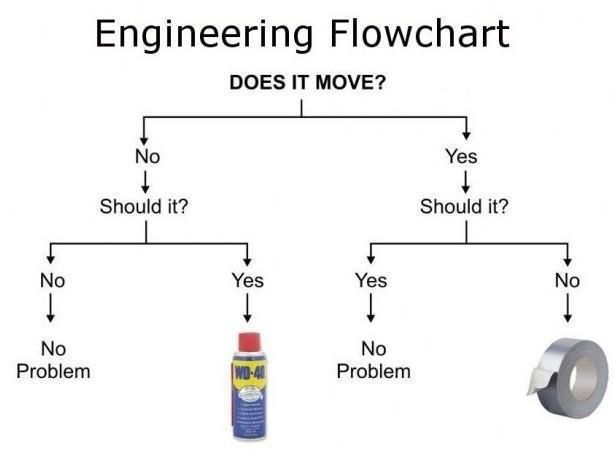
Funniest thing was struggling with some really low tech thing: a traditional door lock that was stuck in an unlocked position. It needed a bit of unscrewing and a spray of the local equivalent of WD40 or something like that. While he didn't show it, the locksmith could have been laughing all the way to the bank for his most ridiculous job of the day or maybe even the year. Especially in this era where there seems to be a YouTube do-it-yourself video for situations simple and not-so-simple. That was the start of my making the most of YouTube tutorials for a lot of stuff.
I've been kitting out a foreign house with a variety of gizmos and the support stuff for them. The biggest tech-related hassles have been rather old-fashioned issues: spreading cables between walls/rooms, laying stuff under or into floorboards and other places, playing around with and under floor transition strips; seeking out duplicate key making for physical (old-fashioned) keys that I've used as physical backups for digital locks brought from the US; getting new switches and power sockets placed with some serious help; dealing with the issues that come from package/mail delivery (and customs) to make the tech projects more to my liking; dealing with more limited store opening hours; and having that "wonderful" feeling that comes from paying a premium to buy stuff locally when similar purchases provide so much better value when made at home in the US; and so on. In comparison to that, the following has been relatively quick and easy: putting in a new Wifi mesh system; data consolidation and digitization projects; local and remote network storage; setting up a house monitoring system (after getting around the traditional handywork that comes along with putting the stuff where I wanted the stuff.
Funniest thing was struggling with some really low tech thing: a traditional door lock that was stuck in an unlocked position. It needed a bit of unscrewing and a spray of the local equivalent of WD40 or something like that. While he didn't show it, the locksmith could have been laughing all the way to the bank for his most ridiculous job of the day or maybe even the year. Especially in this era where there seems to be a YouTube do-it-yourself video for situations simple and not-so-simple. That was the start of my making the most of YouTube tutorials for a lot of stuff.
Sep 27, 2020 | 11:36 am
#132


Join Date: Mar 2016
Location: Everywhere, mostly AMS
Posts: 4,578
Funniest thing was struggling with some really low tech thing: a traditional door lock that was stuck in an unlocked position. It needed a bit of unscrewing and a spray of the local equivalent of WD40 or something like that. While he didn't show it, the locksmith could have been laughing all the way to the bank for his most ridiculous job of the day or maybe even the year. Especially in this era where there seems to be a YouTube do-it-yourself video for situations simple and not-so-simple. That was the start of my making the most of YouTube tutorials for a lot of stuff.
 Sep 29, 2021 | 2:55 pm
#133
Join Date: Aug 2008
Location: Somewhere in Florida
Posts: 2,889
Sep 29, 2021 | 5:57 pm
#134
Join Date: Jan 2015
Posts: 3,734
START -> SETTINGS -> SYSTEM -> POWER & SLEEP -> ADDITIONAL POWER SETTINGS -> Choose what the power button does
Uncheck "Turn on fast startup"
After shutting down the laptop after this, drain significantly lessened (there was still a little, but less than 1% on most of the laptops we tested this on)
I generally recommend fully shutting down modern laptops to anyone I talk to as they are usually using SSDs anyway so the startup is comparable anyway.
Sep 30, 2021 | 4:44 am
#135
FlyerTalk Evangelist

Join Date: Apr 2009
Location: Democratic People's Republic of the UK
Programs: Lifetime Gold, Global Entry, Hertz PC, and my wallet
Posts: 21,890
If I read the original issue correctly, it's a battery drain when powered down? If that's the case, there was a fix for this...
START -> SETTINGS -> SYSTEM -> POWER & SLEEP -> ADDITIONAL POWER SETTINGS -> Choose what the power button does
Uncheck "Turn on fast startup"
After shutting down the laptop after this, drain significantly lessened (there was still a little, but less than 1% on most of the laptops we tested this on)
I generally recommend fully shutting down modern laptops to anyone I talk to as they are usually using SSDs anyway so the startup is comparable anyway.
START -> SETTINGS -> SYSTEM -> POWER & SLEEP -> ADDITIONAL POWER SETTINGS -> Choose what the power button does
Uncheck "Turn on fast startup"
After shutting down the laptop after this, drain significantly lessened (there was still a little, but less than 1% on most of the laptops we tested this on)
I generally recommend fully shutting down modern laptops to anyone I talk to as they are usually using SSDs anyway so the startup is comparable anyway.