
























The next iPhone
 Jul 17, 2010 | 9:35 am
#286
FlyerTalk Evangelist


Join Date: Mar 2004
Location: SGF
Programs: AS, AA, UA, AGR S+, Choice Platinum
Posts: 23,317
Not in Europe, I cannot. I can grip it tight with left or right hand and not see any bars change, nor have any problems with calls or 3G. Tested in 4 different countries already.
Obviously the operator coverage is much more dense here and we use different frequencies. Whether my hardware is different is unknown.
Obviously the operator coverage is much more dense here and we use different frequencies. Whether my hardware is different is unknown.
However, I noticed that it does appear to only affect people in weaker signal areas. When I was in an area with strong signal, I saw no change when grounding the two antennas against each other.
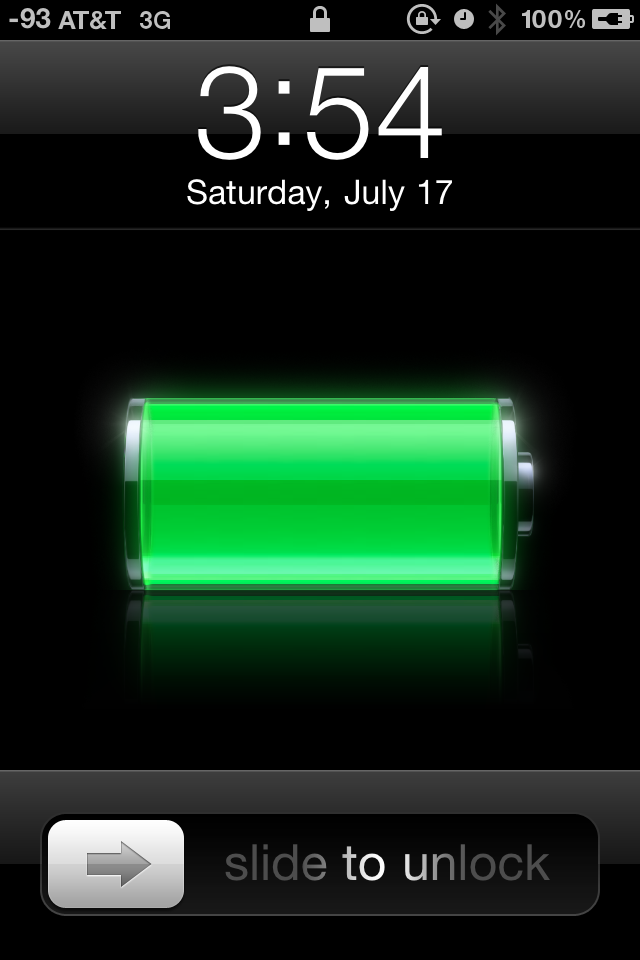
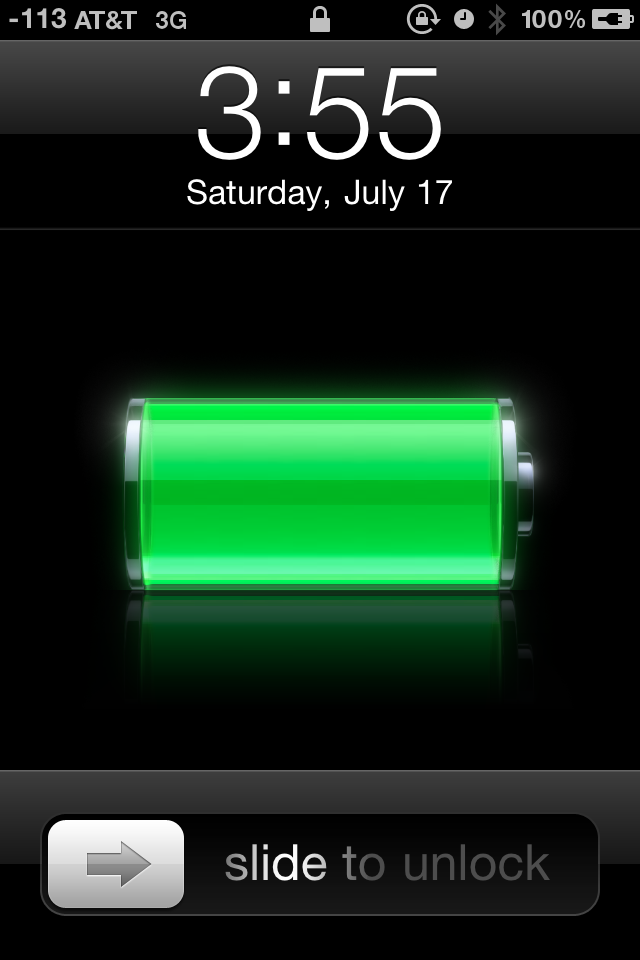
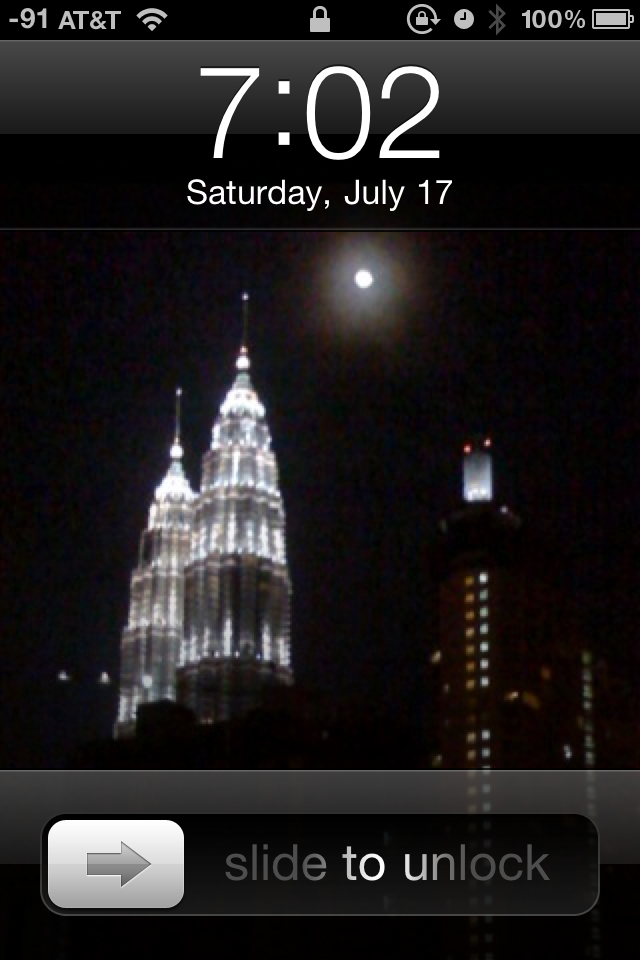
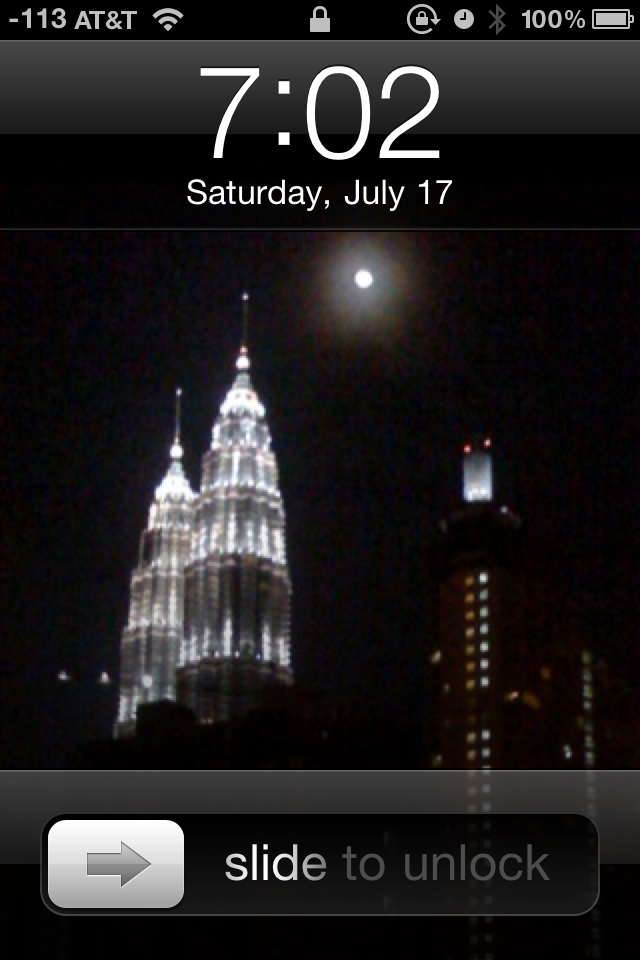
Below are some screenshots of my phone. If you notice in the upper-left corner, I am able to view the raw signal strength in decibels. Apparently, once you activate Field Test Mode on an iPhone, the ability to flip between dB and "bars" in the RSSI indicator is permanently enabled. So even though the iPhone 4 lacks Field Test Mode, because I upgraded the core OS from my previous iPhone 3G, I retained the ability to view the RSSI in dB.
The only thing different between the first and second shots in each of the two sets below is a light touch right on the black line separating the two antennas. The phone was not moved at all (more than an inch or so), and only a few seconds elapsed between each picture. It is completely repeatable--I can take my finger off, watch the signal jump back up, touch the spot again, watch the signal drop, and repeat ad infinitum.
It should be noted that there is likely much more than a 20dB drop in signal. -113dB appears to be the lowest the iPhone will display before completely dropping the signal altogether (similarly, if I recall correctly, -51dB is the maximum it will register if you're standing right next to the cell tower, though it's been a year since I've tested that). Realistically, the RSSI is probably much higher than -51dB when you're standing next to a cell base station, and the RSSI is likely less than -113dB when you're on the edge of being disconnected.
 Jul 17, 2010 | 9:44 am
#288
In Memoriam, FlyerTalk Evangelist
Join Date: Nov 2002
Location: Southern California
Programs: DL: 3.8 MM, Marriott: Lifetime Titanium
Posts: 24,575
Apparently, once you activate Field Test Mode on an iPhone, the ability to flip between dB and "bars" in the RSSI indicator is permanently enabled. So even though the iPhone 4 lacks Field Test Mode, because I upgraded the core OS from my previous iPhone 3G, I retained the ability to view the RSSI in dB.
How do you activate Field Test Mode on the 3GS?
And what is that smaller lock symbol with the circular arrow at the top? I've not seen that symbol appear on my iPhone.
Thanks.
Jul 17, 2010 | 9:47 am
#289
FlyerTalk Evangelist
Join Date: Mar 2004
Location: SGF
Programs: AS, AA, UA, AGR S+, Choice Platinum
Posts: 23,317
Oh, one other illustration: the signal strength drop does noticeably affect data transfer speed:
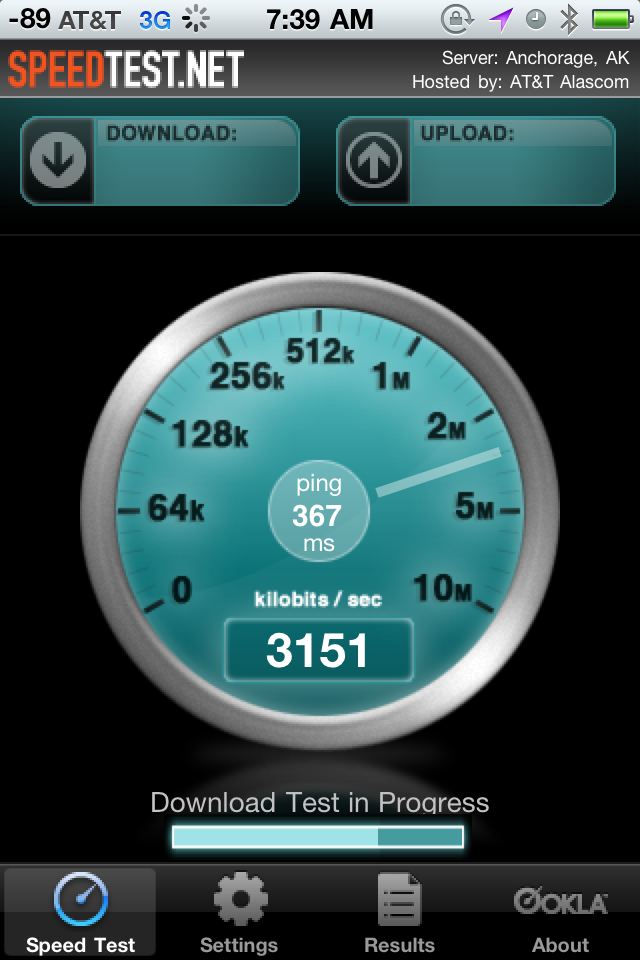
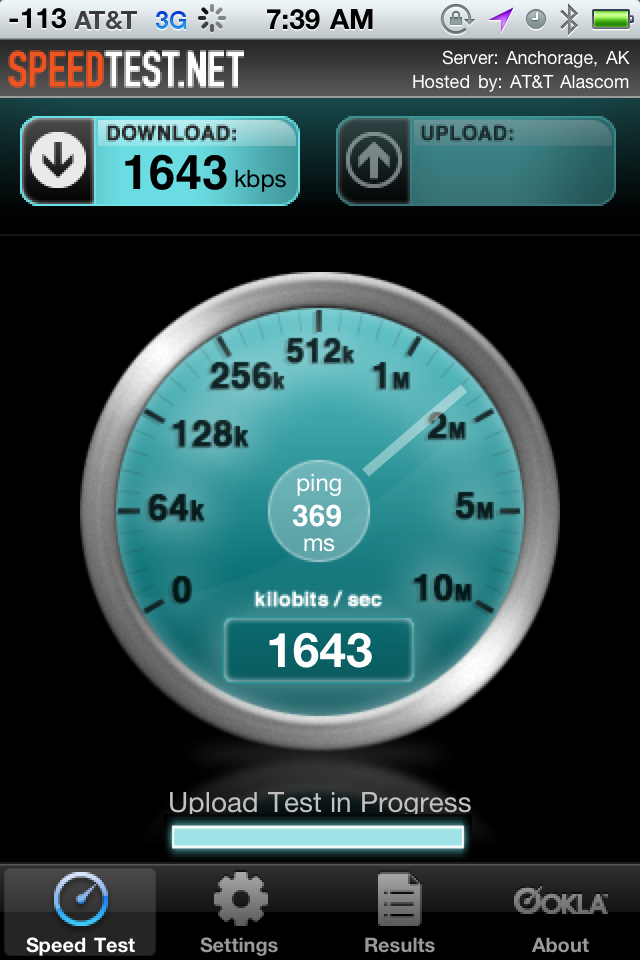
I only had a chance to do a quick test while driving through an area of strong signal on my way home from work (I pulled over for only a couple of minutes). Therefore, my statement about areas of stronger signal is only speculation based on a brief experience. I will try to do a more detailed test sometime soon to confirm or refute that statement.
I only had a chance to do a quick test while driving through an area of strong signal on my way home from work (I pulled over for only a couple of minutes). Therefore, my statement about areas of stronger signal is only speculation based on a brief experience. I will try to do a more detailed test sometime soon to confirm or refute that statement.
Jul 17, 2010 | 9:53 am
#290
FlyerTalk Evangelist
Join Date: Mar 2004
Location: SGF
Programs: AS, AA, UA, AGR S+, Choice Platinum
Posts: 23,317
If you are still running OS 3 or earlier, go to your phone dialpad and enter the following sequence:
*3001#12345#*
(You may need to hit "call" after entering that sequence; I can't remember.)
There's lots of technical geekery in Field Test Mode that is fun to look at but makes little sense to the untrained eye. Basically, you can "see" the various cell towers nearby that your phone can see along with some other information about the cellular network. (Field Test Mode was designed for AT&T field test employees to run diagnostics on the network from, well, the field.)
I guess Apple decided that the information that Field Test Mode gives about the cell network was too great a security (or PR?) risk to chance having even a revamped entry code leak, so they removed it altogether, according to a recent blog comment by someone who is supposedly knowledgeable about such matters. On the other hand, they did leave in the code required to display the signal strength meter in dB, so maybe they did just obfuscate it rather than delete it completely...
Jul 17, 2010 | 10:04 am
#291
In Memoriam, FlyerTalk Evangelist
Join Date: Nov 2002
Location: Southern California
Programs: DL: 3.8 MM, Marriott: Lifetime Titanium
Posts: 24,575
Jul 17, 2010 | 10:06 am
#292
FlyerTalk Evangelist
Join Date: Mar 2004
Location: SGF
Programs: AS, AA, UA, AGR S+, Choice Platinum
Posts: 23,317

Oh, and the lock icon represents that my phone was on the lock screen at the time I took the screenshot. (I'm not sure, but it may only appear when passcode lock is enabled.)
Jul 17, 2010 | 10:20 am
#293
Suspended
Join Date: Oct 2004
Location: Bay Area
Programs: DL SM, UA MP.
Posts: 12,724
So for those keeping the phone, a review from a pro photographer with some raves for the camera:
http://thrumylens.org/iphone/a-review-of-the-iphone-4/
http://thrumylens.org/iphone/a-review-of-the-iphone-4/
Jul 17, 2010 | 11:16 am
#294


Join Date: Jul 2001
Location: DTW
Programs: Dirt Status w/ All
Posts: 5,049
Looking at it from AT&T's perspective, why should they have to invest in infrastructure upgrades to take a 2 bar area to 4 bars when every other device works fine at two bars? Just so Steve Jobs can have his shiny metal antenna band and save face by not admitting it is a design flaw?
Jul 17, 2010 | 11:56 am
#295
FlyerTalk Evangelist
Join Date: Jan 2006
Posts: 11,439
Looking at it from AT&T's perspective, why should they have to invest in infrastructure upgrades to take a 2 bar area to 4 bars when every other device works fine at two bars? Just so Steve Jobs can have his shiny metal antenna band and save face by not admitting it is a design flaw?
I think you are making too many assumptions here. Who says that "every other device works fine at two bars"?? Who says the iPhone 4 doesn't? Why is there a need to "save face" when 99.4% of the people who buy the phone keep the phone?
Jul 17, 2010 | 1:42 pm
#296


Join Date: Feb 2000
Location: Menlo Park, CA, USA
Programs: UA 1MM 0P, AA, DL, *wood, Lifetime FPC Plat., IHG, HHD
Posts: 7,174
Don't get me wrong, EVERYTHING about the iphone 4 is excellent, EXCEPT for the fact that it constantly will drop calls and lose data connection if I hold it without a case (and sometimes WITH a case when in a lower signal area). I COULD have a bad copy but from what I have seen with others phones and of course read, it IS a problem.
Mine is going back next week, once I find another 3gs to move back to (yep, sold mine for 275$ going into the release - thought it was a great deal!) But, prices have dropped a lot on the 3gs since then.
I'll get another when their version 1.1 comes out (which I am CERTAIN it will) in the next few months.
I'm VERY surprised at the official response from apple yesterday, in my opinion all they managed to do was dig themselves DEEPER into the hole they are in and prolong the payment period. they could have just fixed it, done a voluntary swap out and got back on track with their HUGE sales volume 1 quarter later. As it is, again my opinion, they will ultimately LOSE sales due to this, if not in the immediate term over the next 12 months. As much as they think their riduculous .55% number is accurate (which it isn't) it will be possibly closer to multiples of that in lost sales. The math for that either return or LOST sale is going to be MUCH higher than making a change RIGHT NOW and getting on with it.
And bringing in Nokia and RIMM to the fray is only making it worse and nokia and RIMM will only benefit from their PR stupidity at this point.
Mine is going back next week, once I find another 3gs to move back to (yep, sold mine for 275$ going into the release - thought it was a great deal!) But, prices have dropped a lot on the 3gs since then.
I'll get another when their version 1.1 comes out (which I am CERTAIN it will) in the next few months.
I'm VERY surprised at the official response from apple yesterday, in my opinion all they managed to do was dig themselves DEEPER into the hole they are in and prolong the payment period. they could have just fixed it, done a voluntary swap out and got back on track with their HUGE sales volume 1 quarter later. As it is, again my opinion, they will ultimately LOSE sales due to this, if not in the immediate term over the next 12 months. As much as they think their riduculous .55% number is accurate (which it isn't) it will be possibly closer to multiples of that in lost sales. The math for that either return or LOST sale is going to be MUCH higher than making a change RIGHT NOW and getting on with it.
And bringing in Nokia and RIMM to the fray is only making it worse and nokia and RIMM will only benefit from their PR stupidity at this point.
Jul 17, 2010 | 4:24 pm
#297
Join Date: Jul 2001
Location: DTW
Programs: Dirt Status w/ All
Posts: 5,049
As for saving face, the question about a single finger bridging the antennas was asked at the press conference and it was clearly sidestepped. Apple chooses to say the signal loss happens just like every other phone, which is true if you are blocking the signal. It is not true about placing a single finger on the antenna which is impossible with any other phone. If they have evidence that a single finger cannot result in a drop call, they did not state it. Nor did they admit that it does. My guess is that someone does not want to admit that they released a functionally flawed device because they wanted it to look nice.
Jul 17, 2010 | 4:42 pm
#298

Join Date: Nov 2000
Location: Upcountry Maui, HI
Posts: 13,708
nmenaker ... did you try the bumpers? I was in MPK this week, and 2 iphone 4s next to each other, one shows attenuation one doesn't (without the bumpers.) With the bumpers, there's no difference. Both are running 4.0.1 (the "less bars in more places" update).
-David
-David
Jul 17, 2010 | 5:30 pm
#299
Join Date: Feb 2003
Location: San Rafael, CA
Programs: Life SPG Plat, 7X NH DIA
Posts: 2,840
Love my iP4.
I drop calls every day on the Golden Gate Bridge. I deal with it.
Sure I've dropped some calls with the iP4 but never once have I thought I've got a lemon.
Currently full bars on Softbank in Chitose. 4.0.1
Cannot get the phone to lose bars.
Did I just get a good one.
-scho
I drop calls every day on the Golden Gate Bridge. I deal with it.
Sure I've dropped some calls with the iP4 but never once have I thought I've got a lemon.
Currently full bars on Softbank in Chitose. 4.0.1
Cannot get the phone to lose bars.
Did I just get a good one.
-scho
Jul 17, 2010 | 6:07 pm
#300
Join Date: May 2010
Posts: 724
Mine most definitely loses bars at the slightest touch to the bottom left corner in both strong and weak signal areas. Mine also makes the weird sound on occasion when I hit the lock button. I have a case on now and that takes care of the antenna problem. I haven't used Bluetooth on the phone yet,but I read that it has some bugs too on this phone. I love this phone, but still may take it back and wait for the next one, with a few more features, no antenna issues, and hopefully face time over the cellular network, and 4g. I just don't know if I can go back to a dumb phone for 5 or 6 months till the next version comes out. Getting my first smartphone has opened a whole new world of simplicity and entertainment.