
























 Aug 7, 2022, 7:15 am
Last edit by: SPN Lifer
should you be switched to mobile view, simply click on this link and you will be reset. Credit goes to @Zorak . Thanks!!
https://www.flyertalk.com/forum/prof...ons&styleid=24
A possible solution for the opposite, cellphone switched to desktop view, and can't switch back to mobile view, is this link:
https://www.flyertalk.com/forum/prof...ons&styleid=22
However, there could be collateral consequences, as discussed in Post # 72, which also provides an alternative solution.
https://www.flyertalk.com/forum/prof...ons&styleid=24
A possible solution for the opposite, cellphone switched to desktop view, and can't switch back to mobile view, is this link:
https://www.flyertalk.com/forum/prof...ons&styleid=22
However, there could be collateral consequences, as discussed in Post # 72, which also provides an alternative solution.

Switched to mobile view and can't switch back to desktop view
Aug 12, 2025 | 1:42 pm
#76

Join Date: Jan 2025
Posts: 105
Is there maybe a way we could just have a button on both skins that could switch this?
It happens all the time for me now. I think I've seen this with other sites before, my gut feeling is there's a link floating around somewhere (maybe on google? some forum thread? etc.?) from a mobile or desktop user that has something in the URL that causes the forum software to switch themes when you visit the page.
It happens all the time for me now. I think I've seen this with other sites before, my gut feeling is there's a link floating around somewhere (maybe on google? some forum thread? etc.?) from a mobile or desktop user that has something in the URL that causes the forum software to switch themes when you visit the page.
 Aug 12, 2025 | 3:36 pm
#77
Administrator


Join Date: Sep 2015
Location: Los Angeles
Programs: Internet Brands
Posts: 4,440
Is there maybe a way we could just have a button on both skins that could switch this?
It happens all the time for me now. I think I've seen this with other sites before, my gut feeling is there's a link floating around somewhere (maybe on google? some forum thread? etc.?) from a mobile or desktop user that has something in the URL that causes the forum software to switch themes when you visit the page.
It happens all the time for me now. I think I've seen this with other sites before, my gut feeling is there's a link floating around somewhere (maybe on google? some forum thread? etc.?) from a mobile or desktop user that has something in the URL that causes the forum software to switch themes when you visit the page.
If you're on mobile skin on desktop, open the 3-line menu in the upper left and select "View Full Site"
Aug 12, 2025 | 3:59 pm
#78
Moderator: Travel Safety/Security, Travel Tools, California, Los Angeles; FlyerTalk Evangelist


Join Date: Dec 2009
Location: LAX
Programs: oneword Emerald
Posts: 24,796
It happens all the time for me now. I think I've seen this with other sites before, my gut feeling is there's a link floating around somewhere (maybe on google? some forum thread? etc.?) from a mobile or desktop user that has something in the URL that causes the forum software to switch themes when you visit the page.
Aug 12, 2025 | 4:40 pm
#79
Administrator
Join Date: Sep 2015
Location: Los Angeles
Programs: Internet Brands
Posts: 4,440
This frequently happens to me with Wikipedia links in Google
Aug 17, 2025 | 5:07 pm
#80
Join Date: Jan 2025
Posts: 105
I also see a "view full site" button in the skin source somewhere, but I didn't immediately figure out how to get it to show up and didn't find it on the page with ctrl+f, but maybe I missed something else.
Aug 18, 2025 | 1:34 am
#81

Join Date: Jan 2016
Location: LON
Programs: BAEC
Posts: 5,142
Do all users understand what the "full site" is? They might see the option but it doesn't click what the option really is?
Perhaps worth considering a wording change for "Switch to Full Site" could be "Switch to desktop site" or if length permits "Switch from mobile to desktop site". Vice versa for the other direction.
Perhaps worth considering a wording change for "Switch to Full Site" could be "Switch to desktop site" or if length permits "Switch from mobile to desktop site". Vice versa for the other direction.
Sep 12, 2025 | 7:54 pm
#82
Join Date: Jan 2025
Posts: 105
Do all users understand what the "full site" is? They might see the option but it doesn't click what the option really is?
Perhaps worth considering a wording change for "Switch to Full Site" could be "Switch to desktop site" or if length permits "Switch from mobile to desktop site". Vice versa for the other direction.
Perhaps worth considering a wording change for "Switch to Full Site" could be "Switch to desktop site" or if length permits "Switch from mobile to desktop site". Vice versa for the other direction.
I have some web design experience so I know how to interpret the source code of the site, and that is where I saw that a developer had intended for a "full site" button to show. Unfortunately, it does not show on any of my systems, and it's more time than I can spend to figure out why. It's getting pretty annoying at this point, so I'm hoping post helps the maintainers resolve the situation.
I recently clicked in from a google search looking for mileage run info, and had my view automatically switched to mobile, but caught the link in action. Of course the reason I do this so routinely is the search feature sometimes just doesn't work well. A search result linked directly to a webpage with the "styleid" explicitly set to mobile view:
This is odd, because why would Google be finding links that explicitly switch the view to mobile and desktop? And then it hit me - ironically, I believe the additional mobile/desktop links that have been plastered on the site (some hidden on certain devices/screen sizes, some shown) are actually causing the problem. Search engines will read all the different links shown on a website unless the links are explicitly marked to not be indexed. At least one of the mobile/desktop view links was inadvertently not marked as such, and thus search engines will actually occasionally randomly follow those "switch view" links (which exists for every single forum post!) and consider that another possible webpage. Unfortunately it's probably too late now to remove all the links Google has crawled in its history - the only real solution is likely to disable the "styleid" key altogether, rename it, and be more careful about any future "switch desktop" or "switch mobile" links in the future.
Separately, regarding the missing buttons, there are web development tools that will easily send you screenshots of websites from a huge variety of platforms, some of them even free, so it may be worth it for one of the maintainers to run one of them and figure out which offending browser/screen/device combinations and causing all the reports of difficulty switching back and forth.
---
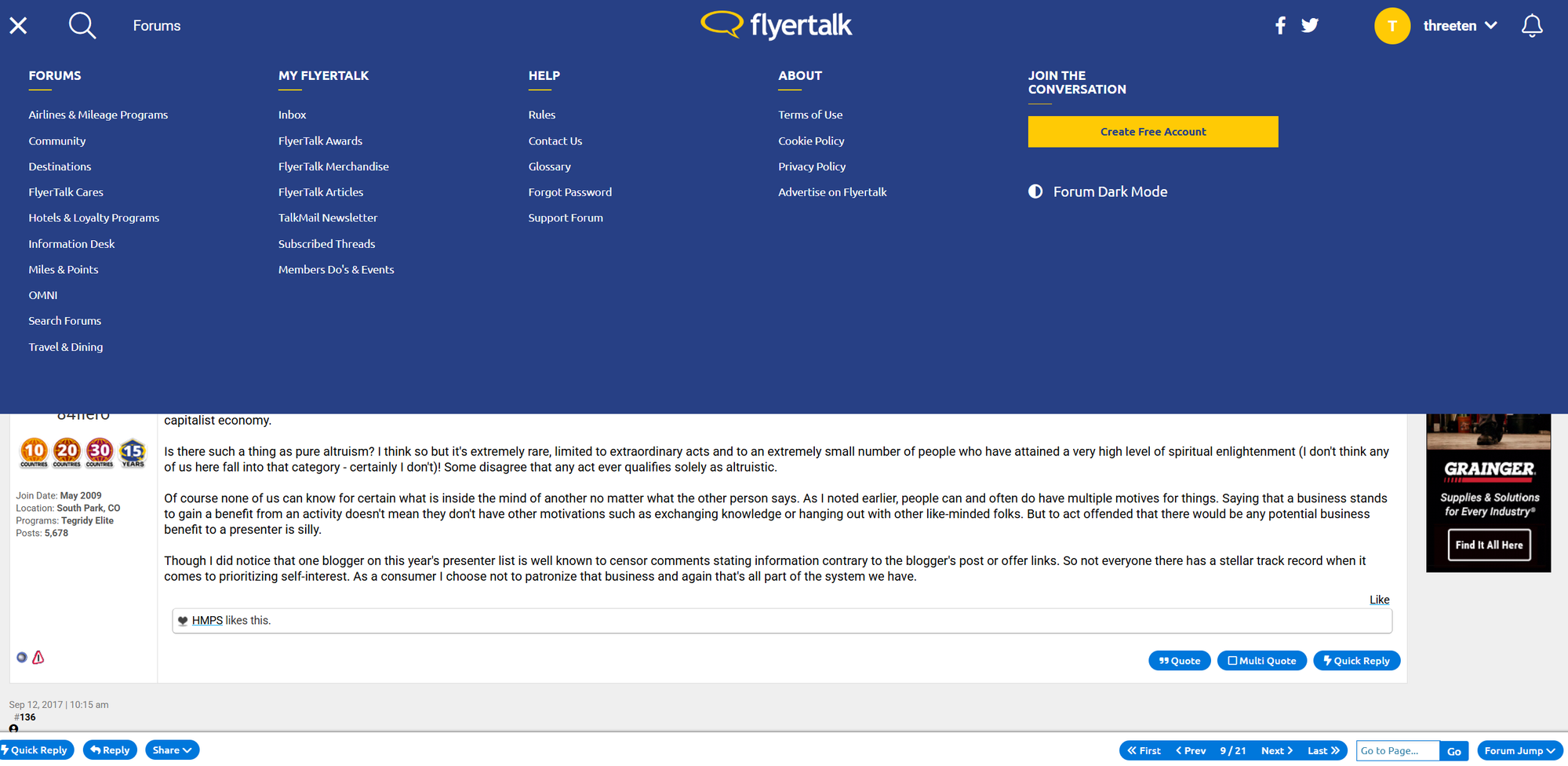
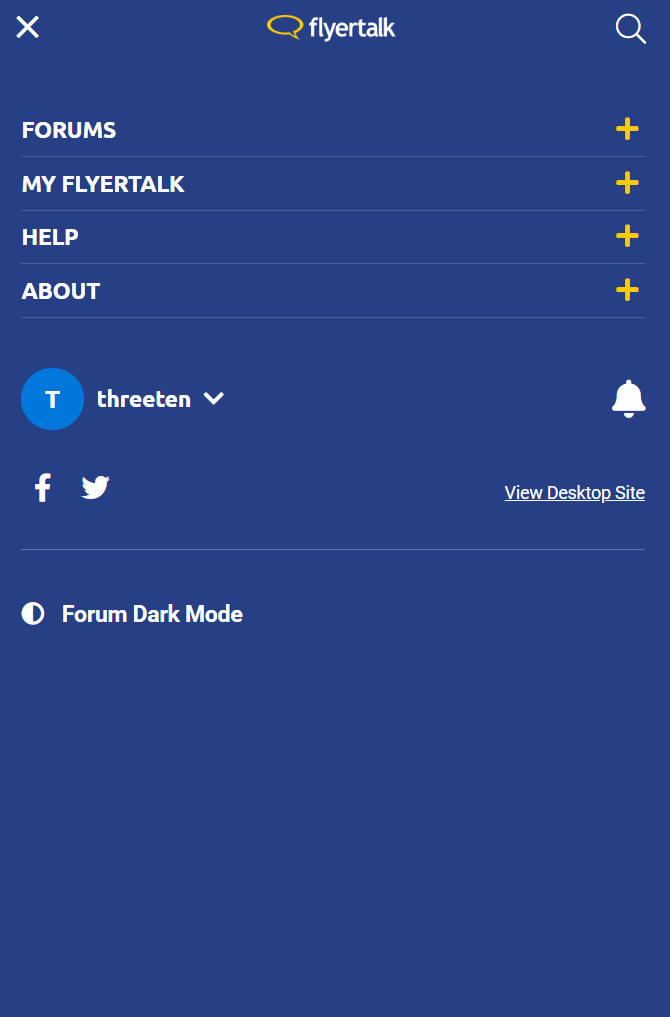
Here's what the hamburger menu (this is the actual technical term for the three lines) looks like on all my desktop systems, resized, and not, during a single session:
 Sep 12, 2025 | 7:57 pm
#83
Moderator: Hyatt, American Express; FlyerTalk Evangelist


Join Date: Jun 2015
Location: WAS
Programs: :rolleyes:, DL DM, AA EXP, UA Silver, Hyatt Glob, Mlife Noir (=> Marriott Amb), invol FT beta tester
Posts: 21,667
. At least one of the mobile/desktop view links was inadvertently not marked as such, and thus search engines will actually occasionally randomly follow those "switch view" links (which exists for every single forum post!) and consider that another possible webpage. Unfortunately it's probably too late now to remove all the links Google has crawled in its history - the only real solution is likely to disable the "styleid" key altogether, rename it, and be more careful about any future "switch desktop" or "switch mobile" links in the future.
 Sep 13, 2025 | 8:20 am
#84
FlyerTalk Evangelist


Join Date: Mar 2009
Location: NYC
Programs: AS MVPG, DL KM, Bee Six, Bonvoy Plat, Choice Plat, IHG Plat, Avis PC, Natl Exec, Greyhound Road Rwds
Posts: 20,101
-J.


