
























Feedback on FT new style, March 2018
 Mar 29, 2018 | 8:38 am
#421


Join Date: Mar 2016
Location: Glasgow, UK
Programs: Seigneur des Tarifs Utils First Class Mucci with Honours :) - BA GfL | LH Sen | HH Diamond
Posts: 1,566
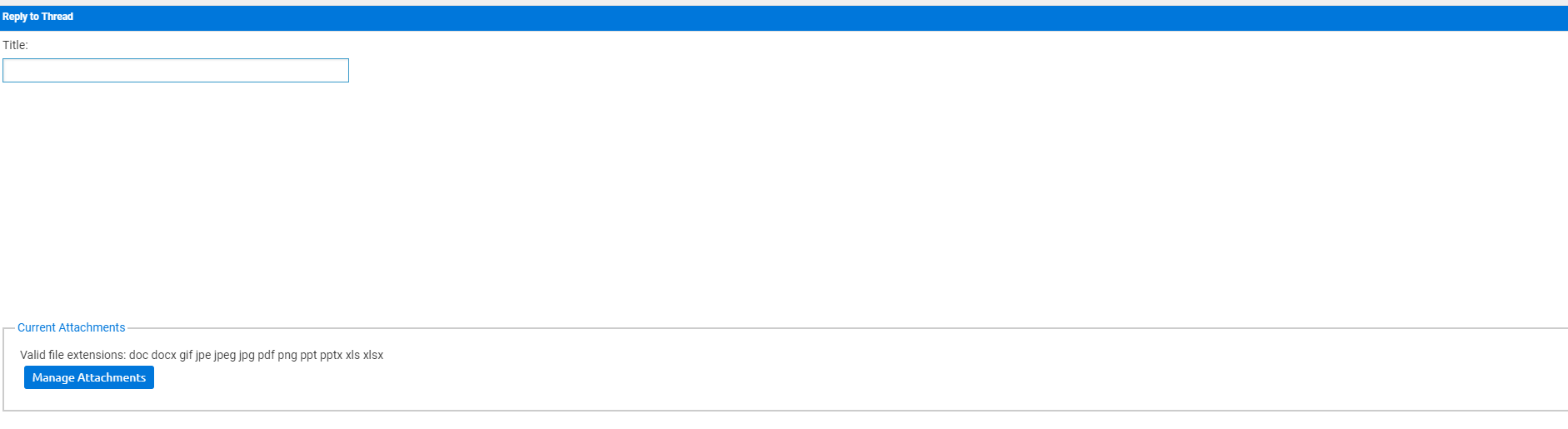
H there I cannot reply to any posts or edit any posts at all in Chrome and have had to resort to internet explorer
 Mar 29, 2018 | 8:40 am
#422
Join Date: Mar 2016
Location: Glasgow, UK
Programs: Seigneur des Tarifs Utils First Class Mucci with Honours :) - BA GfL | LH Sen | HH Diamond
Posts: 1,566
No ad blocker, Cleared cache all the usual stuff but given I cant reply to posts guessing something is really broken
Mar 29, 2018 | 9:22 am
#423
FlyerTalk Evangelist


Join Date: Jul 2010
Programs: AA, Mucci!
Posts: 16,601
 Mar 29, 2018 | 9:31 am
#425
Administrator


Join Date: Sep 2015
Location: Los Angeles
Programs: Internet Brands
Posts: 4,438
Mar 29, 2018 | 9:43 am
#426
Administrator
Join Date: Sep 2015
Location: Los Angeles
Programs: Internet Brands
Posts: 4,438
Mar 29, 2018 | 9:45 am
#427
Administrator
Join Date: Sep 2015
Location: Los Angeles
Programs: Internet Brands
Posts: 4,438
If/when I get pizza, I shall gladly share some with you.
 Mar 29, 2018 | 9:46 am
#428
Administrator
Join Date: Sep 2015
Location: Los Angeles
Programs: Internet Brands
Posts: 4,438
HORRIBLE! I can't get rid of right columns asking for donations/etc. which makes readable area small and very difficult for old eyes - enlarging the whole page to get readable type makes for a whole lot of other problems.
"If it ain't broke don't fix it" !!!!!!!!!!!!!!!!!!!
"If it ain't broke don't fix it" !!!!!!!!!!!!!!!!!!!
Mar 29, 2018 | 10:08 am
#429


Join Date: Sep 2009
Location: HNL
Programs: DL PM/1MM, BW DE (lifetime), HH DE, Marriott PE (lifetime), IHG PE, National Emerald Executive
Posts: 7,306
 Mar 29, 2018 | 10:17 am
#431
FlyerTalk Evangelist


Join Date: Nov 2009
Location: SEA — the REAL Washington; occasionally in the other Washington (DCA area)
Programs: AS MVPG 100K (Atmos Titanium) / 0.5MM; DL fallen PM (1.58MM = “Complimentary Annual GM”); AA Gold
Posts: 24,464
"indent" toolbar button works while composing, but not when the post actually appears ... source defaults back to "[l e f t][/ l e f t]", so it's not rocket surgery to change to "[i n d e n t][/ i n d e n t]" to get it to look the way I want it to look
suggest enlarging the "Alert Mod" triangle in the left column and perhaps making it red
trivial suggestion, but probably really easy to implement ... go back to actual replies/views counts for popular/long-running threads rather than rounding to the nearest hundred
suggest enlarging the "Alert Mod" triangle in the left column and perhaps making it red
trivial suggestion, but probably really easy to implement ... go back to actual replies/views counts for popular/long-running threads rather than rounding to the nearest hundred
Mar 29, 2018 | 11:10 am
#432
Join Date: Mar 2016
Location: Glasgow, UK
Programs: Seigneur des Tarifs Utils First Class Mucci with Honours :) - BA GfL | LH Sen | HH Diamond
Posts: 1,566
Mar 29, 2018 | 11:53 am
#433
A FlyerTalk Posting Legend

Join Date: Aug 2002
Programs: UALifetimePremierGold, Marriott LifetimeTitanium
Posts: 74,119
Posting a link seems to be working again. Of course it shows up as underline vs. full link, but is clickable. Baby steps.
The alert a moderator button to the left is miniscule compared to what it used to be, as is the button to the left (that I had to click on to figure out what it was because I couldn't remember). The button to the left lets you know if a FTer is online or not. Besides being larger like the AAM button, the former online/offline was bright green if someone was on & think gray or shaded color if they were off. The current barely there gray & faint blue is so washed out that most won't know what it is. And as noted, they're tiny, tiny.
Also, need to make the page # you're on either more black or make it blue. Sometimes it's really hard to tell what page one is on. We need something to better distinguish it.
Cheers.
The alert a moderator button to the left is miniscule compared to what it used to be, as is the button to the left (that I had to click on to figure out what it was because I couldn't remember). The button to the left lets you know if a FTer is online or not. Besides being larger like the AAM button, the former online/offline was bright green if someone was on & think gray or shaded color if they were off. The current barely there gray & faint blue is so washed out that most won't know what it is. And as noted, they're tiny, tiny.
Also, need to make the page # you're on either more black or make it blue. Sometimes it's really hard to tell what page one is on. We need something to better distinguish it.
Cheers.
Mar 29, 2018 | 12:05 pm
#434
Administrator
Join Date: Sep 2015
Location: Los Angeles
Programs: Internet Brands
Posts: 4,438
"indent" toolbar button works while composing, but not when the post actually appears ... source defaults back to "[l e f t][/ l e f t]", so it's not rocket surgery to change to "[i n d e n t][/ i n d e n t]" to get it to look the way I want it to look
suggest enlarging the "Alert Mod" triangle in the left column and perhaps making it red
suggest enlarging the "Alert Mod" triangle in the left column and perhaps making it red