
























iPad Specific Display and Related Issues
 Dec 20, 2017 | 2:29 am
#16


Join Date: Oct 2017
Programs: AS MVP, Marriott Platinum
Posts: 191
Having difficulties with FT on iPad Air2 myself the last couple of days. Assumed it was to do with trying to fix bugs in the 15th Nov. Update. As you can see in the screenshot, the cursor and text is hidden under the top banner. The only way I could attach this screenshot was by adding it first before any text otherwise the attachment button was unresponsive with text in the reply box.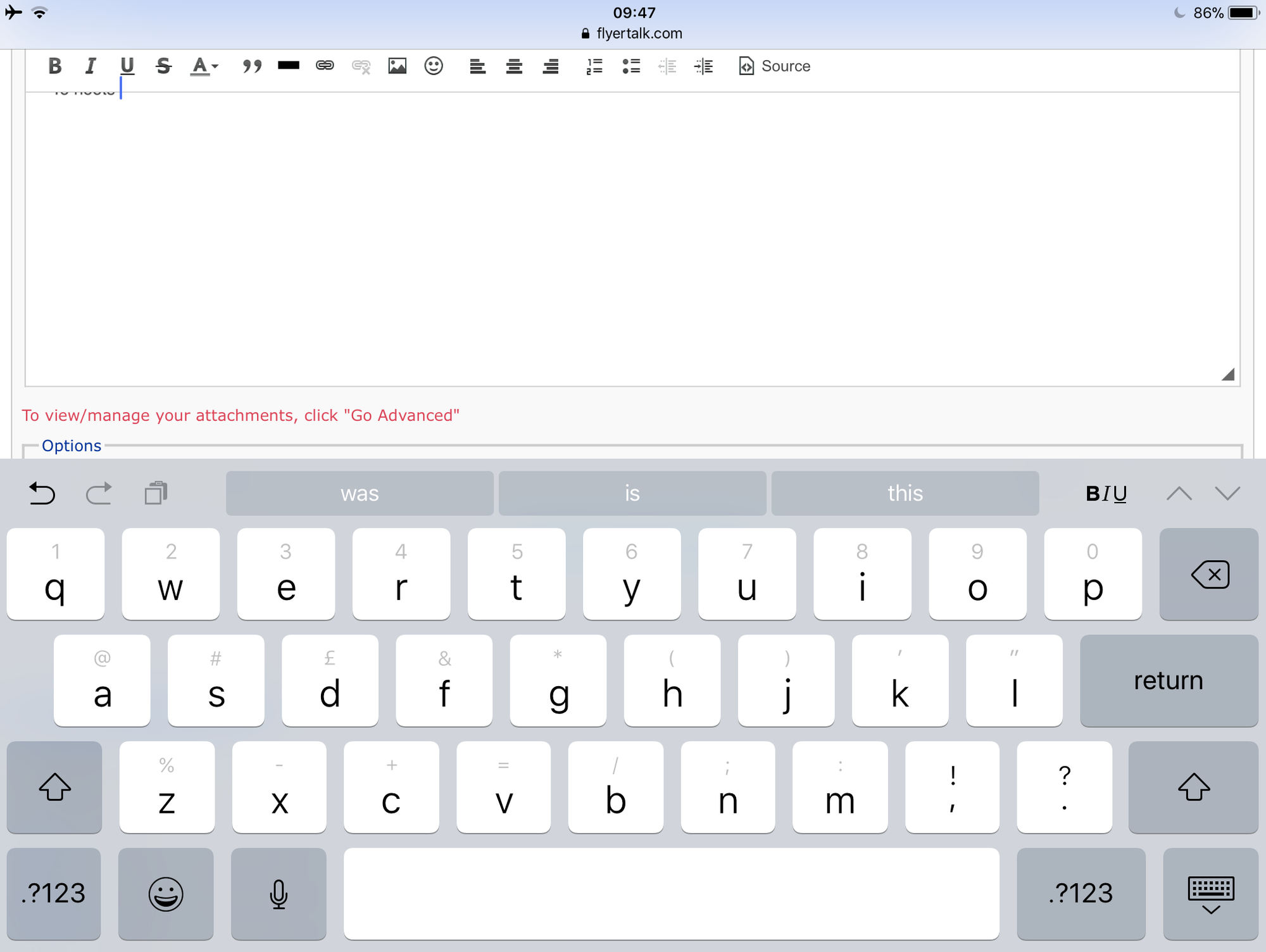
 Dec 20, 2017 | 5:09 am
#17
Join Date: Jan 2013
Location: BOS
Programs: Hyatt Discoverist, Marriott/SPG/Hilton Gold, PreCheck + Clear
Posts: 2,306
Thanks for your speedy reply. FYI, I'd consider the fact that infinite scroll is triggered by scrolling to the top of a page a bug. It's only supposed to be invoked when a user arrives at the bottom of a page.
Jan 20, 2018 | 8:08 pm
#18
Moderator, Emirates


Join Date: Oct 2012
Location: Where My Heart Is
Programs: BAEC Silver, FB Platinum, KQ Asante Gold, Shebamiles Blue, Emirates Blue
Posts: 3,429
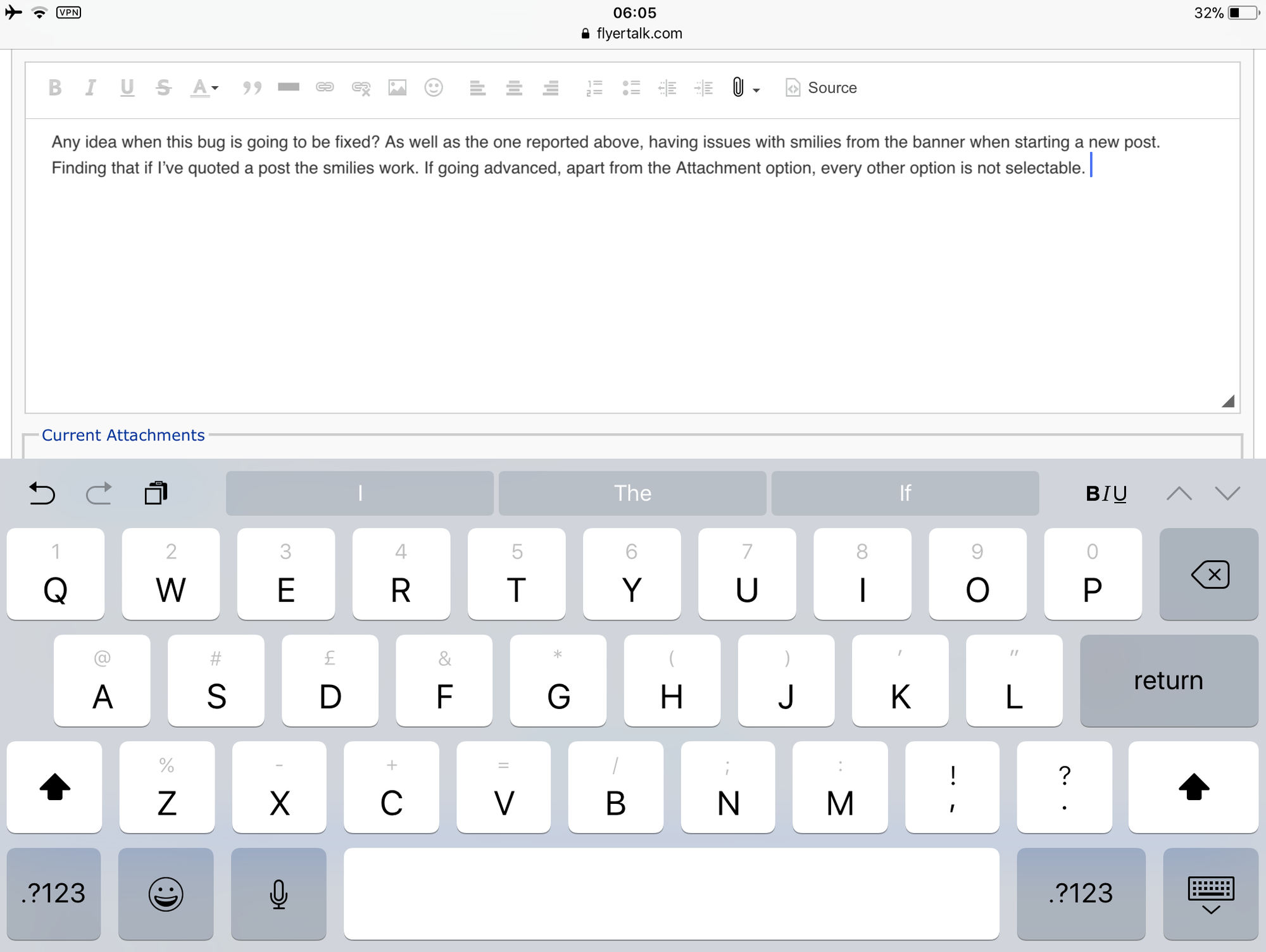
Any idea when this bug is going to be fixed? As well as the one reported above, having issues with smilies from the banner when starting a new post. Finding that if I’ve quoted a post the smilies work. If going advanced, apart from the Attachment option, every other option is not selectable and even the attachment button doesn’t work. Will add a screenshot in the next post as it won’t allow me to do it in this one.
S
 Jan 21, 2018 | 3:18 pm
#20
Original Poster
FlyerTalk Evangelist


Join Date: Aug 2009
Location: Paris, France
Programs: AF/KL Flying Blue Ultimate/Platinum for life/Club2000, Accor ALL Diamond
Posts: 25,125
Any idea when this bug is going to be fixed? As well as the one reported above, having issues with smilies from the banner when starting a new post. Finding that if I’ve quoted a post the smilies work. If going advanced, apart from the Attachment option, every other option is not selectable and even the attachment button doesn’t work. Will add a screenshot in the next post as it won’t allow me to do it in this one.
S
 Jan 22, 2018 | 11:29 am
#22
Moderator, Emirates
Join Date: Oct 2012
Location: Where My Heart Is
Programs: BAEC Silver, FB Platinum, KQ Asante Gold, Shebamiles Blue, Emirates Blue
Posts: 3,429
Jan 22, 2018 | 2:16 pm
#23
Original Poster
FlyerTalk Evangelist
Join Date: Aug 2009
Location: Paris, France
Programs: AF/KL Flying Blue Ultimate/Platinum for life/Club2000, Accor ALL Diamond
Posts: 25,125
Jan 23, 2018 | 2:31 pm
#24
No longer with Internet Brands
Join Date: Mar 2011
Location: Los Angeles, CA
Programs: DL DM 1.6MM, Marriott LT Plat
Posts: 5,343
This has not been fixed. It is in queue to be addressed in a future software release. We will update as we get more info. See post #15 above.
May 15, 2018 | 12:20 pm
#25
Join Date: May 2010
Programs: United Miles
Posts: 74
Site nearly unusable with iPad and Safari
I don’t know when it changed, I’ve been away awhile. (It was when you still clicked next page to move through the forums,not the constant refill as u scroll)
But I find the site I nearly unusable on a standard size iPad under Safari.
The ad bar constantly is over txt fields. I literally can’t see wheat I type at this moment. The dynamic page redraws keep jiggling the text.
Please, you Really need to test this on an iPad. There’s more than a few hundred of us out there I’m pretty sure.
Thank you
But I find the site I nearly unusable on a standard size iPad under Safari.
The ad bar constantly is over txt fields. I literally can’t see wheat I type at this moment. The dynamic page redraws keep jiggling the text.
Please, you Really need to test this on an iPad. There’s more than a few hundred of us out there I’m pretty sure.
Thank you
May 15, 2018 | 1:07 pm
#27
Moderator: American AAdvantage

Join Date: May 2000
Location: NorCal - SMF area
Programs: AA LT EXP; HH LT Diamond, Maître-plongeur des Muccis
Posts: 62,948
As this is a technical issue, we have moved it to the Technical Support and Feedback forum for input by the Admin & Tech Support teams.
JDiver
Co-Moderator, Technical Support and Feedback & The Suggestion Box fora
JDiver
Co-Moderator, Technical Support and Feedback & The Suggestion Box fora
May 16, 2018 | 1:58 pm
#28
No longer with Internet Brands
Join Date: Mar 2011
Location: Los Angeles, CA
Programs: DL DM 1.6MM, Marriott LT Plat
Posts: 5,343
I don’t know when it changed, I’ve been away awhile. (It was when you still clicked next page to move through the forums,not the constant refill as u scroll)
But I find the site I nearly unusable on a standard size iPad under Safari.
The ad bar constantly is over txt fields. I literally can’t see wheat I type at this moment. The dynamic page redraws keep jiggling the text.
Please, you Really need to test this on an iPad. There’s more than a few hundred of us out there I’m pretty sure.
Thank you
But I find the site I nearly unusable on a standard size iPad under Safari.
The ad bar constantly is over txt fields. I literally can’t see wheat I type at this moment. The dynamic page redraws keep jiggling the text.
Please, you Really need to test this on an iPad. There’s more than a few hundred of us out there I’m pretty sure.
Thank you
- Use the mobile optimized skin
- Turn your device to landscape (mitigates but does not fix the ad-obscuring issue)
- Do not zoom in on text
May 16, 2018 | 5:24 pm
#29
Join Date: May 2010
Programs: United Miles
Posts: 74
Thank you for the mobile skin tip! I'm going to give that a try! I also saw I can diasable "infite scrolling", which I may play with as well.
May 16, 2018 | 6:29 pm
#30
No longer with Internet Brands
Join Date: Mar 2011
Location: Los Angeles, CA
Programs: DL DM 1.6MM, Marriott LT Plat
Posts: 5,343