
























First and Last Page Tags in the Mobile Version
 Jun 6, 2025 | 10:23 am
#1
Original Poster
Moderator: Travel Safety/Security, Travel Tools, California, Los Angeles; FlyerTalk Evangelist


Join Date: Dec 2009
Location: LAX
Programs: oneword Emerald
Posts: 24,843
First and Last Page Tags in the Mobile Version
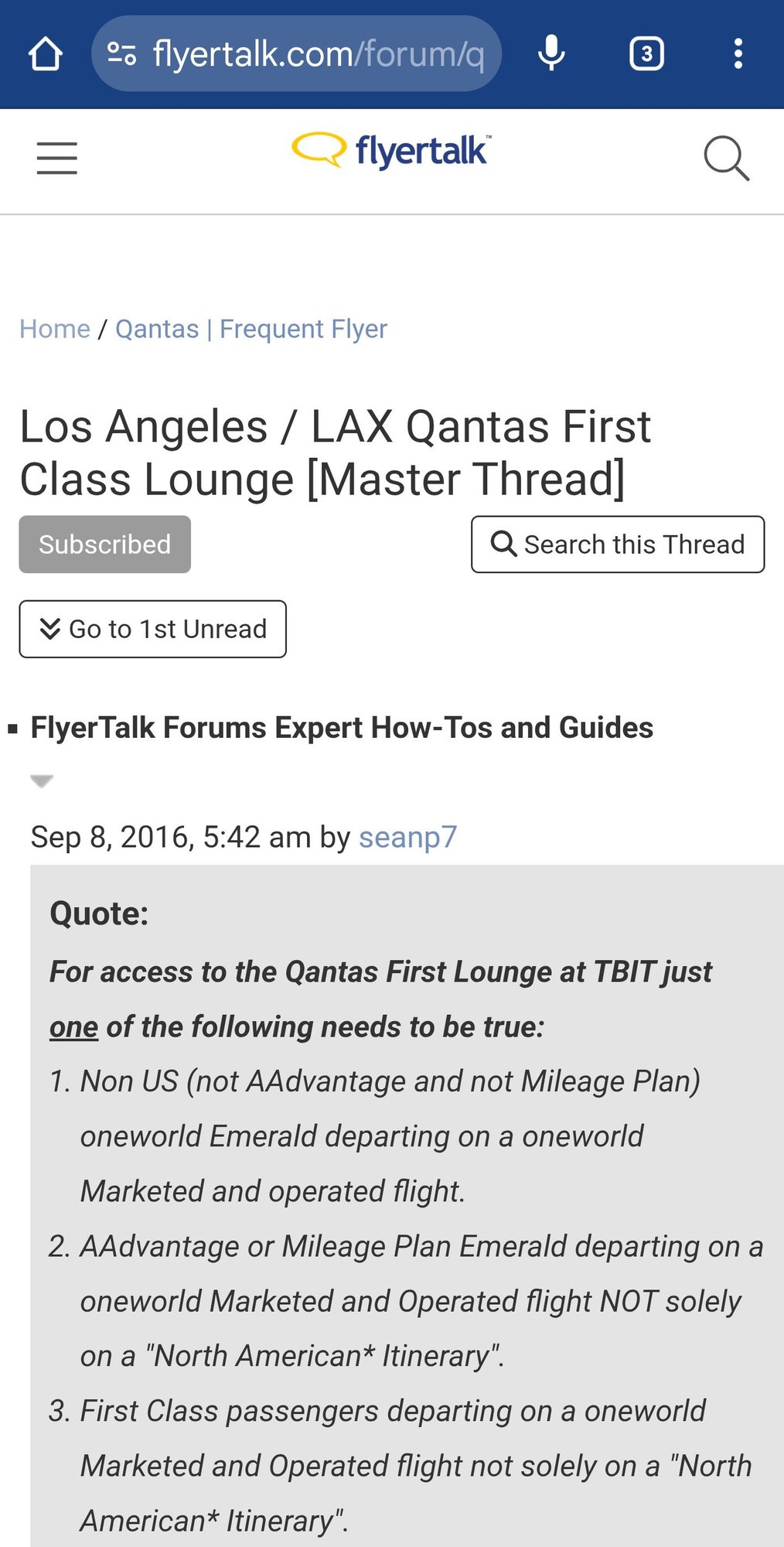
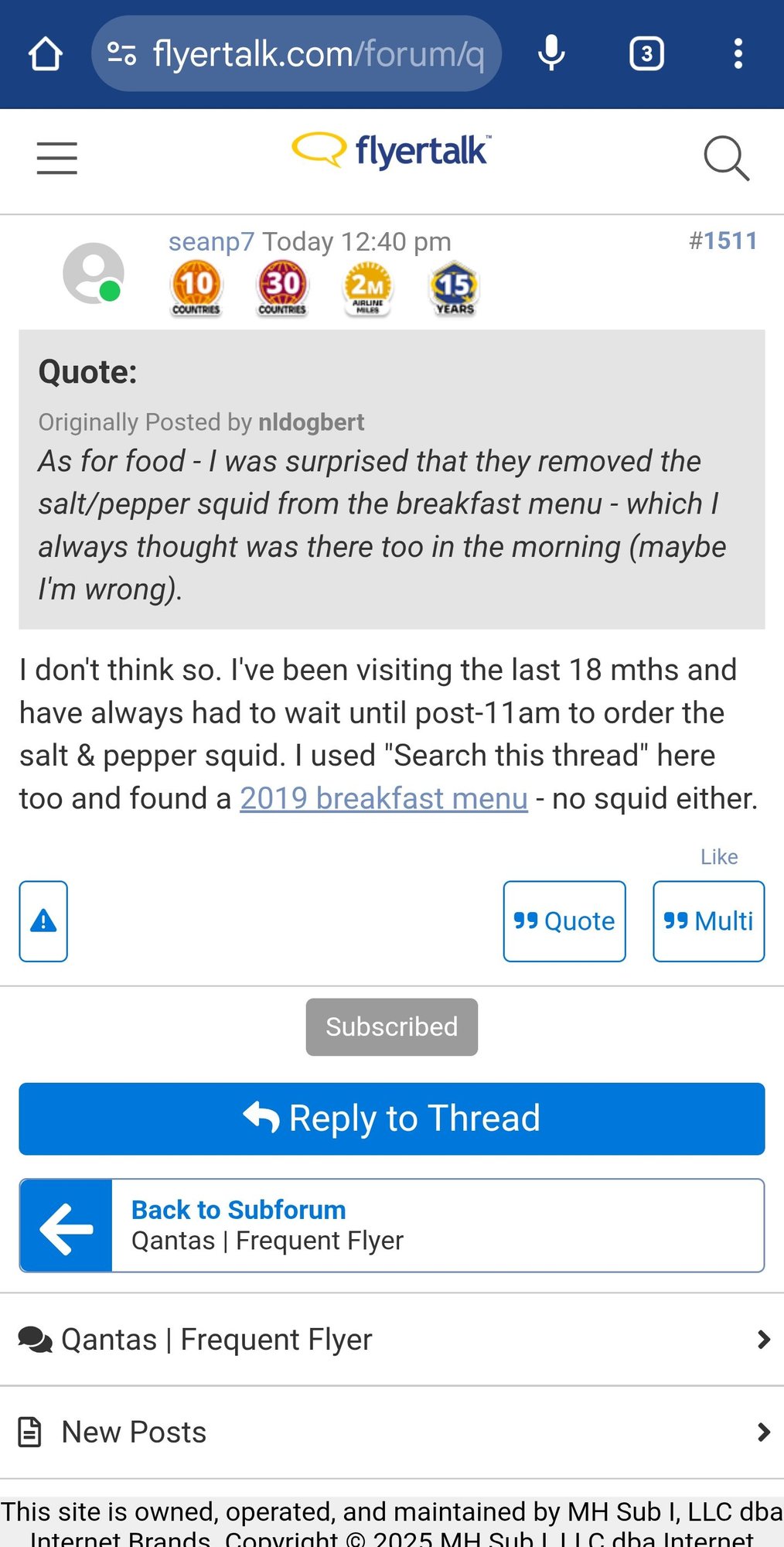
There used to be "<<" and ">>" buttons at the bottom of the page in the mobile version to go to the first or last page. Those disappeared in the last couple of days, making navigation of the site cumbersome at best.
 Jun 6, 2025 | 11:18 am
#2
Administrator


Join Date: Sep 2015
Location: Los Angeles
Programs: Internet Brands
Posts: 4,445
 Jun 6, 2025 | 2:14 pm
#3
Original Poster
Moderator: Travel Safety/Security, Travel Tools, California, Los Angeles; FlyerTalk Evangelist
Join Date: Dec 2009
Location: LAX
Programs: oneword Emerald
Posts: 24,843

 Jun 6, 2025 | 2:18 pm
#4
Original Poster
Moderator: Travel Safety/Security, Travel Tools, California, Los Angeles; FlyerTalk Evangelist
Join Date: Dec 2009
Location: LAX
Programs: oneword Emerald
Posts: 24,843
Post Script:
OK, I cleared the cache and the tags are back.
Thanks and have a great weekend.

OK, I cleared the cache and the tags are back.
Thanks and have a great weekend.
Jun 7, 2025 | 10:03 am
#5
Moderator: Hyatt, American Express; FlyerTalk Evangelist


Join Date: Jun 2015
Location: WAS
Programs: :rolleyes:, DL DM, AA EXP, UA Silver, Hyatt Glob, Mlife Noir (=> Marriott Amb), invol FT beta tester
Posts: 21,706
I noticed something like this in the last week or two -- the << and >> were completely missing.
I also went to start a new thread about it, but was unable to do so because one of the buttons was disabled (I forget which) -- although it does not seem to have affected TWA884 Replies still worked however, and then I forgot about it.
In any case it fixed itself within a day, so I assumed it was just an errant code update that had gotten rolled back or something.
So while everything is (and has been) back to normal for me for a while, just adding a +1 to OP's datapoint...
EDIT: on reading between the screenshots more closely, if clearing cached worked, it seems likely that that just happened for me coincidentally and that's what solved it.
I also went to start a new thread about it, but was unable to do so because one of the buttons was disabled (I forget which) -- although it does not seem to have affected TWA884
Replies still worked however, and then I forgot about it.In any case it fixed itself within a day, so I assumed it was just an errant code update that had gotten rolled back or something.
So while everything is (and has been) back to normal for me for a while, just adding a +1 to OP's datapoint...
EDIT: on reading between the screenshots more closely, if clearing cached worked, it seems likely that that just happened for me coincidentally and that's what solved it.