
























Edit feature issue 19 April 2022
 Apr 19, 2022 | 4:53 pm
#1
Original Poster
FlyerTalk Evangelist


Join Date: Nov 2009
Location: SEA — the REAL Washington; occasionally in the other Washington (DCA area)
Programs: AS MVPG 100K (Atmos Titanium) / 0.5MM; DL fallen PM (1.58MM = “Complimentary Annual GM”); AA Gold
Posts: 24,535
Edit feature issue 19 April 2022
clicked the "Edit" button when I needed to add info to a prior post, and found the menu bar missing ... could edit the basic text, but I was unable to conveniently change formatting, which was the purpose of the intended edit (I could put in delimiters for bold and italics, but that only solved half the problem)
 Apr 21, 2022 | 12:36 pm
#2


Join Date: Jan 2016
Location: LON
Programs: BAEC
Posts: 5,156
I think you need to change your editor option but you can only see this option setting in desktop browser mode.
It's on this page (but not visible when using a browser in mobile mode)

You need the full CKEditor to get the options for enhanced formatting.
Does that help?
It's on this page (but not visible when using a browser in mobile mode)
You need the full CKEditor to get the options for enhanced formatting.
Does that help?
Apr 21, 2022 | 3:45 pm
#4


Join Date: Feb 2013
Location: DCA
Posts: 7,777
Not sure if this is the same issue or a different one, but tried to upload a photo via attachment - it "took", but when I posted, there was just nothing there. Going back to edit and selecting "go advanced" then manage attachments does a weird thing where the scrollbar goes away, but no actual option to manage attachments.
Also have noticed that FT has been incredibly slow the last couple weeks, particularly around retrieving new likes / quotes / anything tied to a specific user profile...
Also have noticed that FT has been incredibly slow the last couple weeks, particularly around retrieving new likes / quotes / anything tied to a specific user profile...
Apr 21, 2022 | 4:12 pm
#5
Administrator

Join Date: Sep 2015
Location: Los Angeles
Programs: Internet Brands
Posts: 4,445
Not sure if this is the same issue or a different one, but tried to upload a photo via attachment - it "took", but when I posted, there was just nothing there. Going back to edit and selecting "go advanced" then manage attachments does a weird thing where the scrollbar goes away, but no actual option to manage attachments.
Also have noticed that FT has been incredibly slow the last couple weeks, particularly around retrieving new likes / quotes / anything tied to a specific user profile...
Also have noticed that FT has been incredibly slow the last couple weeks, particularly around retrieving new likes / quotes / anything tied to a specific user profile...
Apr 21, 2022 | 4:40 pm
#6
Join Date: Feb 2013
Location: DCA
Posts: 7,777
Apr 21, 2022 | 5:17 pm
#7
Administrator
Join Date: Sep 2015
Location: Los Angeles
Programs: Internet Brands
Posts: 4,445
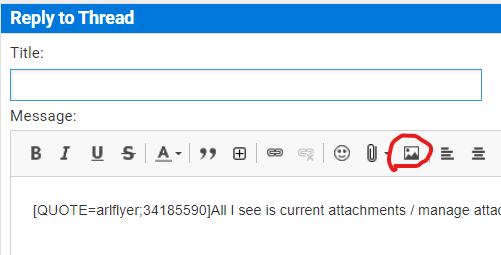
If you don't see that, then you need to switch to Full CKEditor in your options.
EDIT: Testing edit pop-up reported by Zorak
Last edited by IBJoel; Apr 27, 2022 at 2:13 pm
Apr 22, 2022 | 6:32 am
#9
Join Date: Feb 2013
Location: DCA
Posts: 7,777
OK, actually...does full CKEditor only apply to *initial* posts? I have the functionality here, for example, when typing this post for the first time, but it does not show when I edit an existing post or "go advanced" (but it does show for quick reply). I feel like this didn't used to be so confusing...
Apr 22, 2022 | 7:44 am
#10
Original Poster
FlyerTalk Evangelist
Join Date: Nov 2009
Location: SEA — the REAL Washington; occasionally in the other Washington (DCA area)
Programs: AS MVPG 100K (Atmos Titanium) / 0.5MM; DL fallen PM (1.58MM = “Complimentary Annual GM”); AA Gold
Posts: 24,535
"Full CKEditor" is enabled in my settings; I just get the simple text editor box when selecting "Edit" on the top post in this thread
Apr 24, 2022 | 3:42 am
#11
Join Date: Jan 2016
Location: LON
Programs: BAEC
Posts: 5,156
Odd that it's inconsistent for you. I've just gone to a thread I created and checked what the editor is for an edit on post #1 and that's giving me the full CKEditor, as well as for an edit to post #2 on this thread.
If you try to do the edit on a different device do you get the same non-CKEditor behaviour?
If you try to do the edit on a different device do you get the same non-CKEditor behaviour?
Apr 24, 2022 | 9:46 pm
#12
FlyerTalk Evangelist
Join Date: Jun 2010
Location: TOA
Programs: HH LTDiamond, Marriott LTPP/Platinum Premier, Hyatt Lame-ist, UA MM LT1P
Posts: 21,311
Same problem as jrl767 & repeatable in both Chrome and Firefox.
1. Tried to edit a prior post by selecting the bottom "Edit" button:
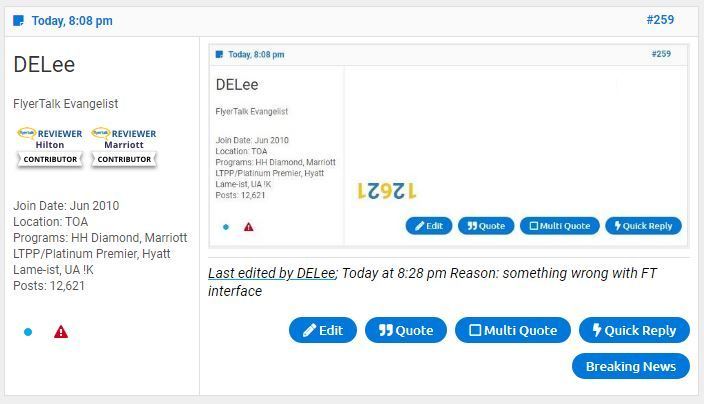
2. In-line edit session opens but a) shows text source format and b) no way to insert attachments/photos since no edit menu appears:
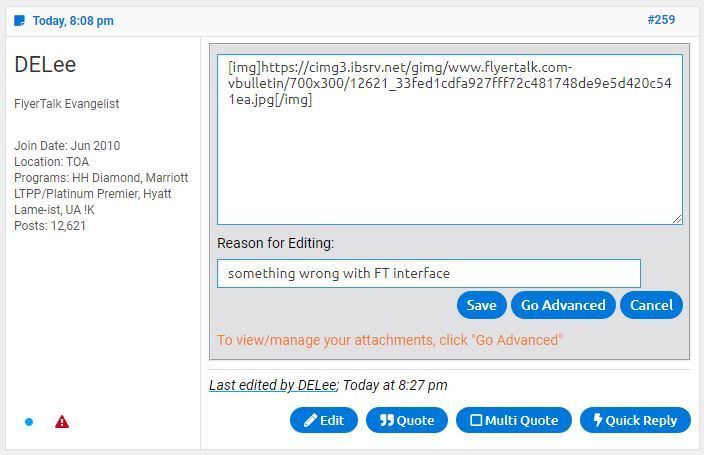
3. Select instead "Go Advanced" button and Edit Post session opens - still without edit menu and still source text format,
However, able to select "Manage Attachments" button but...
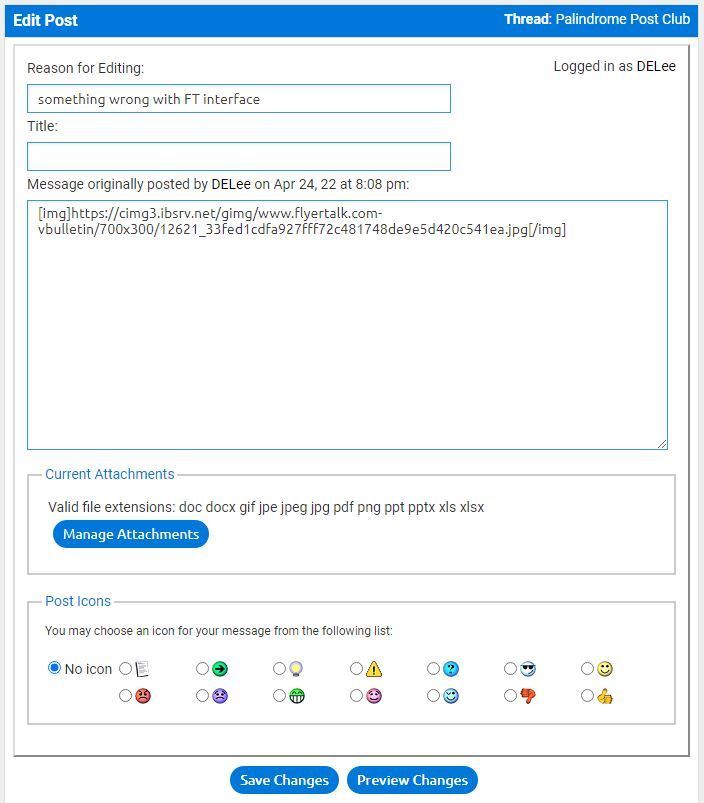
....window session goes blank and doesn't return to be able to identify an image or images to post:

4. Work around: view post as "single post" by selecting post link in upper right corner to open a new tab window:
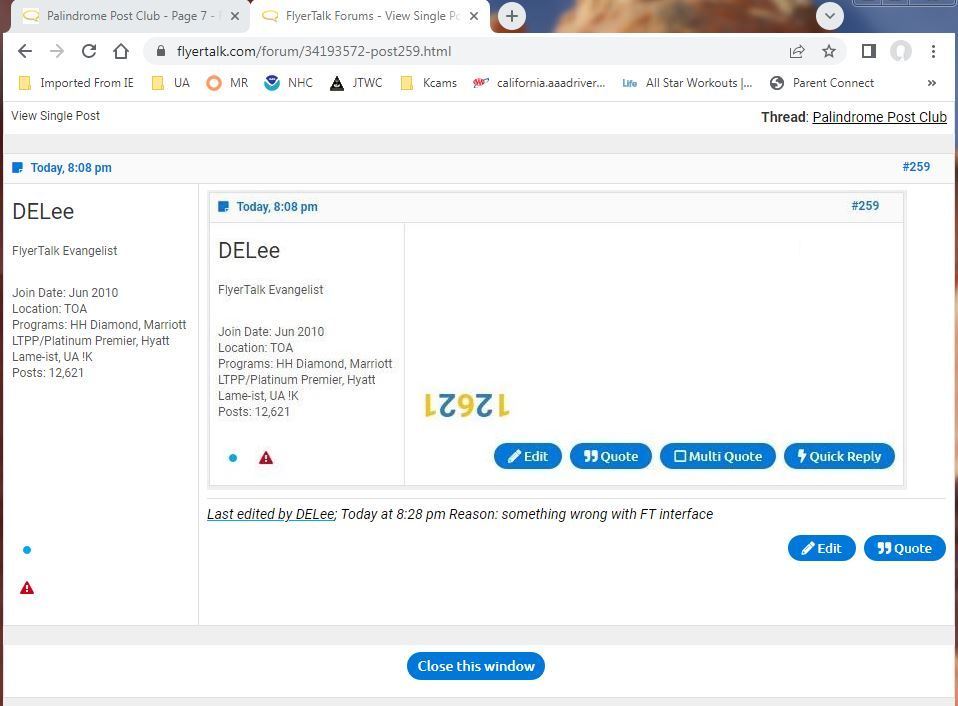
5. In this new tab, "Edit" button opens an edit session with an edit menu:
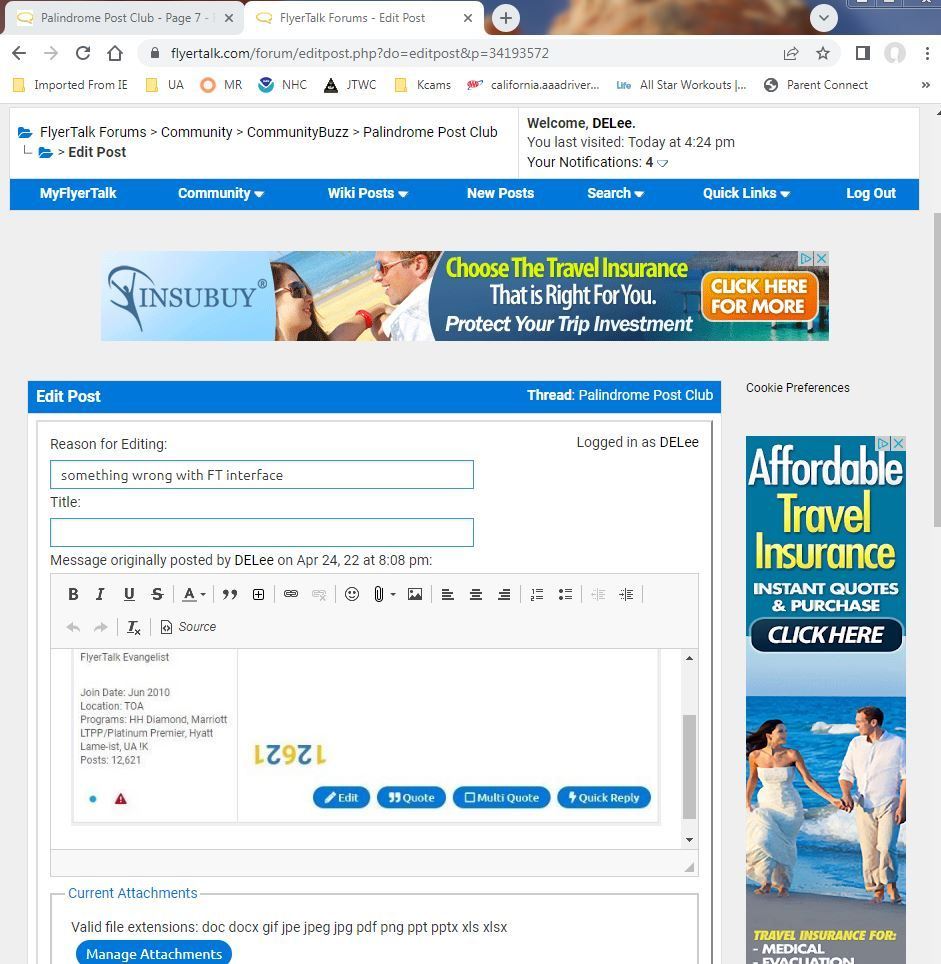
So then was able to edit the single post directly without it hanging up when trying to embed an image.
Something is wrong with the edit function.
David
1. Tried to edit a prior post by selecting the bottom "Edit" button:
2. In-line edit session opens but a) shows text source format and b) no way to insert attachments/photos since no edit menu appears:
3. Select instead "Go Advanced" button and Edit Post session opens - still without edit menu and still source text format,
However, able to select "Manage Attachments" button but...
....window session goes blank and doesn't return to be able to identify an image or images to post:
4. Work around: view post as "single post" by selecting post link in upper right corner to open a new tab window:
5. In this new tab, "Edit" button opens an edit session with an edit menu:
So then was able to edit the single post directly without it hanging up when trying to embed an image.
Something is wrong with the edit function.
David
Apr 27, 2022 | 8:13 am
#13
Moderator: Hyatt, American Express; FlyerTalk Evangelist

Join Date: Jun 2015
Location: WAS
Programs: :rolleyes:, DL DM, AA EXP, UA Silver, Hyatt Glob, Mlife Noir (=> Marriott Amb), invol FT beta tester
Posts: 21,710
Another issue I've noticed in the last few days (full desktop version of FT, editor setting is "Enhanced Interface - Full CK Editing") is that if you edit a post and save, then navigating away from the page brings up a "Are you sure you want to leave this page? Changes you made are not saved" type of dialog, even though the changes have in fact been saved. (This only seems to happen if the edit makes an actual change to the post -- if you simply click edit and then save without changing any non-whitespace text then the effect does not occur.)