
























Number the page on befriends
 Nov 18, 2020 | 3:43 pm
#1
Original Poster
A FlyerTalk Posting Legend


Join Date: Nov 2005
Location: Phoenix, AZ
Programs: American Airlines, Delta Air Lines, Rapids Reward
Posts: 40,082
Number the page on befriends
Hi,
I can't see a number of page. It was only white word and did not put a black letter of number the page.
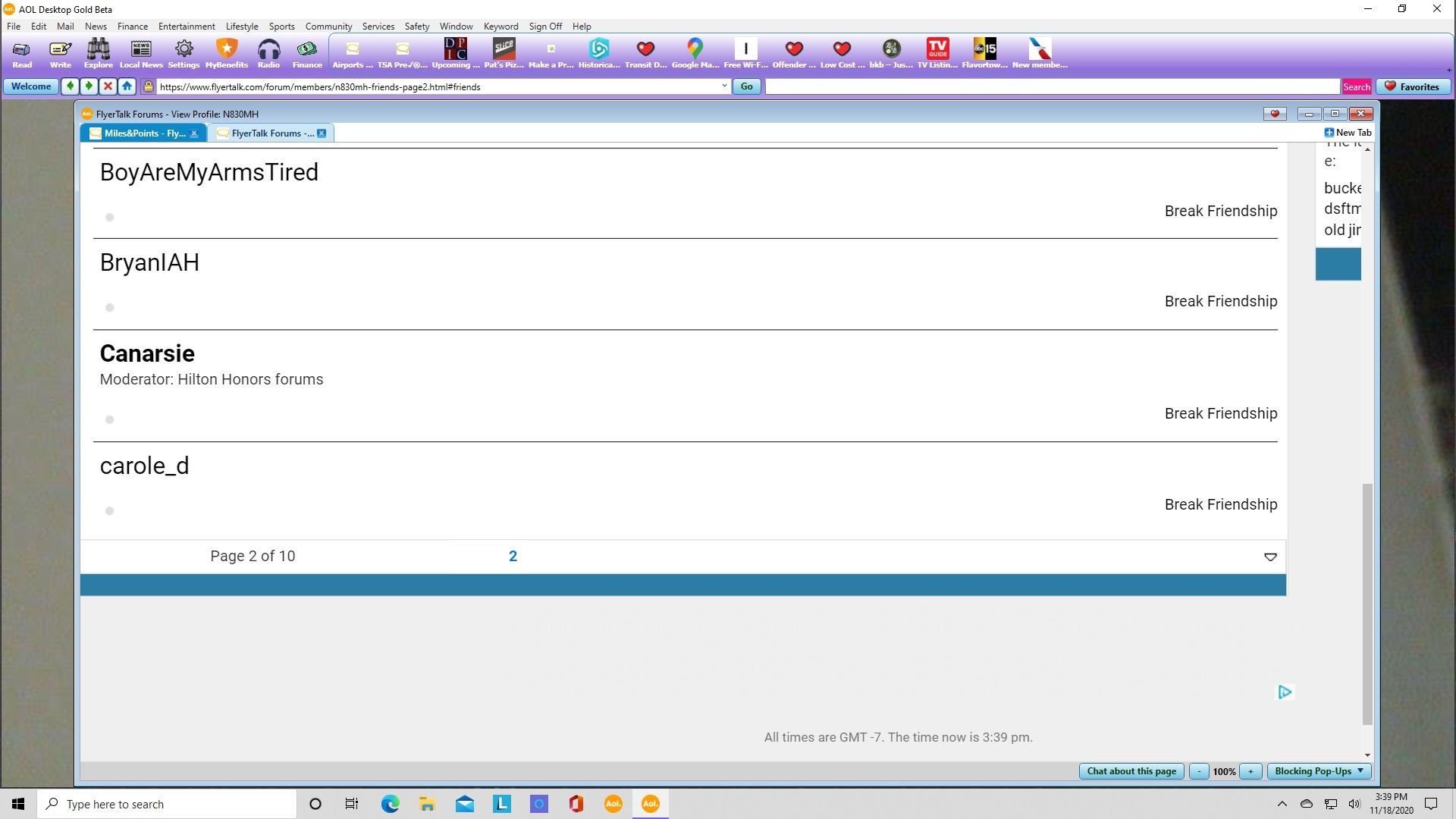
Look at this! It's all white, did not put a black color of number the page. Can you please fix it for me.
I can't see a number of page. It was only white word and did not put a black letter of number the page.
Look at this! It's all white, did not put a black color of number the page. Can you please fix it for me.
 Nov 18, 2020 | 3:48 pm
#2
Administrator

Join Date: Sep 2015
Location: Los Angeles
Programs: Internet Brands
Posts: 4,435
Looks like you're in the mobile version of the site. Try clearing your cache and if that doesn't work, click the the lines at the top left corner of the site, scroll to the bottom of the menu and click "Full Site"
 Nov 18, 2020 | 8:39 pm
#3
Original Poster
A FlyerTalk Posting Legend
Join Date: Nov 2005
Location: Phoenix, AZ
Programs: American Airlines, Delta Air Lines, Rapids Reward
Posts: 40,082
No, actually, I am on desktop computer, not on my iPhone. I am on my AOL.
Nov 19, 2020 | 8:28 am
#4
Administrator
Join Date: Sep 2015
Location: Los Angeles
Programs: Internet Brands
Posts: 4,435
OK, I see now. you're just in your friends list. The regular forum pages should look normal. Just scroll to the top of your page there and click on the "Forum" link in the top menu.
Nov 19, 2020 | 4:05 pm
#5
Original Poster
A FlyerTalk Posting Legend
Join Date: Nov 2005
Location: Phoenix, AZ
Programs: American Airlines, Delta Air Lines, Rapids Reward
Posts: 40,082
Okay. I am on FT Desktop, not Mobile. I am not on my iPhone, but I am on my computer. It's different. There is two ways. One for FT Desktop and Mobile One is on iPhone or iPad.