
























Seeing fare class on AA.com?
 May 15, 2022 | 2:09 am
#1
Original Poster
FlyerTalk Evangelist


Join Date: Mar 2010
Programs: DL, OZ, AC, AS, AA, BA, Hilton, Hyatt, Marriott, IHG
Posts: 21,005
Seeing fare class on AA.com?
When searching for fares on Google Flights and linking to AA.com or even on AA.com, I could swear that I could see the fare class somewhere on AA's page. Now, I can't seem to find that information before making a payment. Did AA remove the ability to see the fare class? If not, how can I check?
 May 15, 2022 | 5:33 am
#2
Join Date: Nov 2008
Location: Minnesota
Programs: AA EXP; United 1K, Delta, IHG Plat Amb, PE, Marriott/Hilton Gold
Posts: 946
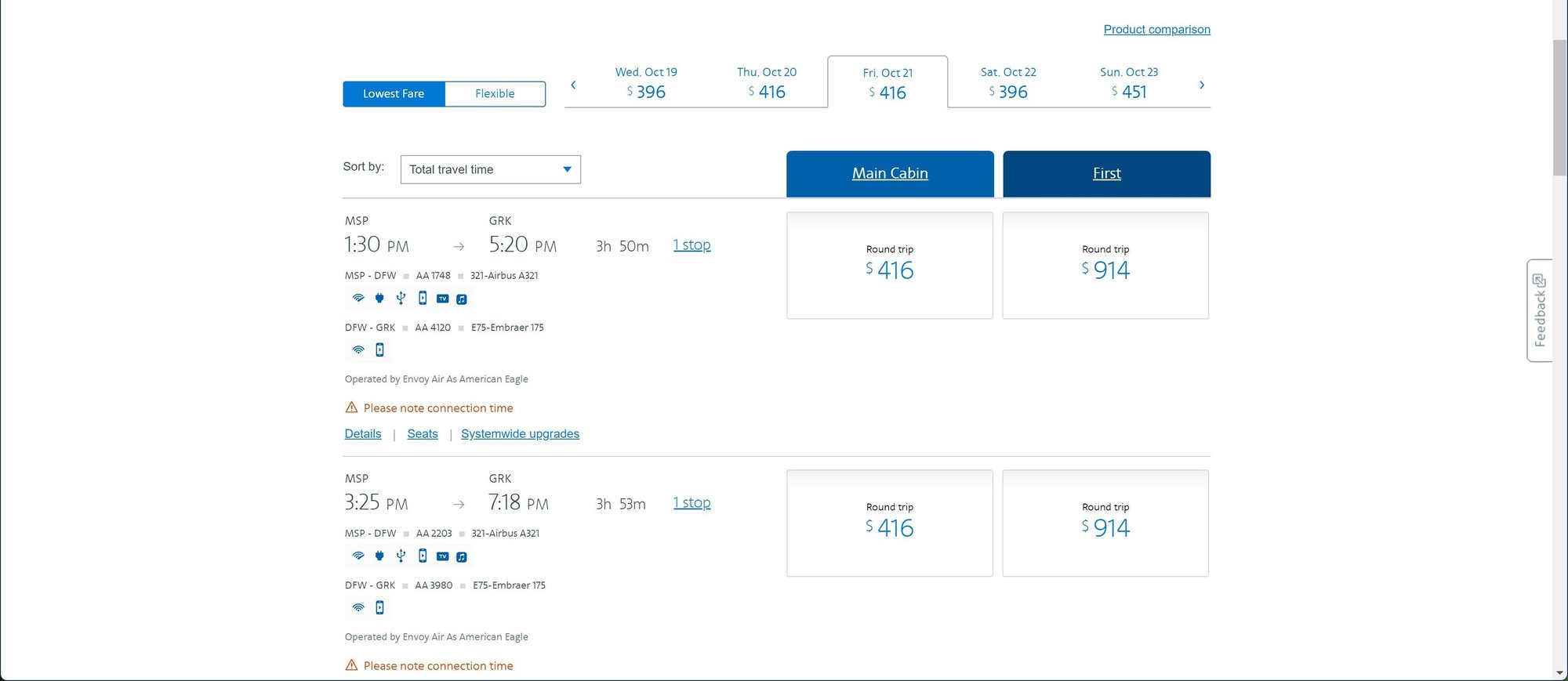
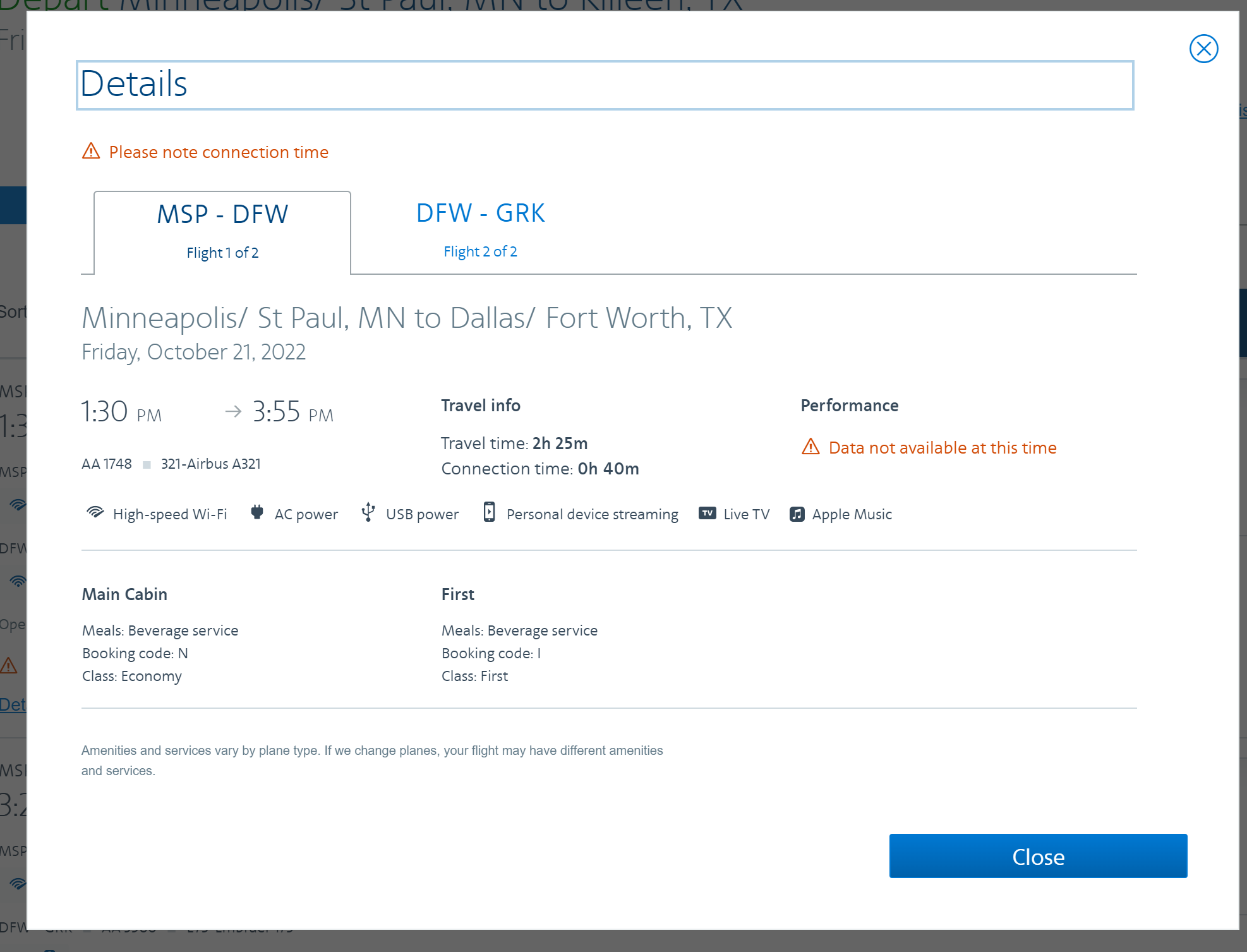
Click on Details (next to Seats on the search results page). Right under where it talks about the flight, plane and length of flights, it give class, fare code and meal options if any.
After booking you are SOL unless you look at the booking confirmation email
After booking you are SOL unless you look at the booking confirmation email
Last edited by aj411; May 15, 2022 at 5:43 am
May 15, 2022 | 6:11 am
#3
Original Poster
FlyerTalk Evangelist
Join Date: Mar 2010
Programs: DL, OZ, AC, AS, AA, BA, Hilton, Hyatt, Marriott, IHG
Posts: 21,005
That page doesn't show up when searching for flights via Google Flights.
May 15, 2022 | 9:18 am
#4
Join Date: Nov 2008
Location: Minnesota
Programs: AA EXP; United 1K, Delta, IHG Plat Amb, PE, Marriott/Hilton Gold
Posts: 946
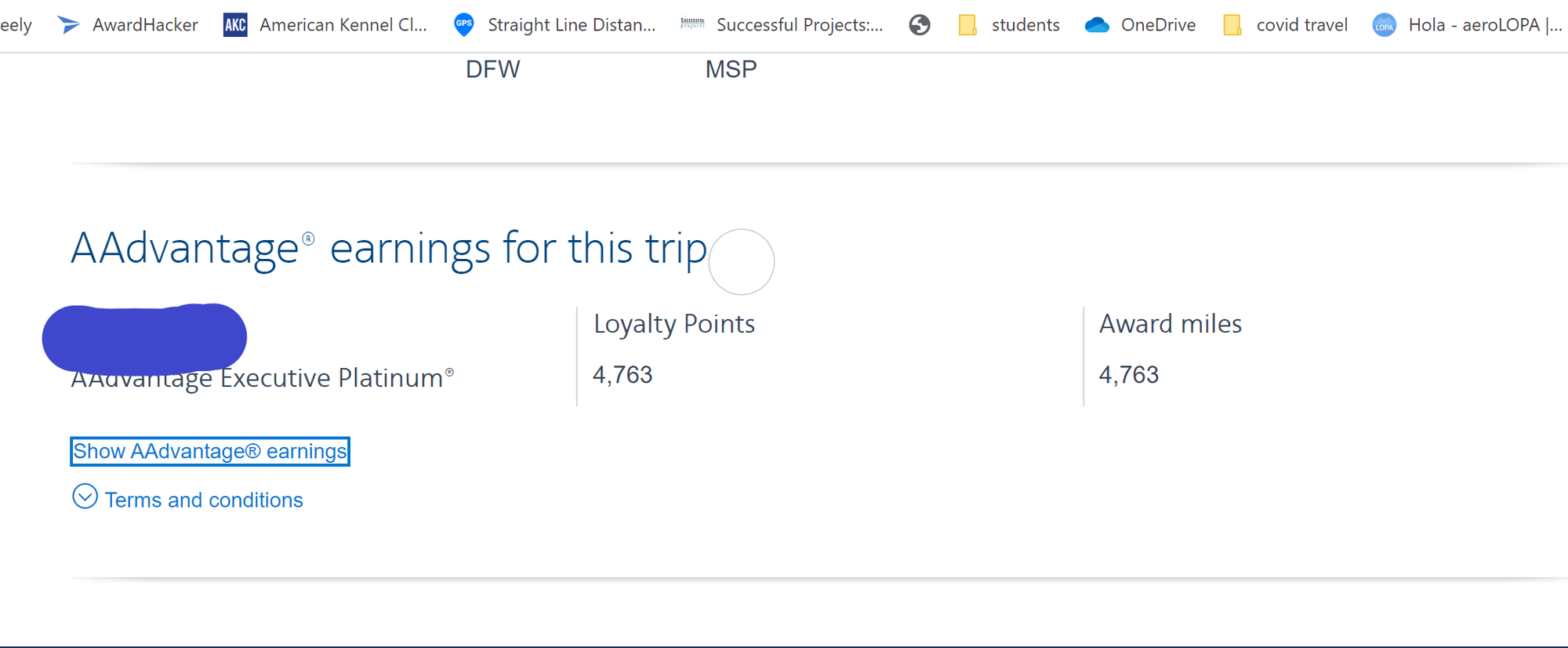
One thing I have found using Kayak and I think it works for Google as well. When you select the flights and get into the AA page, start down the path to a booking. when you get to the Review and Pay page that lists the flights, look for the section that says AAdvatange earning for this trip. It shows the total BUT in small type at the bottom of that section there is a link to "show AAdvantage earnings". This gives the detailed breakdown of the loyalty points and the fare codes.
 May 15, 2022 | 11:52 am
#5
Original Poster
FlyerTalk Evangelist
Join Date: Mar 2010
Programs: DL, OZ, AC, AS, AA, BA, Hilton, Hyatt, Marriott, IHG
Posts: 21,005
Fair enough.
One thing I have found using Kayak and I think it works for Google as well. When you select the flights and get into the AA page, start down the path to a booking. when you get to the Review and Pay page that lists the flights, look for the section that says AAdvatange earning for this trip. It shows the total BUT in small type at the bottom of that section there is a link to "show AAdvantage earnings". This gives the detailed breakdown of the loyalty points and the fare codes.
One thing I have found using Kayak and I think it works for Google as well. When you select the flights and get into the AA page, start down the path to a booking. when you get to the Review and Pay page that lists the flights, look for the section that says AAdvatange earning for this trip. It shows the total BUT in small type at the bottom of that section there is a link to "show AAdvantage earnings". This gives the detailed breakdown of the loyalty points and the fare codes.
May 15, 2022 | 11:54 am
#6
Join Date: Nov 2008
Location: Minnesota
Programs: AA EXP; United 1K, Delta, IHG Plat Amb, PE, Marriott/Hilton Gold
Posts: 946
agree. I don't think it used to be this bad. At least from Kayak, I think it used to put you on a page where you could see the whole itinerary. Now it jumps straight to a page that has the price and not much else
May 15, 2022 | 11:58 am
#7
Original Poster
FlyerTalk Evangelist
Join Date: Mar 2010
Programs: DL, OZ, AC, AS, AA, BA, Hilton, Hyatt, Marriott, IHG
Posts: 21,005
It's almost like AA doesn't want us to know what the fare class is. Thanks for taking the time to help me out.
May 15, 2022 | 12:12 pm
#8
FlyerTalk Evangelist


Join Date: Jul 2003
Location: KARB
Programs: DL 2MM
Posts: 26,986
Not sure about seeing booking class, but you've long had to go through all this on aa.com to get to the fare rules. You can get to page with fare rules link somewhat quicker by clicking "Skip seats on all flights" as soon as you get to seat selection page. united.com and delta.com let you see booking class/fare rules before having to enter passenger info, select seats, etc.