Originally Posted by
philemer
Test. I've never uploaded a pic in a FT post before. This came from one of my albums on my laptop. Now, how do I post a pic from my phone. It's a Galaxy A10e. Do I have to move the pic from my phone to my laptop first?
Thx
No, it can be done directly from the phone.
Click on the "photo" icon.
 Click on "From Device"
 Click on "Media Picker" or whatever the equivalent might be on your phone (mine is a Samsung Galaxy S24 Ultra)
 Select the type of media. "Screenshot" in this example
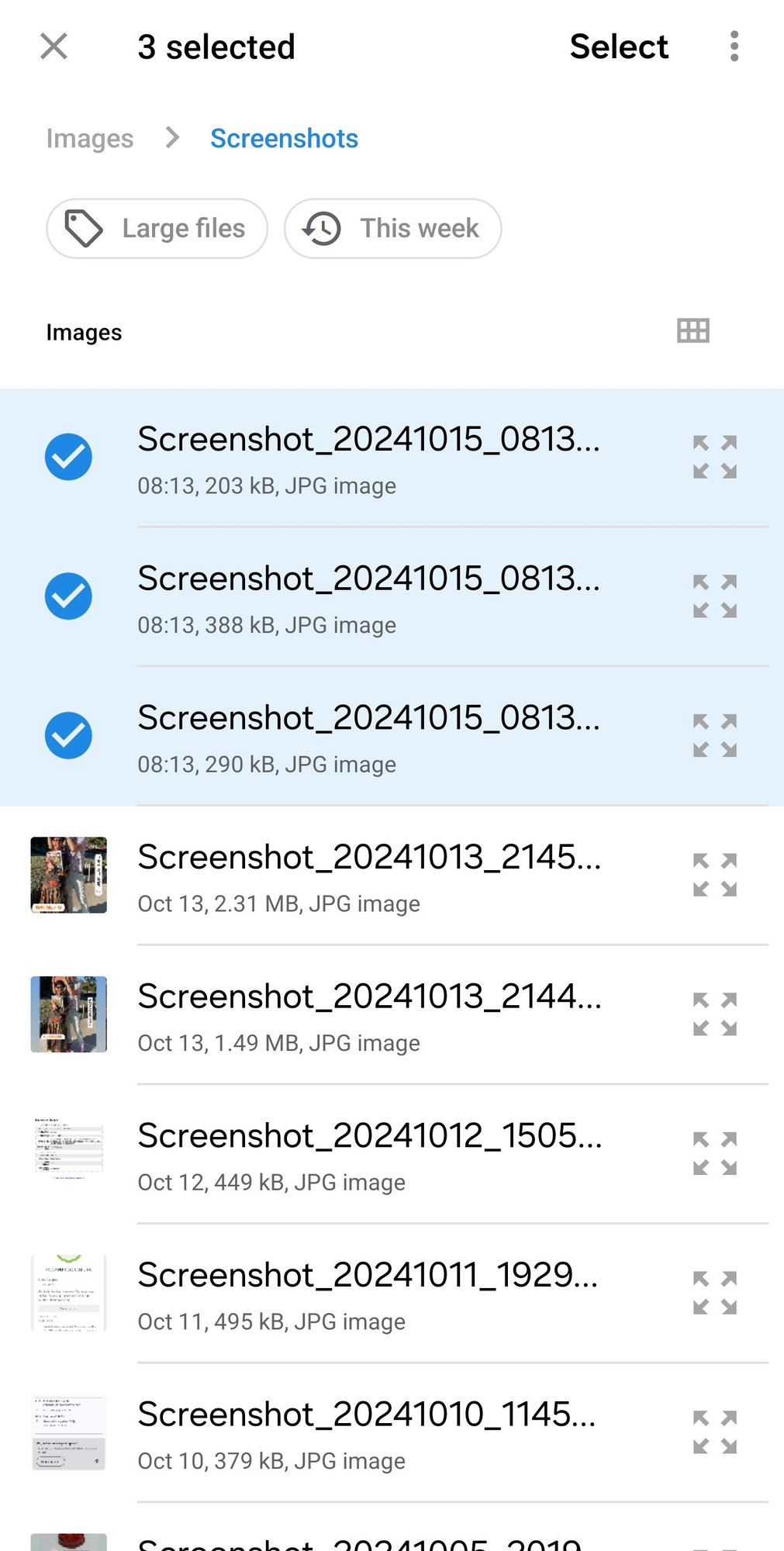 Check the images that you wish to upload and then click on "Select"
From this point on, the process is identical to uploading images from your computer.