Originally Posted by
Howste
If you want to check, you can print your boarding pass to a PDF file and go to this website to read the barcode:
http://online-barcode-reader.inliter...m/default.aspx
You'll see this screen:
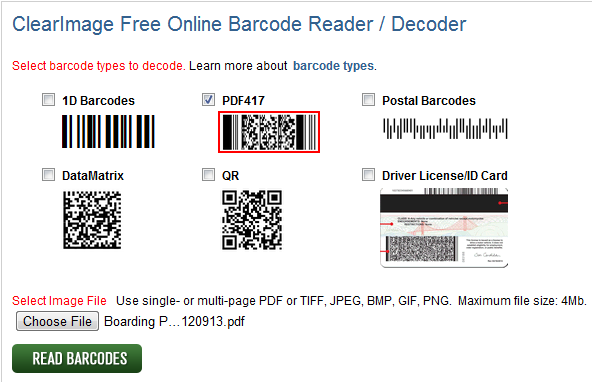
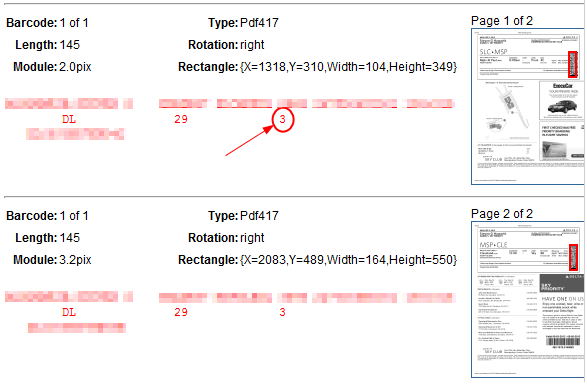
Check the PDF417 box for the barcode type. Click the "Choose File" button and select your PDF file. Then click the "Read Barcodes" button. You should see something like this:
[/IMG]
If you have a 3 where it's circled, you're cleared for precheck on this trip. If you have a 1, then you aren't.
Does this actually work? Or, maybe I am not using it correctly?
I went through my first pre-check lane yesterday almost by accident (I did not know I needed to just walk up to have them scan my BP to see if I was cleared), so now I am trying to figure out if that is what I need to do every time, or if there is a way to know before I arrive at the airport.
I scanned my BP from yesterday and tried to verify it with this site. I received a message that says "no barcodes found." The image is quite clear. Would it matter that it is a BP from yesterday?