
























What is “https://www.flyertalk.com/forum/undefined”?
 Apr 14, 2020 | 6:08 pm
#1
Original Poster
FlyerTalk Evangelist


Join Date: Nov 2001
Location: Wanting First. Buying First.
Programs: Lifetime Executive Diamond Platinum VIP with Braniff, Eastern, Midway, National & Pan Am
Posts: 21,867
What is “https://www.flyertalk.com/forum/undefined”?
https://www.flyertalk.com/forum/undefined
...inside replies when quoting.
"What Up With That?"
...inside replies when quoting.
"What Up With That?"
 Apr 14, 2020 | 6:41 pm
#3
Join Date: Jul 2008
Location: LAS ORD
Programs: AA Pro (mostly B6) OZ♦ (flying BR/UA), BA Silver Hyatt LT, Wynn Black, Cosmo Plat, Mlife Noir
Posts: 5,992
Also been having this problem and noticed it on other posts. Quoted OP to show what happens.
Specific forum doesn't seem to matter. Doesn't seem to appear on all posts. Also happens (again) when I try to edit.
Apr 14, 2020 | 6:48 pm
#4
Join Date: Jul 2008
Location: LAS ORD
Programs: AA Pro (mostly B6) OZ♦ (flying BR/UA), BA Silver Hyatt LT, Wynn Black, Cosmo Plat, Mlife Noir
Posts: 5,992
Apr 14, 2020 | 7:10 pm
#5


Join Date: Oct 2001
Location: Germany
Programs: LH SEN
Posts: 5,028
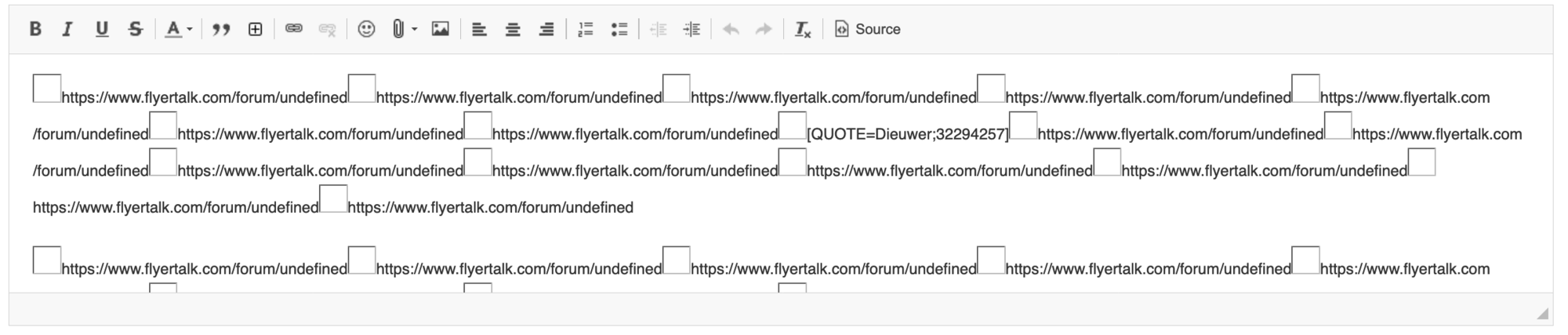
It seems to be a problem with the rich text editor.
If you quote a post, then click "Source" above the edit window, you'll see some entries like:
A workaround is to go into your control panel, select "Edit Options" and change the message editor to "Basic Editor". But this means you'll be editing using bbcode.
If you quote a post, then click "Source" above the edit window, you'll see some entries like:
Code:
[img]https://www.flyertalk.com/forum/undefined[/img]
Apr 14, 2020 | 8:07 pm
#6
Moderator: American AAdvantage


Join Date: May 2000
Location: NorCal - SMF area
Programs: AA LT EXP; HH LT Diamond, Maître-plongeur des Muccis
Posts: 62,948
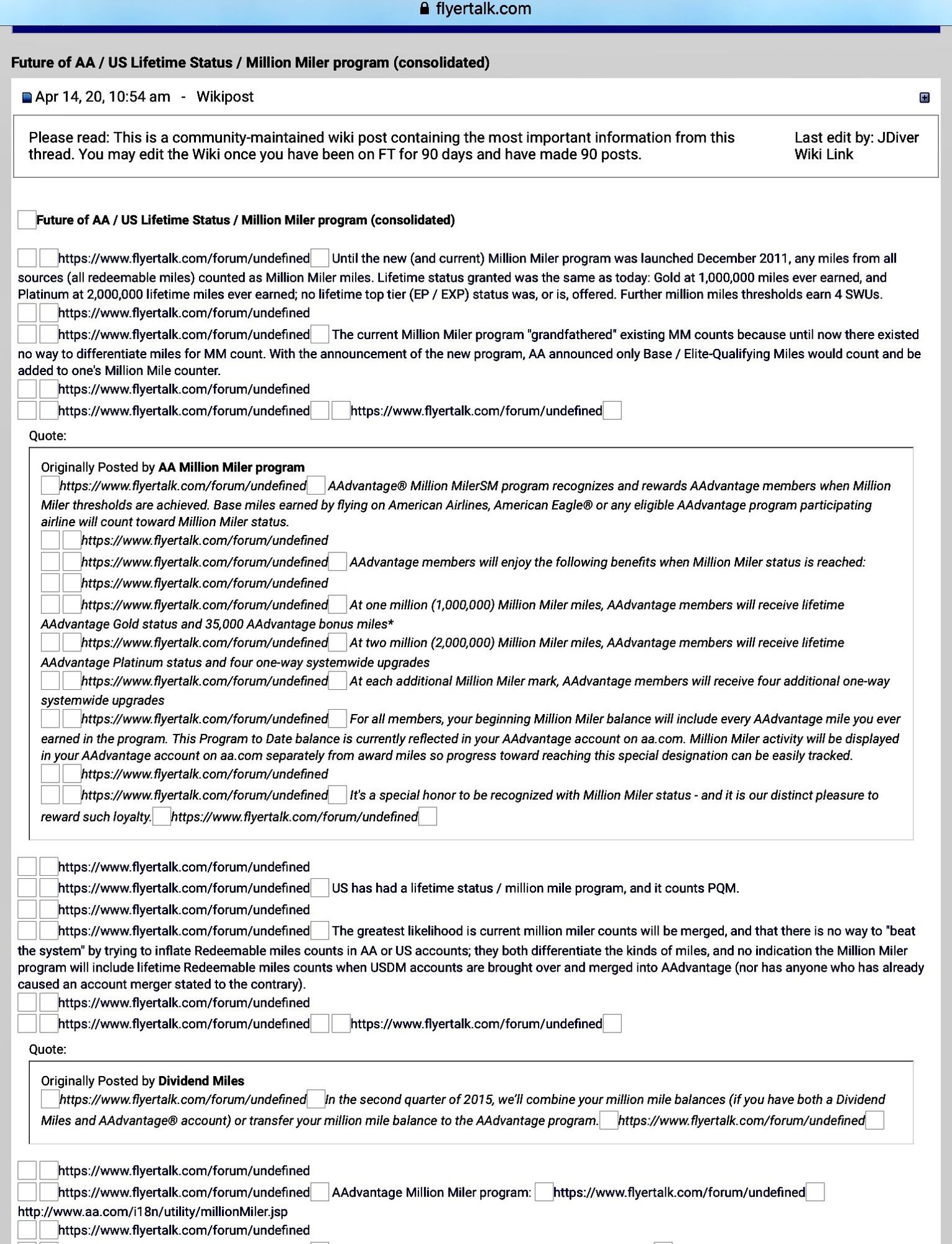
There’s a bug of some kind, Here’s a Wikipost that has been rendered into utter rubbish (I stripped the “undefined “ stuff from the Wiki title).
There’s another causing images to hang - on images that were fine before.
I doubt it’s the platform, as it’s my usual: iPad with Safari.
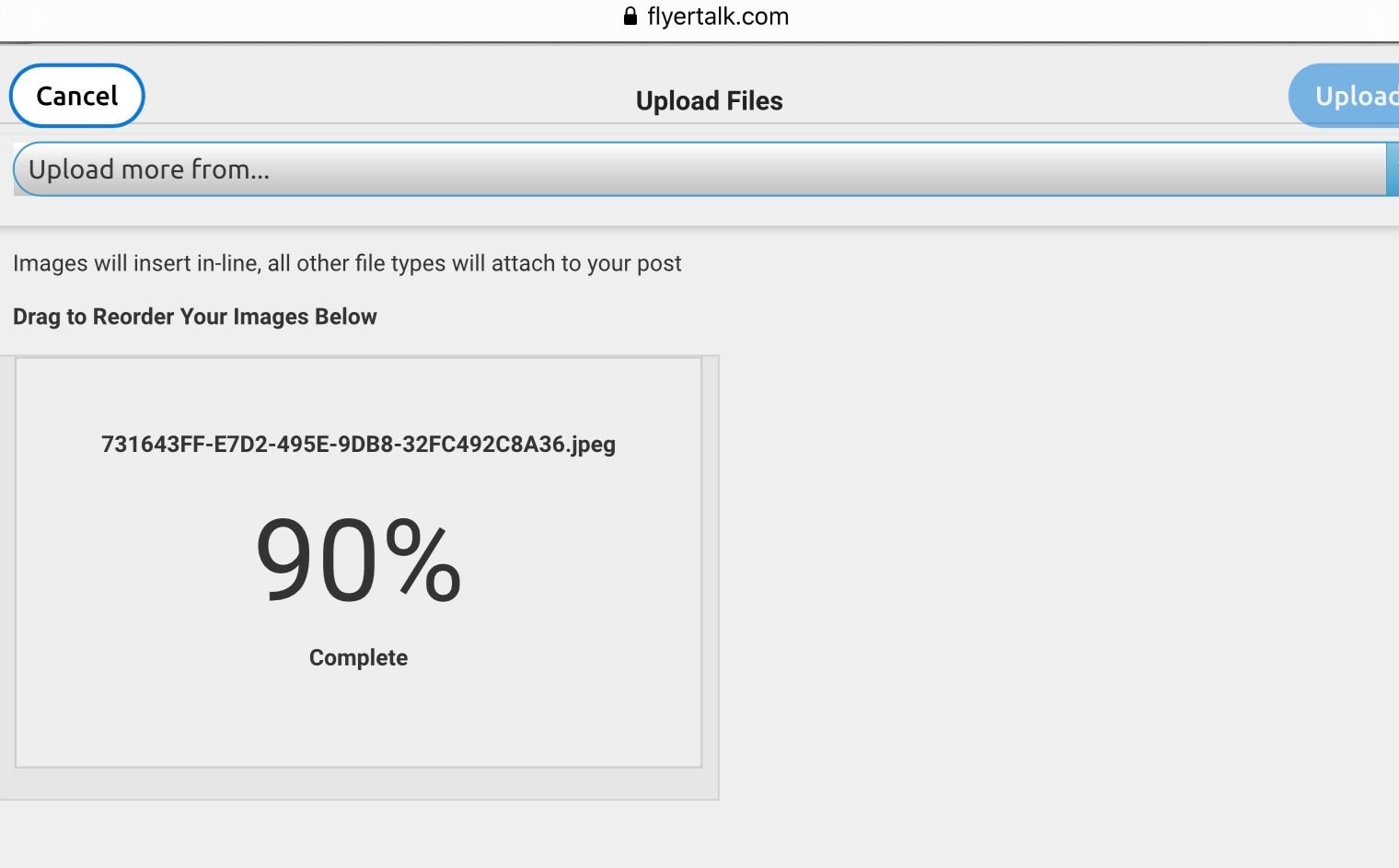
The image, uploaded from my device, hangs at 90% and may proceed after some seconds - or not.
There’s another causing images to hang - on images that were fine before.
I doubt it’s the platform, as it’s my usual: iPad with Safari.
The image, uploaded from my device, hangs at 90% and may proceed after some seconds - or not.
Apr 14, 2020 | 8:12 pm
#7
Join Date: Jul 2008
Location: LAS ORD
Programs: AA Pro (mostly B6) OZ♦ (flying BR/UA), BA Silver Hyatt LT, Wynn Black, Cosmo Plat, Mlife Noir
Posts: 5,992
It seems to be a problem with the rich text editor.
If you quote a post, then click "Source" above the edit window, you'll see some entries like:
A workaround is to go into your control panel, select "Edit Options" and change the message editor to "Basic Editor". But this means you'll be editing using bbcode.
If you quote a post, then click "Source" above the edit window, you'll see some entries like:
Code:
[img]https://www.flyertalk.com/forum/undefined[/img]


 Apr 14, 2020 | 8:51 pm
#10
Moderator: United Airlines


Join Date: Jun 2007
Location: SFO
Programs: UA LT Plat 2MM, Hyatt Discoverist, Marriott LT Gold, Hilton Silver, IHG Plat
Posts: 72,938
This may be primarily an FT and FF issue if editting a post, Chrome does not seem to have this issue. Any other conditions.
Has been reported to the Sys Admins
Has been reported to the Sys Admins
Apr 14, 2020 | 9:52 pm
#13
Moderator: Smoking Lounge; FlyerTalk Evangelist

Join Date: Feb 2004
Location: SFO
Programs: Lifetime (for now) Gold MM, HH Gold, Giving Tootsie Pops to UA employees, & a retired hockey goalie
Posts: 29,064

 Apr 14, 2020 | 10:31 pm
#15
Join Date: Sep 2008
Posts: 7,933