
























 Jan 7, 2022, 12:33 am
Last edit by: canadiancow
https://acpnr.cowtool.com/
Feature Requests / Bug Reports
Feature Requests / Bug Reports
- More direct links to partner airline "manage booking" pages
- For points bookings, show how many points were used
- Sometimes when you have UN segments, it doesn't show the entire PNR
- Can seat # be a clickable link to carrier manage booking/seat?

Unofficial AC PNR Viewing Tool (cowtool)
Apr 18, 2024 | 11:46 am
#1096


Join Date: Jan 2020
Posts: 88
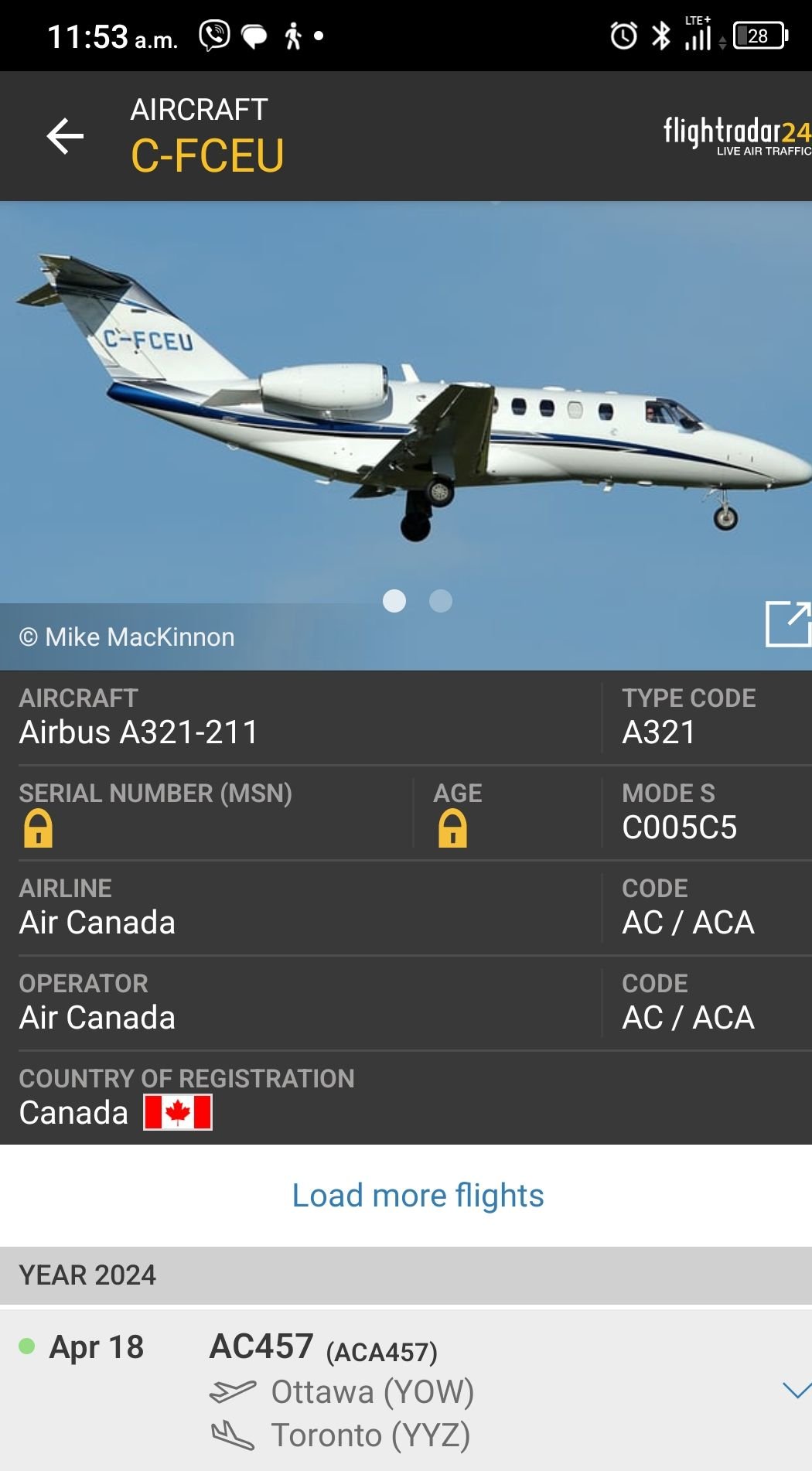
So..when I check in, it should say the seats that AC on twitter is telling me? sorry, just all confusing! never had a last min equipment swap before and stressing..wait, what does airport system mean?
Last edited by Adam Smith; Apr 18, 2024 at 12:10 pm Reason: Merge consecutive posts by same user


 Apr 22, 2024 | 11:39 am
#1098
Moderator, Air Canada; FlyerTalk Evangelist
Join Date: Feb 2015
Location: YYC
Programs: AC SE MM, FB Plat, WS Plat, BA Silver, Marriott Plat, Hilton Gold, Accor Gold
Posts: 18,942
The deep link to LX manage booking no longer works (https://www.swiss.com/in/en/login/pnrlogin?FirstName=[FirstName]&LastName=[LastName]&Locator=[PNR]) - "The page could not be found".
https://shop.swiss.com/booking/manage-booking/retrieve lets you enter last name and PNR to pull up a PNR, but I haven't been able to get it to load automatically by appending various combinations of FirstName, LastName, and PNR, so maybe if deep linking is no longer possible, that would be a better landing spot than the front page.
https://shop.swiss.com/booking/manage-booking/retrieve lets you enter last name and PNR to pull up a PNR, but I haven't been able to get it to load automatically by appending various combinations of FirstName, LastName, and PNR, so maybe if deep linking is no longer possible, that would be a better landing spot than the front page.
Last edited by Adam Smith; Apr 22, 2024 at 12:16 pm Reason: Corrected typo
Apr 24, 2024 | 8:56 am
#1099

Join Date: Oct 2022
Location: Ottawa, Canada + Edinburgh, Scotland
Programs: AC Super Elite 100k, Star Alliance Gold
Posts: 1,313
I made no changes *after* flying. However we missed a connection, and these legs which show up blank are the legs we were rebooked on and flew.
A bit curious if there will be an issue with Aeroplan miles, and with the remainder of the ticket...
(The compensation tool on aircanada.com could not find our ticket...)
A bit curious if there will be an issue with Aeroplan miles, and with the remainder of the ticket...
(The compensation tool on aircanada.com could not find our ticket...)
I have a latitude ticket with the outbound EDI-FRA-YYZ-YOW and the inbound as YOW-YYZ-EDI. I've flown the outbound and want to change the date of the inbound. The website says 'no flights available' for any dates I search in the next year. I've done nothing funky with the ticket, no other changes since booking it in March.
Looking at the pnr viewer, I see the first two segments of the outbound show the coupon as flown/used, but the YYZ-YOW segment is blank for coupon. (The inbound segments both show as 'open for use'.) Am wondering if this blank coupon could in any way be part of the problem. (Longshot I know, but I'm desperate. Phone agents can change the flight but are giving me pricing that is 2x more than I can buy the same flight for as part of a return ex-europe booking, for reasons I haven't yet figured out.)
The YYZ-YOW segment was originally booked as the 2.10pm, then I SDC through the concierge to the 1.10pm, then I managed to get stand by on the 12.10pm. Not sure if that's part of the issue (should a flight flown standby have a blank coupon on the pnr viewer?).
 May 14, 2024 | 12:01 pm
#1100


Join Date: Dec 2011
Location: YYZ
Programs: AC SE / 2MM / HH Diamond
Posts: 3,457
Two low priority requests.
1. I love the colours that you've put on the status line for each bound. Could you do something similar on the "Saved Bookings" list, to highlight bounds which are now in the past? If they were shown in red, or orange, or something ... it would just make it easier to skim down my list and see which are my upcoming flights.
2. Right now the page elements (the booking reference field, the "Load PNR" button) appear to be disabled while the "Saved Bookings" list gets loaded. If I have looked at the Saved Bookings list recently, then that list loads quickly - but if I haven't been there for a few days, there's frequently a 5-10s delay while the saved bookings list, loads. Which is not terrible ... but if I'm trying to look at an entirely different booking, then it's just a pain to have to wait for the saved bookings list to load first.
Thanks much
1. I love the colours that you've put on the status line for each bound. Could you do something similar on the "Saved Bookings" list, to highlight bounds which are now in the past? If they were shown in red, or orange, or something ... it would just make it easier to skim down my list and see which are my upcoming flights.
2. Right now the page elements (the booking reference field, the "Load PNR" button) appear to be disabled while the "Saved Bookings" list gets loaded. If I have looked at the Saved Bookings list recently, then that list loads quickly - but if I haven't been there for a few days, there's frequently a 5-10s delay while the saved bookings list, loads. Which is not terrible ... but if I'm trying to look at an entirely different booking, then it's just a pain to have to wait for the saved bookings list to load first.
Thanks much
May 14, 2024 | 12:21 pm
#1101

Join Date: Apr 2023
Location: YUL
Programs: AC*SE
Posts: 295
If I may add a third wishlist item to canopus27 's list:
3. I would love to be able to ctrl-click or middle-click on the "Load PNR" link (in the saved-bookings list) to load it in a new browser tab. Sometimes I want to open a couple at a time. Hopefully that's not too annoying to implement.
Many thanks as always!
3. I would love to be able to ctrl-click or middle-click on the "Load PNR" link (in the saved-bookings list) to load it in a new browser tab. Sometimes I want to open a couple at a time. Hopefully that's not too annoying to implement.
Many thanks as always!
May 14, 2024 | 7:21 pm
#1102
Company Representative, Cowtool
Join Date: Jul 2023
Location: San Francisco
Posts: 221
Two low priority requests.
1. I love the colours that you've put on the status line for each bound. Could you do something similar on the "Saved Bookings" list, to highlight bounds which are now in the past? If they were shown in red, or orange, or something ... it would just make it easier to skim down my list and see which are my upcoming flights.
2. Right now the page elements (the booking reference field, the "Load PNR" button) appear to be disabled while the "Saved Bookings" list gets loaded. If I have looked at the Saved Bookings list recently, then that list loads quickly - but if I haven't been there for a few days, there's frequently a 5-10s delay while the saved bookings list, loads. Which is not terrible ... but if I'm trying to look at an entirely different booking, then it's just a pain to have to wait for the saved bookings list to load first.
Thanks much
1. I love the colours that you've put on the status line for each bound. Could you do something similar on the "Saved Bookings" list, to highlight bounds which are now in the past? If they were shown in red, or orange, or something ... it would just make it easier to skim down my list and see which are my upcoming flights.
2. Right now the page elements (the booking reference field, the "Load PNR" button) appear to be disabled while the "Saved Bookings" list gets loaded. If I have looked at the Saved Bookings list recently, then that list loads quickly - but if I haven't been there for a few days, there's frequently a 5-10s delay while the saved bookings list, loads. Which is not terrible ... but if I'm trying to look at an entirely different booking, then it's just a pain to have to wait for the saved bookings list to load first.
Thanks much
2a. Enabling that button while it's loading could work, but there are a few nuances I'd have to think through.
2b. The 5-10s delay is likely because no one has used the PNR tool within the last 15ish minutes (or a ton of people just opened it right now), and is unrelated to when you last used it.
If I may add a third wishlist item to canopus27 's list:
3. I would love to be able to ctrl-click or middle-click on the "Load PNR" link (in the saved-bookings list) to load it in a new browser tab. Sometimes I want to open a couple at a time. Hopefully that's not too annoying to implement.
Many thanks as always!
3. I would love to be able to ctrl-click or middle-click on the "Load PNR" link (in the saved-bookings list) to load it in a new browser tab. Sometimes I want to open a couple at a time. Hopefully that's not too annoying to implement.
Many thanks as always!
But I think it's a good idea. I am often in the same situation where I want to pull up multiple bookings (because I have multiple PNRs for one trip). And I end up just opening the tool in multiple tabs, waiting for the saved bookings to load in each, then clicking the ones I want. And that's quite annoying.
So we'll see when I can get to these.
Thanks for the suggestions!
May 15, 2024 | 2:57 am
#1103

Join Date: Oct 2010
Location: ZRH
Programs: AC SE 100K
Posts: 984
Did anything more come of this, Stranger?
I have a latitude ticket with the outbound EDI-FRA-YYZ-YOW and the inbound as YOW-YYZ-EDI. I've flown the outbound and want to change the date of the inbound. The website says 'no flights available' for any dates I search in the next year. I've done nothing funky with the ticket, no other changes since booking it in March.
Looking at the pnr viewer, I see the first two segments of the outbound show the coupon as flown/used, but the YYZ-YOW segment is blank for coupon. (The inbound segments both show as 'open for use'.) Am wondering if this blank coupon could in any way be part of the problem. (Longshot I know, but I'm desperate. Phone agents can change the flight but are giving me pricing that is 2x more than I can buy the same flight for as part of a return ex-europe booking, for reasons I haven't yet figured out.)
The YYZ-YOW segment was originally booked as the 2.10pm, then I SDC through the concierge to the 1.10pm, then I managed to get stand by on the 12.10pm. Not sure if that's part of the issue (should a flight flown standby have a blank coupon on the pnr viewer?).
I have a latitude ticket with the outbound EDI-FRA-YYZ-YOW and the inbound as YOW-YYZ-EDI. I've flown the outbound and want to change the date of the inbound. The website says 'no flights available' for any dates I search in the next year. I've done nothing funky with the ticket, no other changes since booking it in March.
Looking at the pnr viewer, I see the first two segments of the outbound show the coupon as flown/used, but the YYZ-YOW segment is blank for coupon. (The inbound segments both show as 'open for use'.) Am wondering if this blank coupon could in any way be part of the problem. (Longshot I know, but I'm desperate. Phone agents can change the flight but are giving me pricing that is 2x more than I can buy the same flight for as part of a return ex-europe booking, for reasons I haven't yet figured out.)
The YYZ-YOW segment was originally booked as the 2.10pm, then I SDC through the concierge to the 1.10pm, then I managed to get stand by on the 12.10pm. Not sure if that's part of the issue (should a flight flown standby have a blank coupon on the pnr viewer?).
Sounds complex - - my recommendation would be to find the availability based on booking class and then call it in . . and basically not accept fare difference. You are on the return so as long as you don't change minimum stay req's then the fare will be the same and only the applicable change fee would happen. These things sometimes don't work automatically so you need to get an expert involved.

 May 19, 2024 | 12:41 pm
#1105
Join Date: Jun 2023
Location: YYZ
Programs: Air Canada Aeroplan
Posts: 395
Bags question?
I get this is probably not the most life changing enhancement, but it would be great if the # of bags could take into account the status of the flyer(s). For example, 35k+ have 3 bags regardless of class//fare type but the PNR viewer shows 1.
May 19, 2024 | 7:40 pm
#1106
Join Date: Jan 2010
Location: SFO
Programs: *G^2, Bonvoyed, NEXUS
Posts: 3,675
It’s showing ticketed baggage allowance, not status waivers.
 May 21, 2024 | 7:56 pm
#1107
Company Representative, Cowtool
Join Date: Jul 2023
Location: San Francisco
Posts: 221
While it would be easy to do this for AC segments with AC status, what should it show if you have an SE and a no-status pax flying AC Basic Economy? 3? 0?
And then if the AC segments take your status into account, people will assume that's true for all airlines. And it would take a lot of research (and maintenance as things change) to figure out what *G and *S do on other airlines. And I think there are even some, for example, LH fares where *G does nothing.
May 23, 2024 | 12:59 pm
#1108
Join Date: Mar 2023
Location: YDF
Programs: AC SE 0.2MM
Posts: 251
I used ITA powertools to book a one way YDF-YYZ-BOS with a 30 hour layover in YYZ. Clicking through to the AC website to purchase, the itinerary displayed and priced correctly. However, after receiving the purchase confirmation from AC, the itinerary was missing the YYZ-BOS leg, and it lists my final destination as YYZ.
On cowtool, both segments are there, but they are split as if it were a open-jaw itinerary:

Anything I need to worry about? Will it just require me to check in twice?
On cowtool, both segments are there, but they are split as if it were a open-jaw itinerary:
Anything I need to worry about? Will it just require me to check in twice?
May 23, 2024 | 1:13 pm
#1109
Original Poster
A FlyerTalk Posting Legend

Join Date: Sep 2012
Location: SFO
Programs: AC SE MM, SK Gold, Bonvoy Plat LTG, Hyatt Glob, HH Diamond
Posts: 47,286
I used ITA powertools to book a one way YDF-YYZ-BOS with a 30 hour layover in YYZ. Clicking through to the AC website to purchase, the itinerary displayed and priced correctly. However, after receiving the purchase confirmation from AC, the itinerary was missing the YYZ-BOS leg, and it lists my final destination as YYZ.
On cowtool, both segments are there, but they are split as if it were a open-jaw itinerary:
Anything I need to worry about? Will it just require me to check in twice?
On cowtool, both segments are there, but they are split as if it were a open-jaw itinerary:
Anything I need to worry about? Will it just require me to check in twice?