Originally Posted by
VikingXNL
Thanks for the detailed feedback!
On the qualification period: You can actually set your own cycle in the XP Engine: tap the settings icon and adjust “Cycle Start Month” to January to match your Jan-Dec period. That should fix the timing issue.
On the XP discrepancy (455 vs 545): the PDF import is meant as a kickstart, not a perfect sync. Flying Blue PDFs only go back so far.
You can manually add missing flights, and both Miles and XP are fully editable, so you can always reconcile the numbers to match your actual balance. Think of it as a starting point that you fine-tune.
Happy to look at your screenshots in DM if you want help troubleshooting! Thanks a lot.
I get that, but the export PDF does contain the "correct actual" state (amount of XP, amount of miles, amount of UXP), so perhaps as a kickstart it should go from "current state" and look back, rather than start from the bottom and work up. There's, realistically speaking, no way for me to "fix" the balance besides manually add an entry with a fake flight number to "correct" the data.
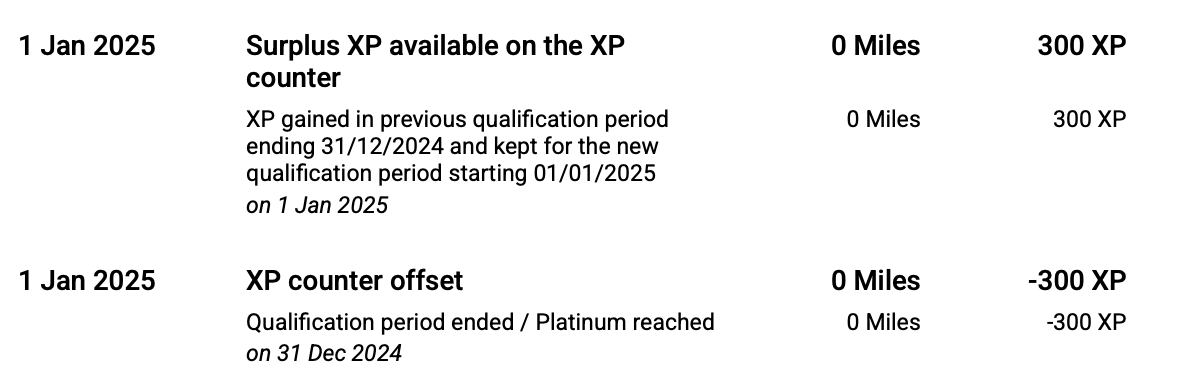
There should also be events to indicated requalifications, so I guess getting the correct qualification period should also be possible automatically without manual intervention (e.g. the below screenshot).
Either way I've been platinum for longer than the PDF export, so getting old data is going to be near impossible (I do have the flights logged in Flighty, but not the XP and miles movements), perhaps the import should only consider "complete" data, in my case 2023 and newer (since the first "XP Counter offset" in the data) - and warn that older data needs to be manually added.