I was always afraid that the next click would be one click to far and I'd loose my vouchers or end up in a mix of Y + C flights....Or if I'd select 3 segments it would say "only 2 vouchers, I applied 2 and you can pay $ 9,754 to upgrade the last one"...
So before loosing my elite+, I decided to try it all the way (with not all segments being available) to take some screenshots for all of you wondering the same (how far we can go and look things up without destroying something).
 Good news: The app works great now, and I still had the vouchers 22 hours before the end of the membership year
 (last year, they vanished from the app 30 hours before

, but the hotline could still apply them)
1.) App
shows which flights/segments are available and the ones that aren't 
2.) You can look it up,
decide if you want to take the available ones 
(e. g. one shorthaul in Y might not matter to you or you can try to upgrade it with miles or even cash later) and continue
3.)
Or cancel, keep your vouchers, try again later or refund the ticket. 
I found the same flights on another date, booked them (ticketed immediately),and had them
upgraded in less than 60 seconds 
(same steps, only this time all segments worked).
If you select all 4 available segments for a return flight, it will only use 2 vouchers as it should (2 flights = "flight groups" with 2 segments each, see screenshots below).
I then cancelled the other ticket (quadrouble checking I selected the not upgraded one for cancelling...), was refunded the same day it was billed to my CC (zero sum).
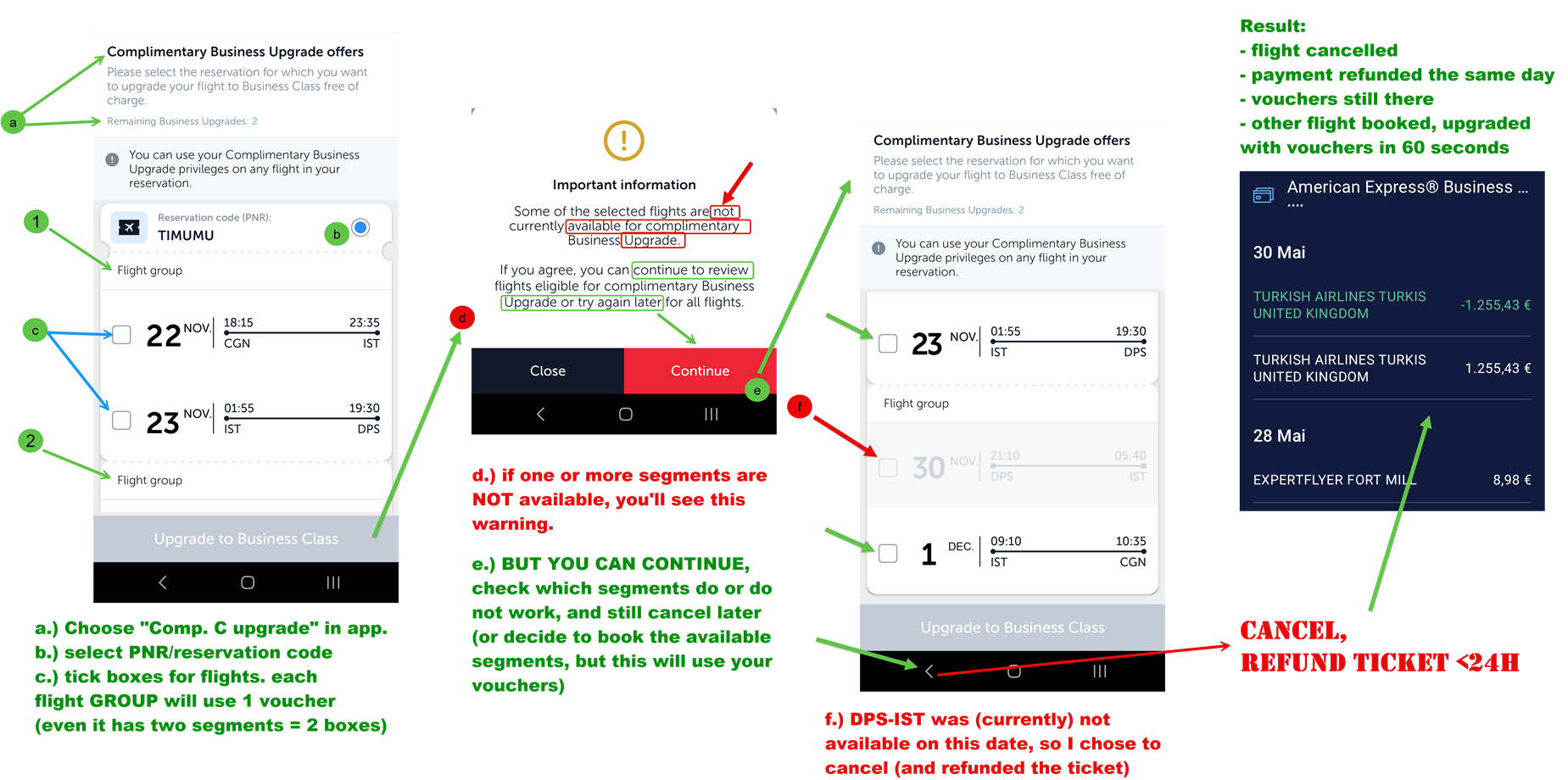 Checking voucher upgrade from the app — don't be afraid to continue after the warning to see the flights that work, but do cancel THEN if you want all of them upgraded.