Originally Posted by
Antarius
Haven't had much time, but have something. Not the cleanest solution out there, but right click and select
Inspect. On the right panel Elements Tab, search for
viewResItinerary. Change aa-display-noneto something else.
The old UI will appear at the bottom.
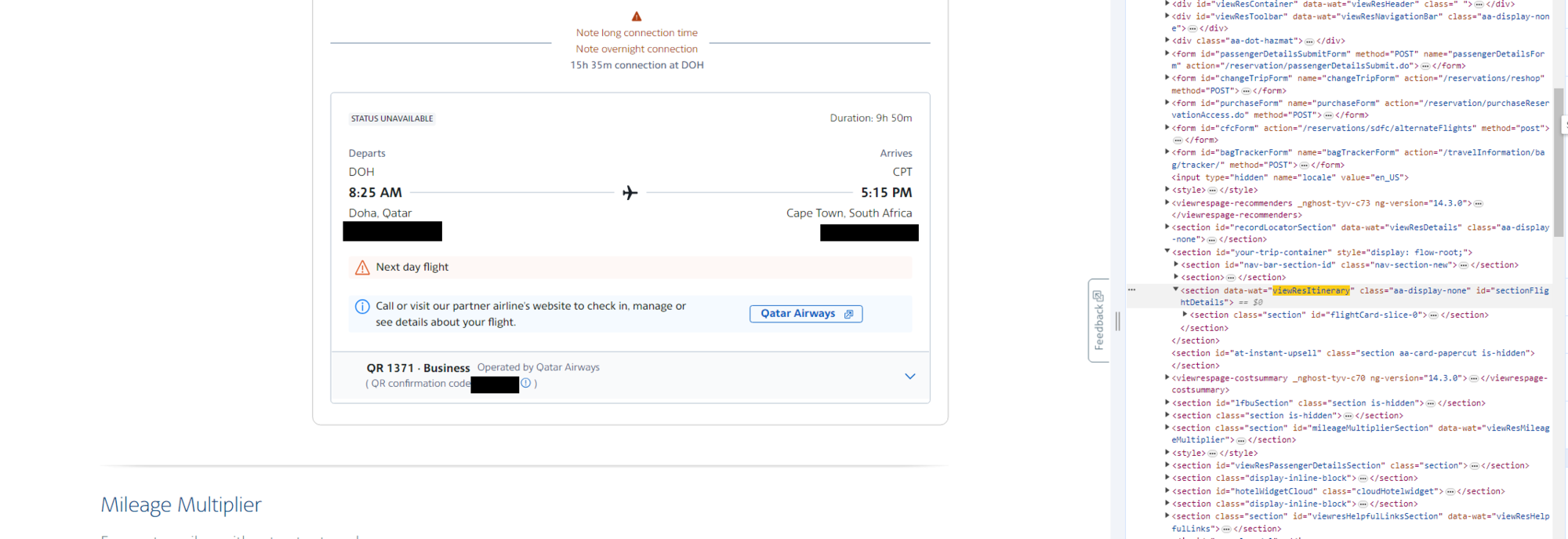 before changes
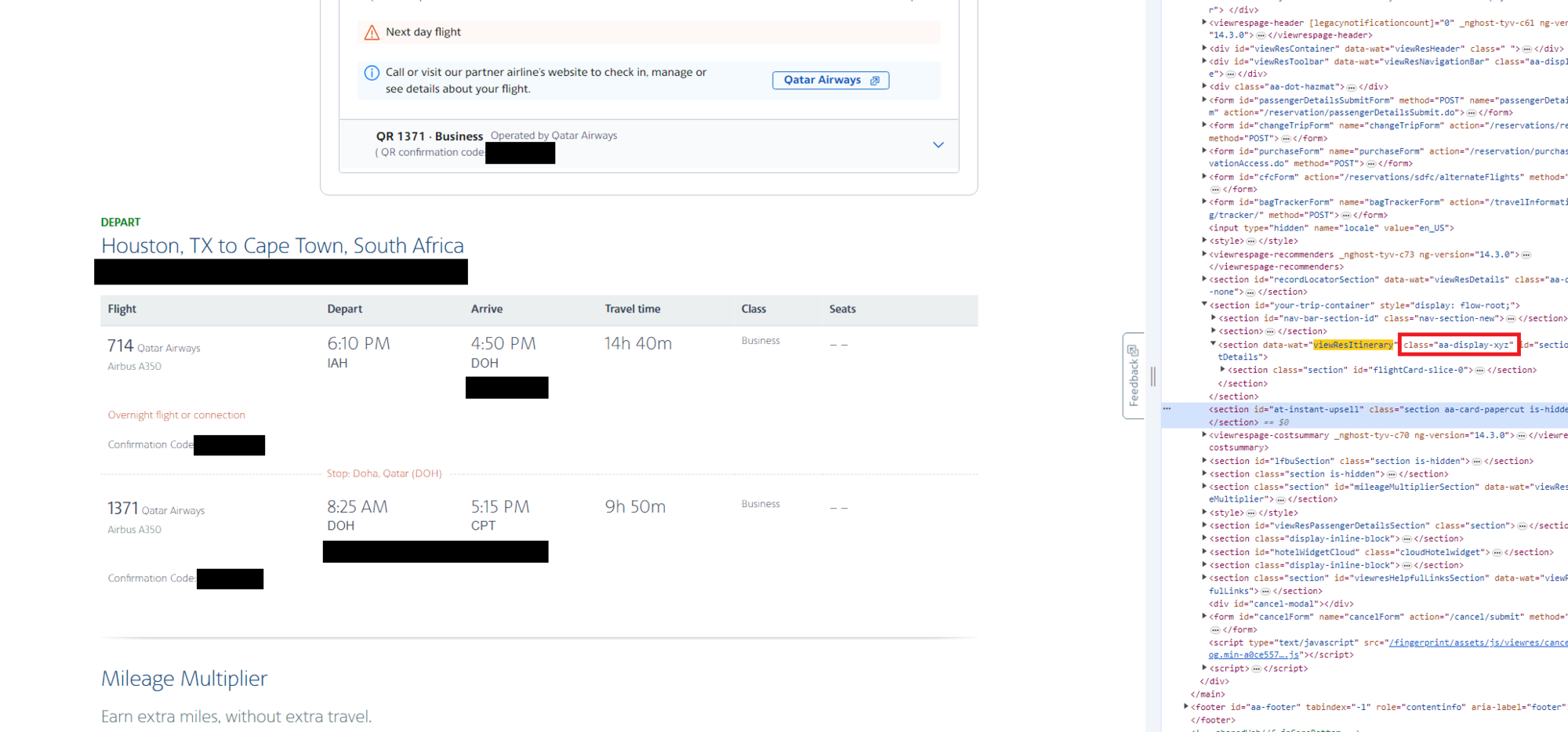 after changes
To hide the new one, search for
aria-label="Trip summary" and change that class to aa-display-none
For the receipt view, even when no such link is obvious, have you tried that webpage that has often been referenced here?
itineraryReceipt
Have your “normal view” in one browser window, and then open another window with that link above. Sometimes it doesn’t work very well with award reservations, but overall it is convenient to have.
Originally Posted by
italdesign
Thanks for that; I recognize the familiar skeleton. Unfortunately didn't work for my award: only shows PNR and nothing else.
The method referenced by
Antarius does work, but leaves a lot of extra "new" crap and bad spacing. (He did say it was not the cleanest.) The method referenced by
SK works well for unchanged, paid reservations. Has anyone yet found a way to get
award reservations to display in the old format?