Originally Posted by
PTahCha
Situation: Hyatt.com stopped working on Chrome (Windows Desktop version), but works on Edge.
Resolution: Cleared cookies on Chrome. Hyatt.com loads again on Chrome.
Step 1: Go to Chrome settings via the 3 dots, choose Settings.
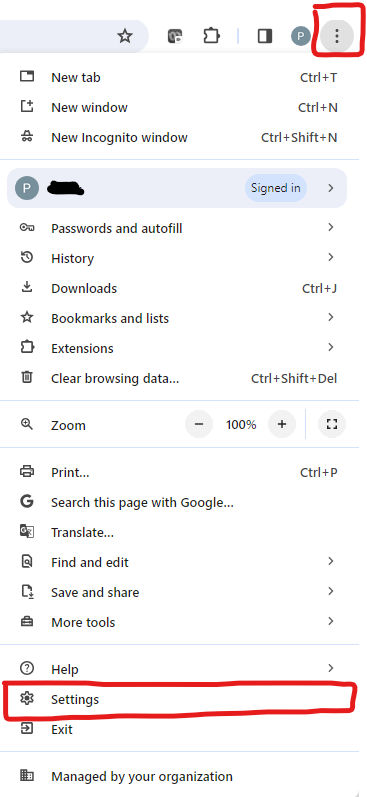
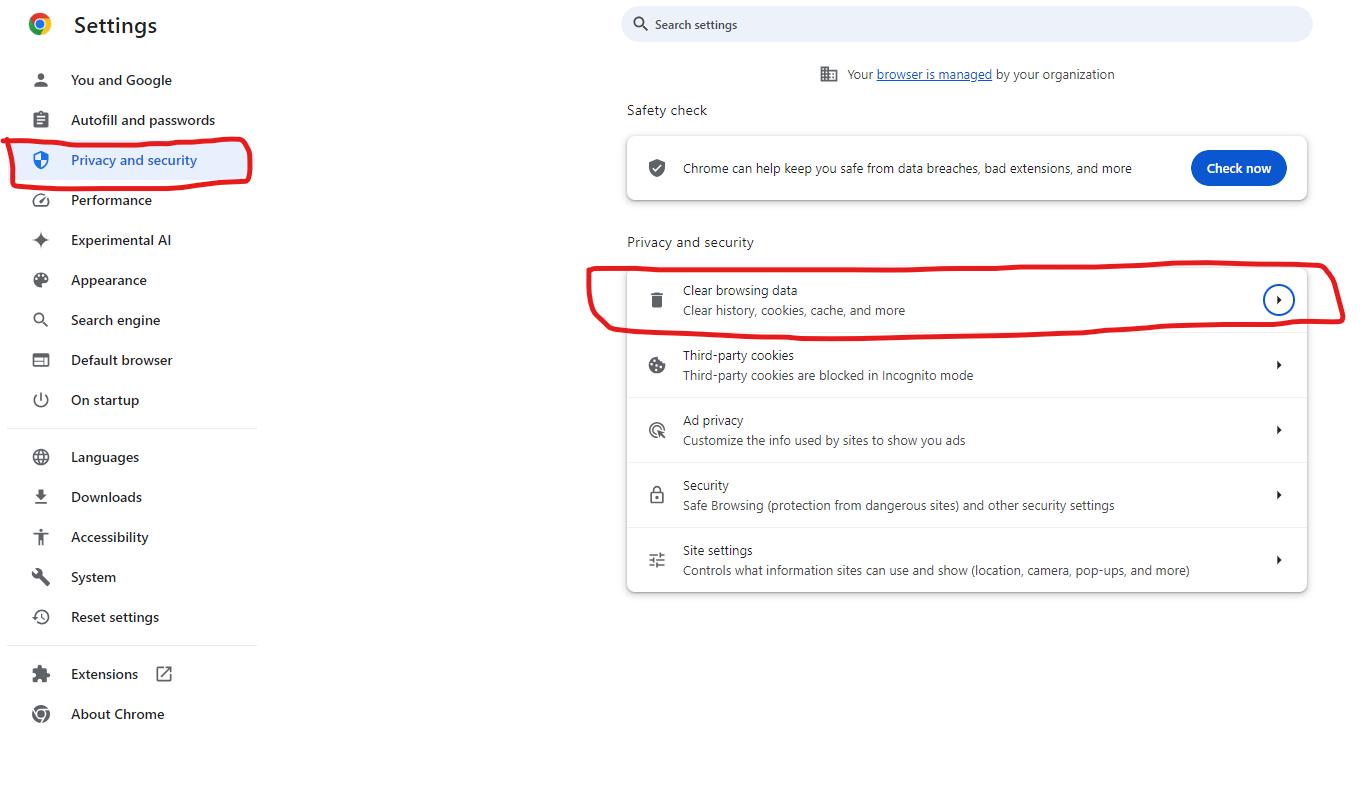
Step 2: Select Privacy and Security tab, Choose Clear browsing data
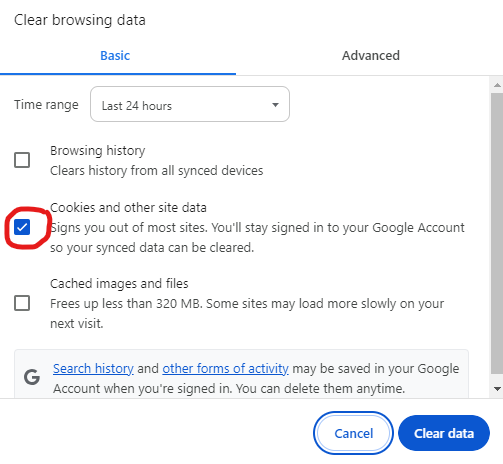
Step 3: Select Cookies and other site data, and click on Clear Data button.
Step 4: Open a new tab and hope Hyatt.com loads
There is a faster way to do this:
1) Click on the Slider/Mixer icon (looks like circle and line stacked on top of a line and circle) located immediately before the website address in the address bar
2) Select Cookies and Site Data
3) Delete them (click the Trash Can icon)
4) Reload the page
5) Cross fingers and hope it works
Good luck!