Situation: Hyatt.com stopped working on Chrome (Windows Desktop version), but works on Edge.
Resolution: Cleared cookies on Chrome. Hyatt.com loads again on Chrome.
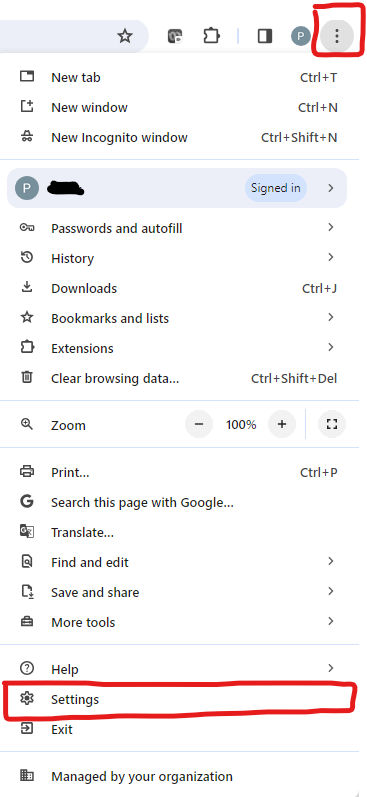
Step 1: Go to Chrome settings via the 3 dots, choose Settings.
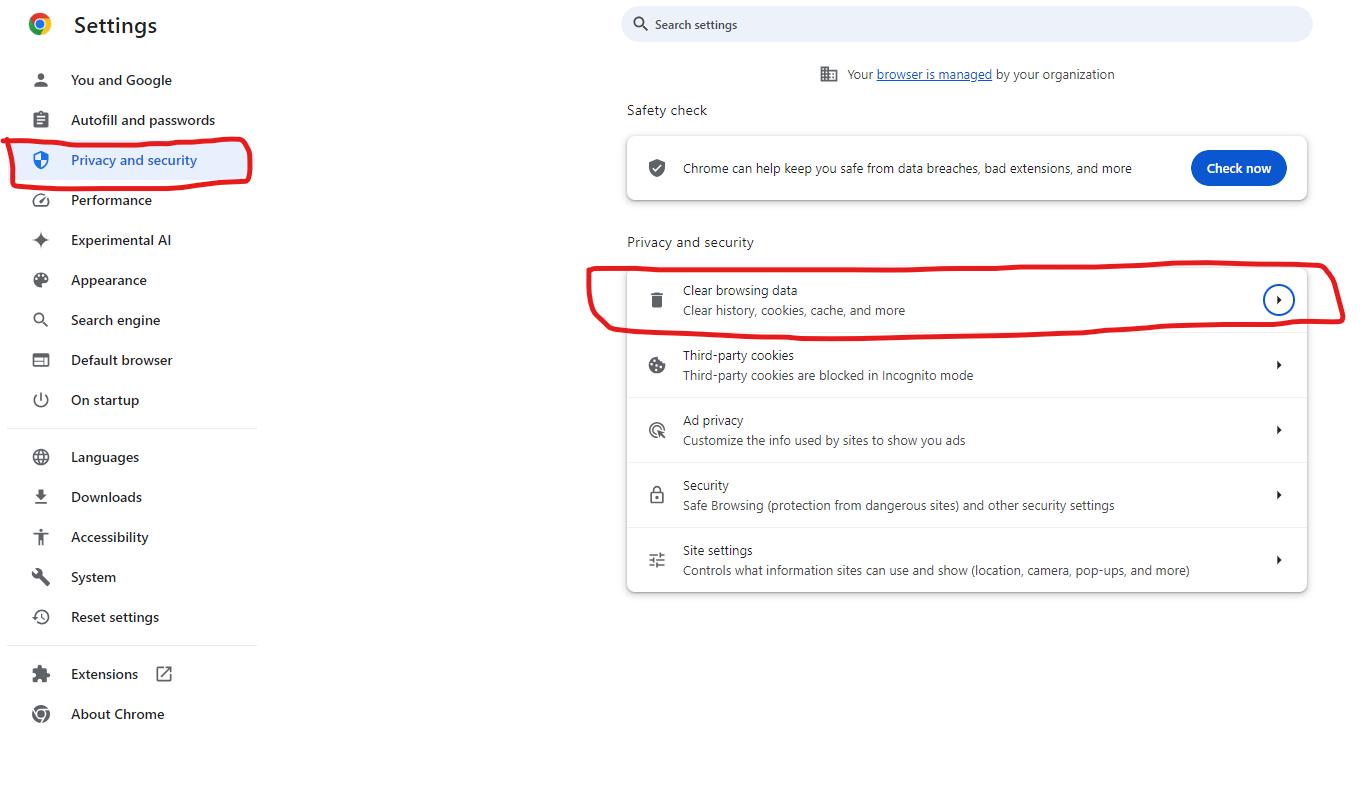
Step 2: Select Privacy and Security tab, Choose Clear browsing data
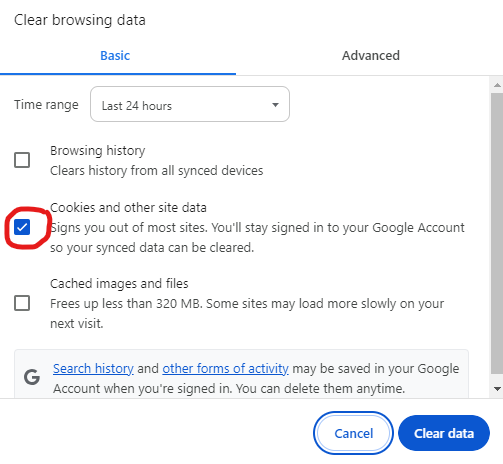
Step 3: Select Cookies and other site data, and click on Clear Data button.
Step 4: Open a new tab and hope Hyatt.com loads