Originally Posted by
sirky
[...] I have to disable it [Enhanced Tracking Protection] or clicking the sign in button does stone cold nothing. [...]
In case anyone wonders how to do this, I find it easiest to click the shield at the left end of the address bar and then use the slider to disable ETP. (When I added ihg.com to the Exceptions list for tracking protection, that did not solve the problem.)
 Address bar. Click the shield at the left end.
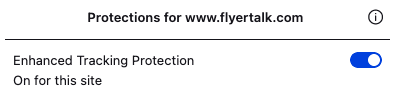 Use the slider to turn off ETP.
Mozilla is aware of the problem (but that is not an assurance that it will get fixed).