Hey fellow FTers! First of all, thanks to those of you who have
bought me coffees, it is very kind of you guys

So, I've made a few updates to the tweak over the weekend, and oh boy, you're gonna like this one.
If you've already installed the script and want to update, go over to the
greasyfork page and press the "
Update to Version 2.1" button. Then, in Tampermonkey (or whichever user script manager you are using) click on "
Update".
2.1 Changes:- For starters, since I received feedback from a couple of users that it gets in the way of other UI elements on the page, the search box no longer floats on top of the page. Instead, it has now has its own little space on the page. The drawback is that if Cathay updates their website, the search box may fail to load, but we'll cross that bridge when we get there.
- The origin and destination will now automatically switch to uppercase.
- The input boxes will select its content automatically when you click or tap on it so that you can start typing away immediately.
- The origin, destination and date, etc. is saved across the home and result pages
However, most importantly, I have snuck in a
secret feature that I haven't made public on the greasyfork page.
You can now batch search award availability on multiple consecutive days for all cabins and all airlines AT THE SAME TIME.
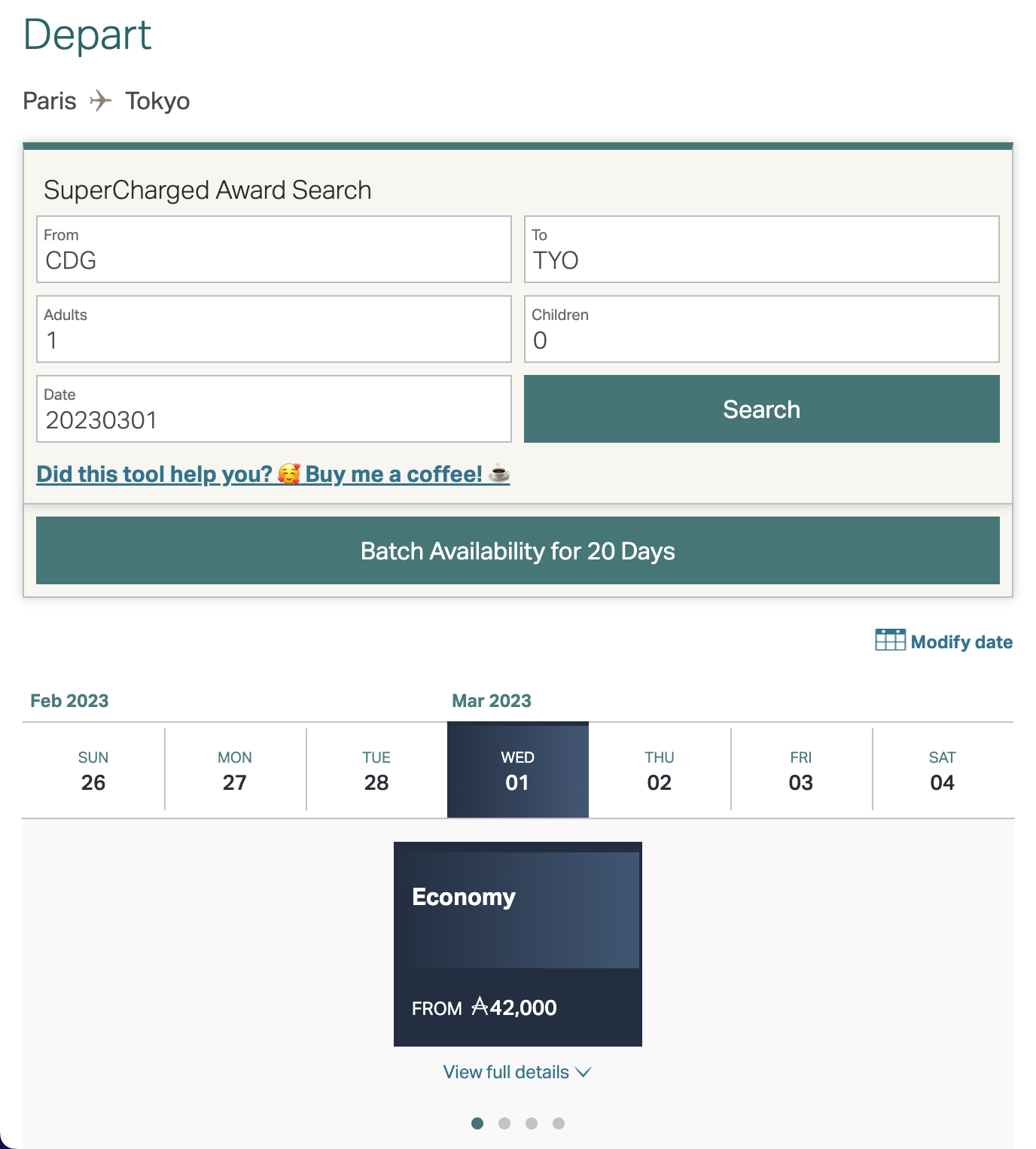
To activate the hidden feature, you will need to click on or tap on the "Unelevated Award Search" text Nine (9) Times on the search results page.
A new button labeled "
Batch Availability for 20 Days" will appear, as shown below. Once activated, it will stay activated for future launches.
When you click on it, it will start search for award availability on the current route showing on the search page, for 20 days (actually 19) starting from the date entered in the "Date" field. It will show the available flights for every calendar date, with the flight numbers and corresponding availability in F, J, PY and Y. Non-stop flights will have a green background, while those with stops will be grey and show the layover city.
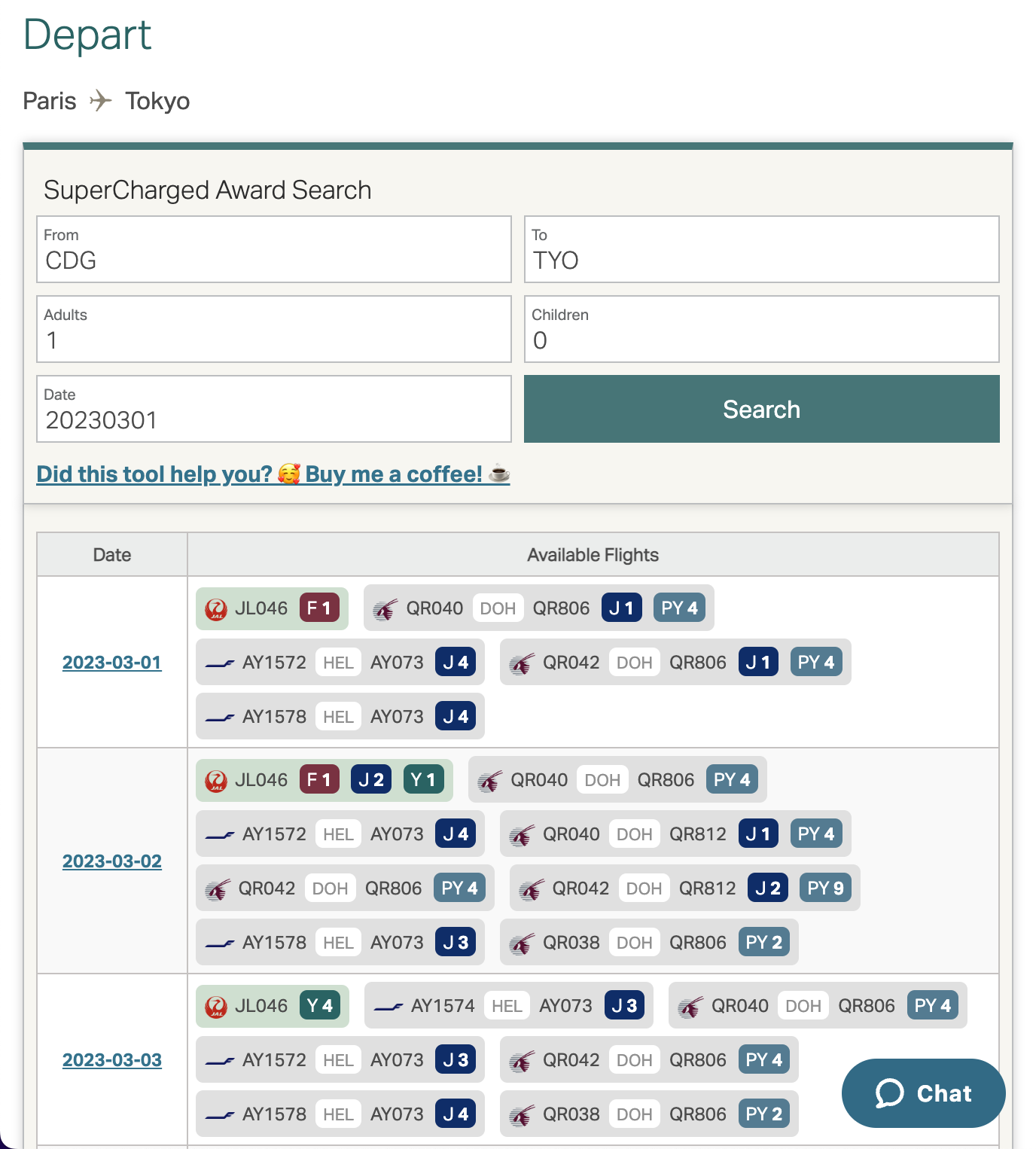
You can click on the dates on the left to load the actual Cathay engine search results for that particular day, e.g. when you are ready to book a flight, or want to see further details of the flights.
Note that you cannot change your origin or destination for the batch search, only the date. It needs to be the same route as the one currently being searched, as the tweak uses checksums on the page to call the Cathay APIs. Each checksum is only valid for 20 API calls, including the one the page initially makes itself, so once they are used up, a further batch search will trigger a page refresh to get a new checksum. If you click on dates on Cathay's own date tabs in the website's original search results further down, you will also use up API calls, so the batch call may not always show 20 days.
Please use this responsibly and do not abuse it, lest Cathay take actions to shut down or further obfuscate those APIs.
If you find any bugs or have any feedback, you can fill in the bug report form here:
https://forms.gle/zCUZzrajNscLzpsp8
Enjoy!