I'm going to frame this in a general way though -
how do I know whether a route is sold out or cancelled/suspended?
For instance (this is just an example - I've solved the problem by travelling on Swiss), I'm trying to work out what is going on with BA flights between any airport in London and Zurich on a Sunday. I wanted to travel next Sunday, and there are no available flights. Expert Flyer has this:
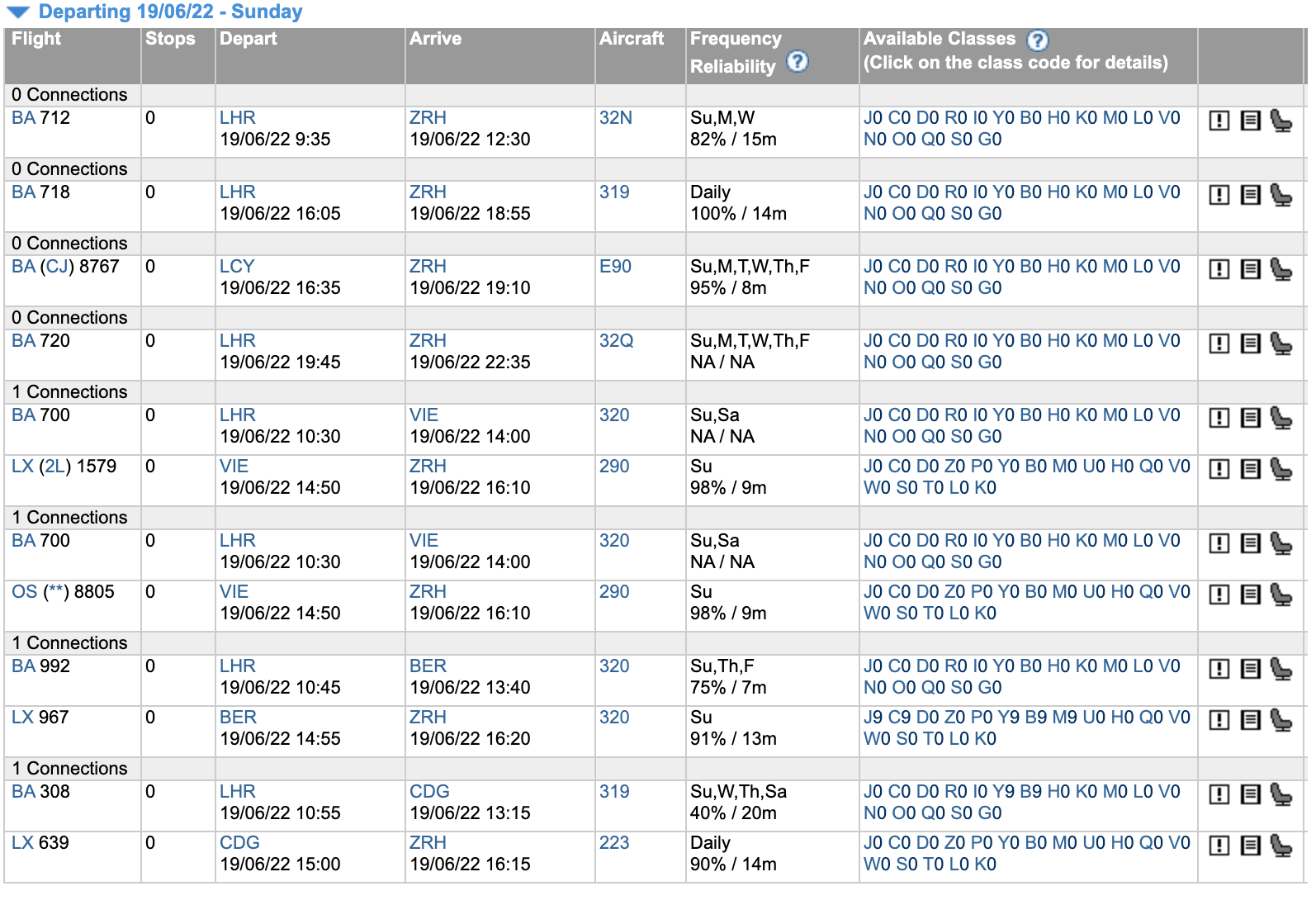
Absolutely everything is zeroed out. So my initial conclusion was "well, they've probably pulled the flights for the time being due to staffing etc, that's annoying".
But then I look at the following Sunday:
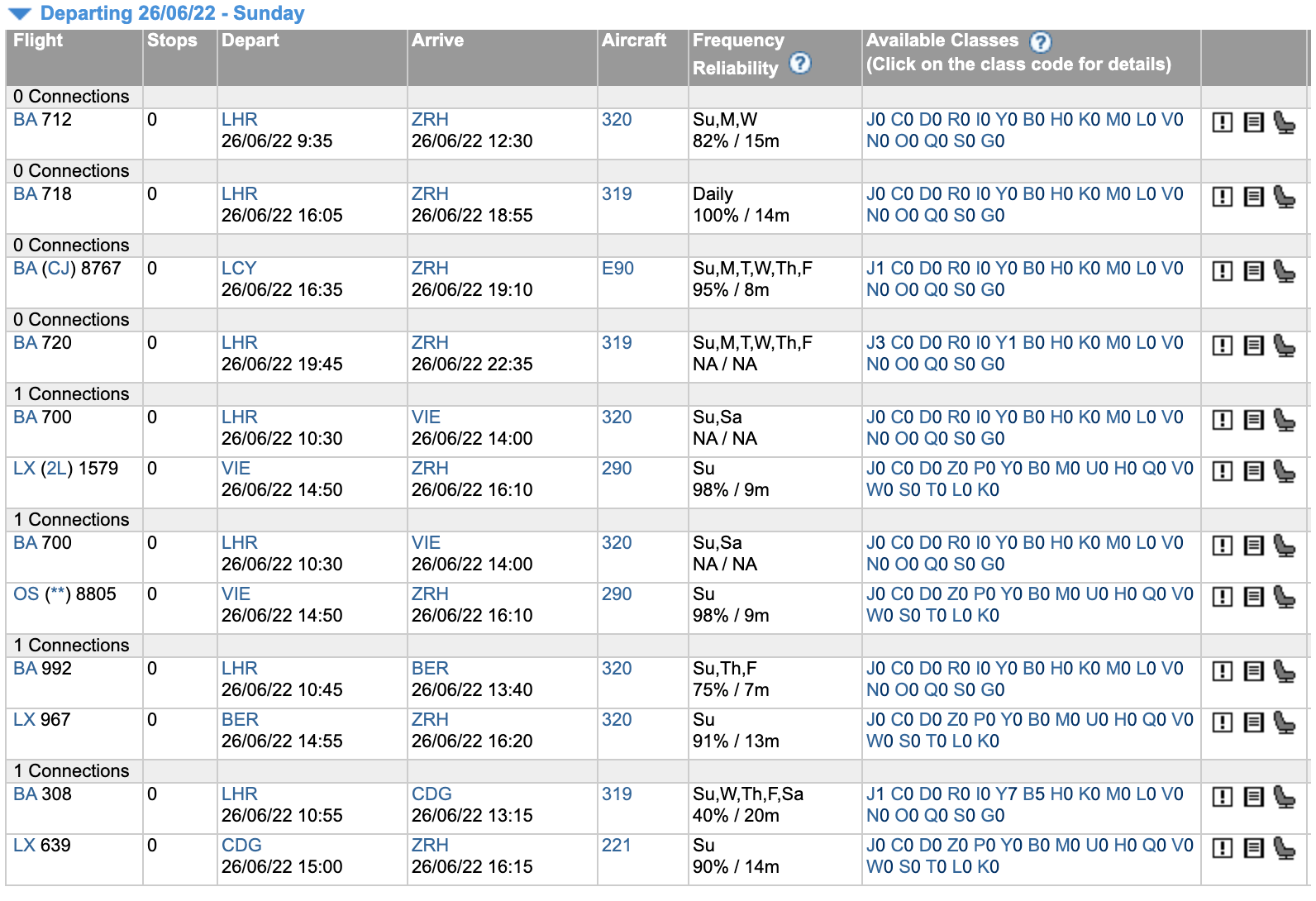
Note BA8767 and BA720 appear to have
some availability (but tiny!) implying they are still flying.
And the following Sunday:

BA718 is similarly in a suspiciously weird config, with just Y1 available. It seems pretty unlikely to me that 3 weeks out there is only Y1 available on that route - has it been cancelled but somehow has a Y seat left? Whereas BA712 looks pretty realisitic.
How can one actually tell (e.g.) "which BA flights are currently scheduled to fly on [day-of-week] between [A] and [B]" (here Sunday, LON and ZRH)? (Reason for wanting to know: I do this regularly for weekends. If this is a temporary thing, fine, but if not perhaps I should be pursuing LX status instead - however I think it's a useful general question). BA's timetable of course says they are all flying!