Originally Posted by
IBobi
Hi, iPadders,
We realize there are some quirks to using the iPad on FlyerTalk. Let me try to help.
First, we are planning to get this fixed. But it will require replacing the entire text editor on the software that runs FT. A big task. It will take time.
Meantime, you can try this:
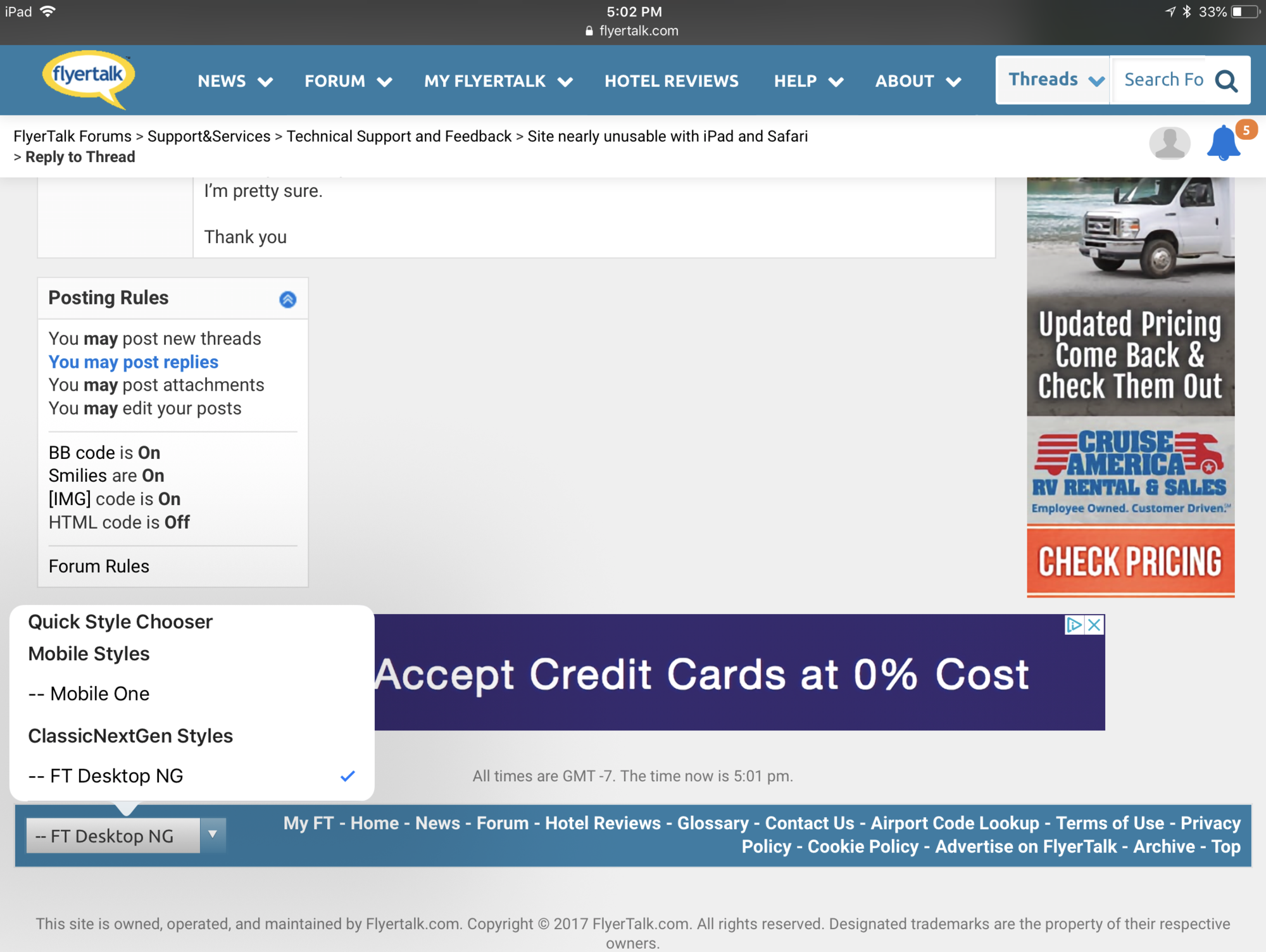
- Use the mobile skin! The annoying keystroke lag and the disappearing cursor do not happen in mobile skin. Go to the bottom left of your screen and use the dropdown to select Mobile New (to go back, go to the top-left "hamburger menu" and select View full site).
- If you really don't want to use Mobile skin, you can try clicking the little gray triangle in the lower right corner of your text edit box. Sometimes it works and it keeps the cursor from disappearing under the menu bar. Hit or miss.
That's about it. We really recommend using the mobile skin on any mobile device.
Good luck!
Paul
There is no
Mobile New option in the skin chooser on the bottom left when viewed on an iPad by the way, and Mobile One rarely sticks, dropping back to desktop after a few page transitions.
Last edited by djmp; May 19, 2018 at 6:11 pm