Originally Posted by
makrom
The only way I am aware how I can search for availability is by browsing every single day individually, and scroll down to see all flights that day, to see if there's any with C or F availability.
And here I could actually make the connection to the general lack of availability, this means having to click through A LOT of days. I have actually given up now, I browsed like 100 days which was far from trivial as the system is pretty sluggish.
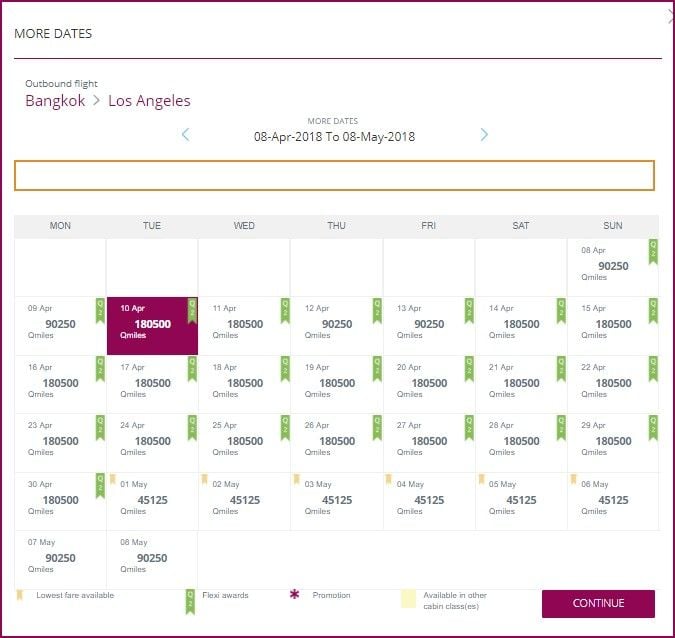
QR website is just a pain in many aspects, but you can save your time looking for awards by interpreting what it tells you in the 30 days view. In this example, when you are looking for J award space, if you see :
- 90250 with Q2 flag, it means only Y availability for x2 Qmiles
- 180500 with Q2 flag, it means J availability for x2 Qmiles
- 45125 without Q2 flag, it means only Y availability at normal rate
- 90250 without Q2 flag : Bingo !!! You've found J availability at normal rate !