Originally Posted by
msb0b
One quick question: Are the floating buttons for Satellite and Traffic on the upper left in English or Chinese? If it's in English, hover the mouse pointer over the Traffic button and it should expand. One of the options there should be English for turning on English labels.
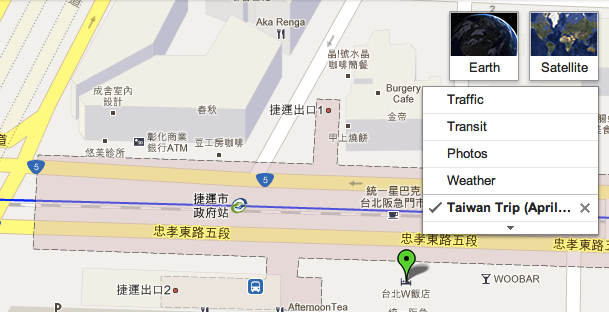
Meant to attach a screen shot earlier--shows the drop down menu (in English, with no option to select English):
Originally Posted by
msb0b
Another idea is to open Google Maps under Private Browsing mode so no cookies can affect it.
Great suggestion...tried it...and am even more perplexed.
• Chrome > New Incognito Window > do NOT log into Google account = English
•.Repeat, but this time, DO log into Google account = Chinese
Originally Posted by
msb0b
If Google Maps shows up right, i.e. with English labels, I would clear your browser's cookies.
Tried that next.
•.Cleared the cache, did the search. English.
•.Logged into my Google account, then searched. Chinese.
Tells me there's something about being logged into Google that's causing the problem. I went to Settings to double check things there---my primary language is set to English (American), with second language as English (UK).
I need to be logged in to save the trip map, so staying logged out isn't a solution.
Any clue what it is about logging in that flips the switch the wrong direction?